Introducing ariaNotify: A New Frontier in Web Accessibility, With Cautionary Tales from the Past

The landscape of web accessibility has seen a significant evolution with the introduction of ariaNotify(), a new method defined in the WAI-ARIA 1.3 Specification. This feature promises to revolutionize how developers programmatically trigger screen reader narration, addressing a long-standing challenge that has historically relied on the often-unpredictable and convoluted use of ARIA live regions. While ariaNotify() offers a streamlined and powerful solution, its introduction also serves as a stark reminder of the careful considerations and potential pitfalls inherent in implementing accessibility features.
The Dawn of ariaNotify(): A Direct Line to Screen Readers
At its core, ariaNotify() provides developers with a direct and elegant API for delivering spoken feedback to users of assistive technologies. The method accepts a string of text as its primary argument, which will then be narrated by a screen reader. An optional configuration object allows for further refinement of its behavior.
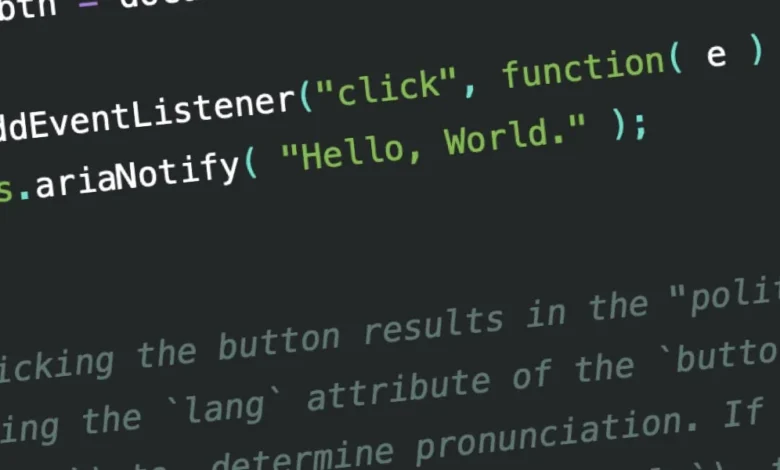
document.ariaNotify( "Hello, World." );
// Upon invocation, screen readers will announce "Hello, World."
This seemingly straightforward function replaces a complex and often frustrating workaround that has been the standard for years: the utilization of ARIA live regions. Understanding the history and limitations of live regions is crucial to appreciating the significance of ariaNotify().
The Legacy of Live Regions: A Patchwork Solution
For years, web developers have grappled with the challenge of informing users about dynamic content changes on a web page. When content updates asynchronously or in response to user interaction, users relying on screen readers would often remain unaware of these changes unless they actively navigated to the modified area. ARIA live regions were conceived to address this gap.
An element with the aria-live attribute is designed to notify assistive technologies of changes within its markup. The aria-live attribute can be set to assertive or polite. assertive signals an urgent need for narration, prompting immediate announcement, akin to an alert() dialog. polite, on the other hand, requests narration at the next natural pause in speech, allowing the user to complete their current task without immediate interruption. Functionally, role="alert" is equivalent to aria-live="assertive", and role="status" is equivalent to aria-live="polite".
Further granular control was offered by attributes such as aria-atomic and aria-relevant, intended to specify precisely what content within a live region should be announced and how. However, in practice, these attributes and the entire live region mechanism have been plagued by significant inconsistencies across different browsers and assistive technology combinations.
The Unforeseen Complications of Live Regions
The practical application of ARIA live regions has proven to be a significant hurdle for developers. Reports and developer experiences consistently highlight the wildly inconsistent implementation of these features. A primary issue arises with nested markup within a live region; achieving predictable behavior often necessitates stripping semantically meaningful markup, thereby undermining the very purpose of ARIA.
For aria-live to function reliably, the content to be narrated must exist in the Document Object Model (DOM) at the moment the narration is triggered. Introducing content simultaneously with the live region, or toggling visibility from display: none, frequently leads to timing issues. Browsers often "lock in" the live region’s behavior upon initial detection, failing to capture content that is added or revealed concurrently.
Furthermore, the distinction between assertive and polite has not been consistently defined or implemented across all screen reader and browser pairings. This ambiguity has led to a situation where developers often resort to a "best effort" approach, attempting to engineer a functional solution through a patchwork of attributes and careful DOM manipulation.
The "Makeshift Notification API" Problem
The cumulative effect of these limitations has led to live regions being predominantly used as makeshift notification APIs. Developers commonly embed visually hidden aria-live elements within their pages, updating their content as needed to trigger spoken alerts. While this approach can achieve the desired outcome, it is inherently clunky and prone to error.
This method also introduces its own set of challenges. The injected content, even if visually hidden, remains accessible in the accessibility tree. If not meticulously managed, this can lead to contextually irrelevant narration floating within the document, potentially confusing users. More critically, it introduces an invisible layer of complexity that requires dedicated testing and ongoing maintenance. Accessibility work, when not thoroughly tested early and often, can lead to unforeseen consequences that negatively impact the user experience, causing annoyance, confusion, or misinformation.
ariaNotify(): A Streamlined Alternative
ariaNotify() emerges as a direct solution to these long-standing frustrations. It bypasses the need for convoluted HTML structures and unreliable timing mechanisms, offering a genuine screen reader notification API.
document.ariaNotify( "Hello, World." );The ariaNotify() method can be invoked on either the Element or Document interface. When called on the Document interface, the lang attribute of the <html> element is used to determine the language of the notification. If no lang attribute is present, the browser’s default language is employed.
const btn = document.querySelector( "button.announce" );

btn.addEventListener("click", function( e )
  document.ariaNotify( "Hello, World." );
);
// Clicking the button triggers a "polite" announcement of "Hello, World.",
// using the language specified by the <html> tag, or the browser's default.
Conversely, invoking ariaNotify() from an element utilizes the lang attribute of that element’s nearest ancestor (up to and including the <html> element) for language inference.
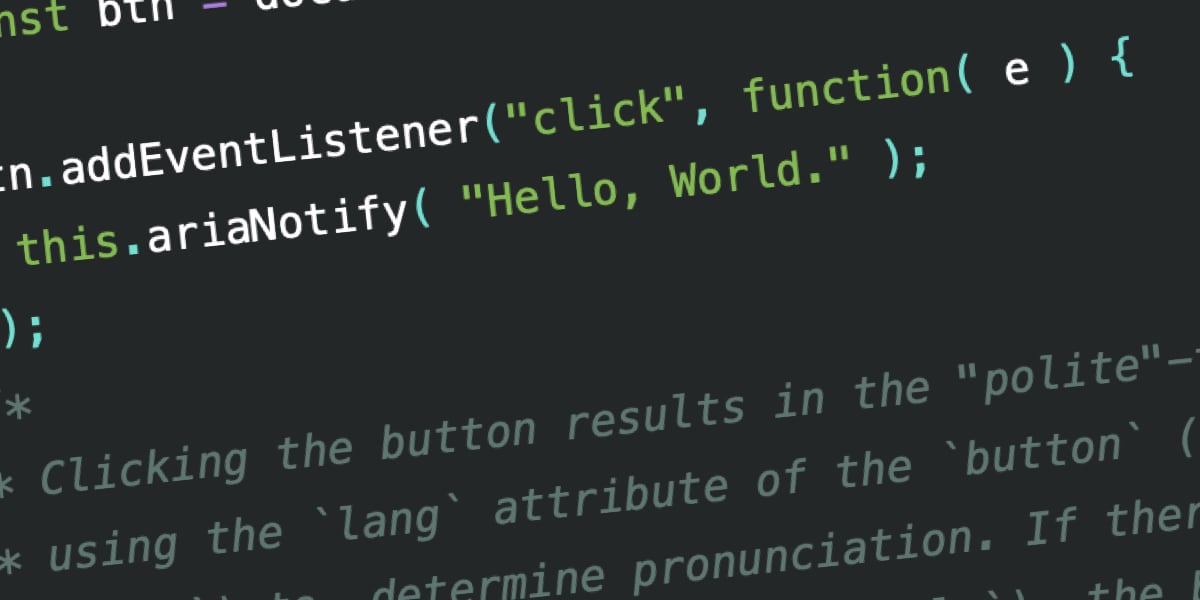
const btn = document.querySelector( "button.announce" );

btn.addEventListener("click", function( e )
  this.ariaNotify( "Hello, World." );
);
// Clicking the button results in a "polite" announcement of "Hello, World.",
// using the language attribute of the button or its closest ancestor.
The API also allows for explicit priority setting:
const btn = document.querySelector( "button.announce" );

btn.addEventListener("click", function( e )
  this.ariaNotify( "Hello, world.",
    priority: "high"
  );
);
By default, notifications have a priority: "normal", mirroring the behavior of aria-live="polite". Setting priority: "high" functions similarly to aria-live="assertive", prioritizing the announcement and potentially interrupting current narration.
Real-World Performance and Accessibility Testing
Early testing of ariaNotify() in browsers like Firefox has yielded promising results, showcasing a significant improvement over previous methods. Demonstrations with leading screen readers such as JAWS, NVDA, and VoiceOver reveal more predictable and consistent narration.
For instance, when testing with JAWS and NVDA, both "polite" and "assertive" notifications are rendered as expected. VoiceOver also demonstrates robust behavior, announcing the content clearly. While early implementations might not perfectly factor in lang attributes for pronunciation (as observed with "Educado" and "Hola, Mundo"), the core functionality of timely and accurate notification is a substantial leap forward.
- JAWS Example:
- "Polite, button. To activate, press space bar. [spacebar pressed] Space. Hello, World."
- "Assertive, button. To activate, press space bar. [spacebar pressed] Space. Hello, World."
- NVDA Example:
- "Polite, button. [spacebar pressed] Hello, World."
- "Assertive, button. [spacebar pressed] Hello, World."
- VoiceOver Example:
- "Polite, button. You are currently on a button [spacebar pressed] inside of a frame. … Hello, World."
- "Assertive, button. You are currently on a button [spacebar pressed] Hello, World."
These examples underscore the intended functionality of ariaNotify(), offering a direct and less error-prone pathway for delivering critical information to users.
The "Three Stages of ARIA Mastery" and the Siren Song of Overuse
Despite the clear benefits of ariaNotify(), its introduction also prompts a critical discussion within the accessibility community, often framed by the "three stages of learning to use ARIA":
- Stage One: The Naive Beginner: This stage is characterized by the belief that ARIA is a magic bullet, to be applied liberally to any perceived accessibility issue.
- Stage Two: The Over-Enthusiastic Expert: This is where the real danger lies. Developers in this stage, armed with a growing understanding of ARIA, begin to over-engineer solutions, often replacing native HTML elements with custom components and extensive ARIA attributes. This can inadvertently strip away the implicit semantics that browsers and assistive technologies already provide.
- Stage Three: The Pragmatic Realist: This stage involves a deep understanding of ARIA’s purpose and limitations, leading to judicious and purposeful application, always prioritizing native HTML semantics when possible.
The W3C’s "First Rule of ARIA Use" succinctly captures the essence of Stage Three: "If you can use a native HTML element or attribute with the semantics and behavior you require already built in, instead of re-purposing an element and adding an ARIA role, state or property to make it accessible, then do so."
The temptation to use ariaNotify() for every minor notification is strong, akin to the historical misuse of window.alert(). While alert() provided a quick and easy way to present information, its intrusive nature and blocking behavior made it notoriously annoying and disruptive. ariaNotify(), while more sophisticated, carries a similar potential for misuse.
The Perils of Over-Intervention: When Help Becomes Hindrance
Consider a scenario where a developer uses ariaNotify() to announce that content has been revealed by a user interaction. If that interaction is already clearly signaled through native HTML semantics (e.g., a button with an aria-expanded attribute), or if the element is already announced as "clickable" by a screen reader due to an event listener, adding an explicit ariaNotify() announcement can create unnecessary noise. This can lead to a user being lectured about an action they already understand, interrupting their flow and potentially causing frustration.
For instance, imagine hovering over a navigation button only to be met with an alert("Click here to open the navigation.") or a similar narrated instruction. Such interruptions, especially if they become repetitive, can lead users to abandon the website. The risk is compounded if the narrated instruction falls out of sync with the actual interaction, creating an invisible inconsistency that only dedicated screen reader testing can uncover. This can lead to a jarring experience where the user is forced to listen to an "argument" between the page’s underlying code and their assistive technology.
The Responsibility of Direct Communication
ariaNotify() represents a powerful tool, establishing a direct line of communication between developers and end-users through the trusted voice of their assistive technology. This directness, however, carries a significant responsibility. ARIA, in its entirety, provides the ability to define meanings, states, and relationships with absolute certainty. ariaNotify() amplifies this by allowing developers to "speak" directly to the user.
The implications of this direct communication are profound. While it solves a genuine problem that has plagued web development for years, its ease of use also makes it potentially dangerous if not employed with meticulous care and consideration. The temptation to use it as a quick fix for perceived notification gaps can lead to experiences that are more disruptive than helpful.
A Measured Excitement for ariaNotify()
The introduction of ariaNotify() is undeniably a positive development for web accessibility. It addresses a long-standing technical challenge with an elegant and efficient solution, finally providing a dedicated API for programmatic screen reader notifications. This feature has the potential to significantly improve the user experience for individuals relying on assistive technologies, offering a more reliable and less intrusive alternative to the current live region paradigm.
However, as the accessibility community has learned through past experiences with ARIA, powerful tools demand thoughtful implementation. The potential for overuse and the unintended consequences that can arise from well-intentioned but poorly executed accessibility features cannot be overstated. Developers must approach ariaNotify() with the same caution and rigor that defines effective accessibility practices. The goal is to enhance, not disrupt, the user’s experience.
Ultimately, the success of ariaNotify() will depend not only on its technical implementation but also on the discipline and understanding of the developers who wield it. By embracing a pragmatic and user-centered approach, and by heeding the lessons learned from the complexities of ARIA live regions, developers can harness the power of ariaNotify() to build a more inclusive and accessible web for everyone. The promise is immense, but so is the responsibility to use this new capability wisely.