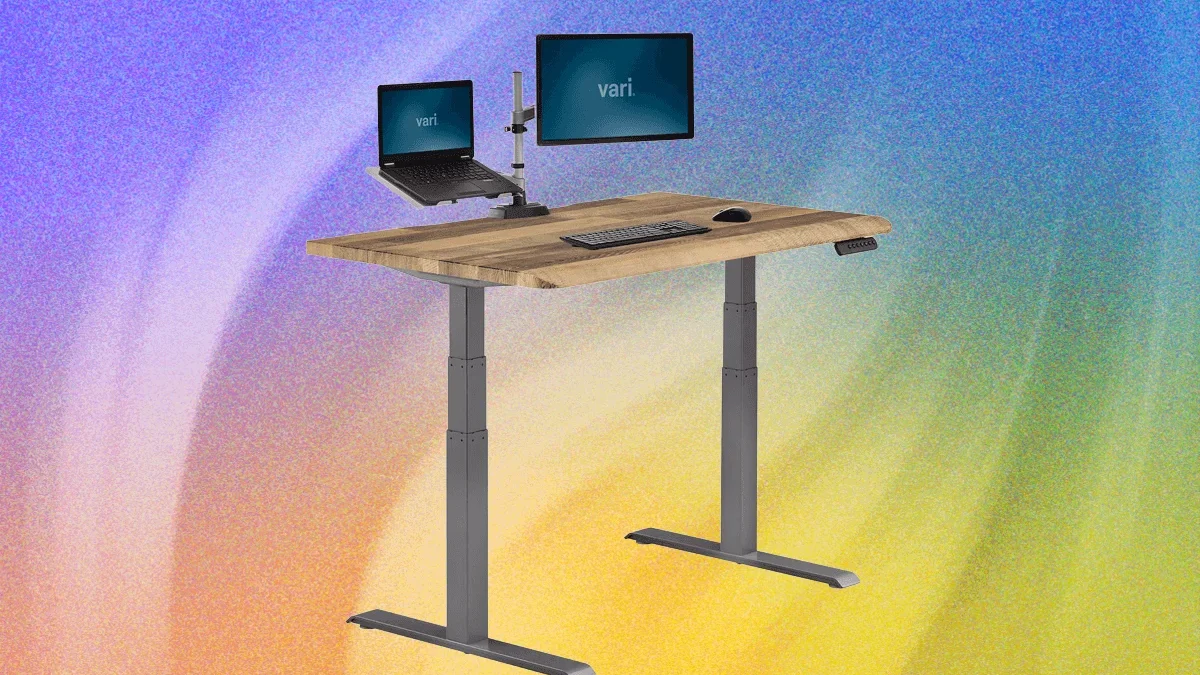
The modern workspace has undergone a seismic shift over the past decade, largely driven by the widespread adoption of adjustable sit-to-stand desks. As remote and hybrid work models solidify their place in the corporate and domestic landscapes, millions of desk-bound professionals continue to seek ergonomic solutions to combat the well-documented perils of a sedentary lifestyle. However, recent epidemiological research and comprehensive long-term testing by ergonomic experts reveal a more nuanced reality: while standing desks offer undeniable versatility, they are not a universal panacea for workplace wellness.
Navigating the crowded market of height-adjustable furniture requires a careful balance of medical consensus, ergonomic science, and hardware reliability. From budget-friendly compact models to luxury executive centerpieces, understanding the mechanical nuances, health implications, and proper setup guidelines is essential for any professional looking to invest in their workspace.
The Health Paradox: Are Standing Desks Actually Worth It?
For years, the corporate wellness narrative was straightforward: sitting is the new smoking, and standing desks are the cure. Marketed as essential tools to burn extra calories, boost productivity, and stave off lower back pain, sit-to-stand workstations quickly became a status symbol in both Silicon Valley tech hubs and home offices.

However, contemporary physiological research complicates this narrative. Recent studies published in major epidemiological journals indicate that while mitigating prolonged sitting is crucial, standing statically for excessive periods introduces its own set of physiological risks, most notably an increased likelihood of developing cardiovascular disease and chronic venous disorders.
According to Anne-Kristina Arnold, a kinesiology expert and senior lecturer in the Department of Biomedical Physiology and Kinesiology at Simon Fraser University, the enthusiasm surrounding standing workstations often overlooks individual human variance. "To say standing workstations are good for everybody in every situation all the time is never going to flow," Arnold explains. She emphasizes that variables such as body composition, baseline fitness levels, specific job duties, and footwear choices dramatically influence how the human body responds to postural changes.
Rather than treating a standing desk as a static solution where a worker remains upright for hours on end, kinesiologists recommend a measured approach. For those utilizing an adjustable workstation, experts suggest a cadence of standing for roughly 20 minutes per hour, interspersed with active movement. For individuals confined to traditional, non-adjustable desks, getting up and walking for 15 to 20 minutes yields significantly better health outcomes than merely changing posture at a fixed station.
Ergonomic Best Practices: How to Sit and Stand Correctly
Transitioning between sitting and standing is only effective if proper ergonomic alignment is maintained. Musculoskeletal strain often occurs not from the duration of sitting or standing, but from poor body mechanics while executing tasks.

Ergonomic specialists advocate for uniform positioning regardless of whether the desk is raised or lowered. When typing, elbows should rest comfortably at a 90-degree angle, with the keyboard positioned precisely at elbow height. For visual health, the computer monitor should be adjusted so that the top edge of the screen meets the user’s eye level. Laptop users face a unique challenge due to the fixed proximity of the keyboard to the screen; consequently, utilizing an external keyboard alongside a dedicated laptop stand is strongly advised to prevent neck flexion and shoulder strain. Furthermore, office chairs must be adjusted relative to the floor before altering the desk height to ensure proper lumbar support and feet-flat positioning.
Mechanical Evolution: Electric versus Manual Workstations
The technological backbone of the modern sit-to-stand desk relies heavily on the lift mechanism. The market is primarily divided into manual crank systems and motorized electric desks.
Electric standing desks dominate the premium and mid-tier segments, utilizing internal motors embedded within the frame legs to achieve smooth, rapid height transitions. These systems offer unparalleled convenience for users who adjust their desk height multiple times throughout the day, often featuring programmable memory presets that allow workers to instantly recall their optimal sitting and standing elevations.
Conversely, manual standing desks—operated via a crank handle or pneumatic counterbalance—remain a viable, cost-effective alternative for budget-conscious consumers or individuals who intend to find a comfortable height and leave it relatively undisturbed. While lacking the effortless automation of their motorized counterparts, manual desks eliminate the risk of motor burnout and often come with a lower initial price tag.

Comprehensive Market Analysis: Top Standing Desks Tested
To determine the best options available, product review teams often subject various models to months or even years of rigorous daily use. Evaluations focus heavily on structural integrity, motor noise, lifting speed, cable management, assembly complexity, and overall aesthetic value.
Budget and Compact Solutions
For students, urban dwellers, or those working within constrained square footage, the Luxor Compact Electric Standing Desk (priced around $200) offers a streamlined, no-nonsense approach. Featuring a shallow 23.5-inch depth, it fits seamlessly into tight corners while delivering a respectable 154-pound weight capacity. Its whisper-quiet electric motor operates at a steady one inch per second.
Similarly, the Inbox Zero 47-inch Adjustable Electric Standing Desk provides essential features under the $200 threshold, complete with rolling casters for mobility. However, users must contend with an audibly louder motor and a split-desktop design intended to simplify shipping logistics.

Mid-Range Versatility and Smart Integration
Occupying the competitive mid-tier market are models ranging from $400 to $800, which balance advanced features with robust engineering.
The FlexiSpot E7 Pro ($400+) delivers exceptional value, mimicking the structural profile of higher-end competitors while maintaining a lower price point, though minor drawbacks include a slightly higher-pitched motor whine and wobbling at maximum extension.
The Boulies Magvida ($760) introduces an innovative EMO magnetic organization system beneath its 55-by-28-inch surface, allowing users to snap on cable trays, hooks, and drawers without drilling or complex bracket installations.
For tech enthusiasts, the Ergodriven Tempo Automatic Standing Desk ($629) incorporates automation into the ergonomic workflow. Equipped with a "Cruise Control" function and occupancy sensors, the desk gently vibrates or "wiggles" to encourage postural shifts throughout the day, communicating metrics to a companion smartphone application.

Luxury and Executive Workstations
At the pinnacle of the market, luxury standing desks prioritize artisanal materials, architectural design, and integrated technology.
The Room & Board Lincoln Desk, designed in collaboration with architecture firm Gensler and retailing at $5,399, represents the height of corporate elegance. Crafted from solid American hardwoods—including walnut, maple, cherry, and oak—it features integrated drawers and wobble-free stability, backed by white-glove delivery and assembly.
The Beflo Tenon Smart Adjustable Desk ($3,998) targets the high-end smart office demographic, offering an iOS-like touchscreen control panel, built-in power strips, audio passthrough, and customizable LED lighting embedded within a heavy hardwood frame.
Critical Infrastructure: The Importance of Cable Management
-front-Reviewer-Photo-SOURCE-Julian-Chokkattu-(no-border).jpg)
A recurring oversight among first-time standing desk owners is the mechanics of cable routing. When a desktop elevates by 15 to 20 inches, any stationary cables connected to floor-mounted hardware or tight wall outlets are subjected to extreme tension.
Reviewers frequently recount cautionary tales of Ethernet cables snapping, power bricks dangling precariously, and decorative items being dragged off surfaces as the motorized frame ascends. Establishing a robust cable management ecosystem—utilizing slack loops, articulated cable spines, and clamp-on power strips—is not merely an aesthetic preference, but a mechanical necessity to prevent hardware damage.
Accessories That Elevate the Workspace
Maximizing the utility of a standing desk often extends beyond the desk frame itself. Ergonomic enhancements can significantly improve daily comfort and productivity:
- Clamp-On Power Strips: Accessories like the Branch Clamp-On Power ($89) bring AC outlets, USB-C, and USB-A ports directly to the desktop edge, eliminating vertical cord clutter.
- Task and Screen Illumination: Lighting solutions such as the LumeCube EdgeLight 2.0 ($150) or the BenQ ScreenBar Pro ($139)—which mounts directly onto a computer monitor and features automatic ambient light sensing and motion detection—free up valuable surface area while reducing eye strain.
- Ergonomic Footrests: Products like the Secretlab Premium Footrest ($89) provide high-density memory foam support during seated sessions, easing lower body fatigue.
- Monitor Arms: Gas-spring mounts from brands like Monoprice and Mount-It! allow for multi-screen configurations that move synchronously with the user’s field of vision.
- Desk Mats: Premium pebbled leather mats, such as the Harber London Professional Desk Mat ($239), protect high-end wood finishes while providing a smooth tactile surface for peripherals.
Products to Approach with Caution
-(no-border)-SOURCE-Julian-Chokkattu.jpg)
Not all high-profile releases meet rigorous long-term standards. Reviewers have highlighted significant mechanical and structural flaws in certain popular models.
The Corsair Platform:6 Desk ($1,400), targeted primarily at the gaming community, features an innovative rail system designed to slide monitors and accessories horizontally. However, long-term testing revealed that mounting heavy dual monitors causes the rail assembly to tilt forward under its own weight—a structural failure corroborated by multiple consumer reports. Additionally, users reported sporadic error codes ("rE5") from the control unit, making its high price point difficult to justify.
Similarly, the Marinamantra “Flow” Sit-to-Stand Desk ($1,149), designed to accommodate cross-legged sitting positions, suffered from quality control issues out of the box, including loose hardware and persistent motor calibration failures that required frequent troubleshooting.
Conclusion
The modern standing desk has evolved from a fad into a sophisticated category of office architecture. Prospective buyers must look past marketing claims of effortless wellness and instead evaluate their specific physical needs, available workspace, and tolerance for mechanical complexity. Whether opting for a budget-conscious manual frame or a bespoke executive solid-wood workstation, the ultimate goal remains the same: creating an adaptable, ergonomic environment that supports long-term health and sustained productivity.