
The integration of visual media into digital publishing has become a cornerstone of user engagement, with high-quality imagery serving as a primary driver for retention and time-on-page metrics. For the WordPress ecosystem—which powers over 40% of the global web—the transition from basic, native image blocks to sophisticated, feature-rich gallery management systems is a critical step for professional bloggers, photographers, and e-commerce entrepreneurs. As web performance standards, such as Google’s Core Web Vitals, place increasing weight on page speed and layout stability, the selection of a gallery plugin has evolved from a matter of aesthetic preference to a technical requirement for site optimization.

The Evolution of Digital Gallery Management
In the early stages of WordPress development, image galleries were handled through rudimentary, static code snippets or basic shortcodes. These early implementations often resulted in significant layout shifts and sluggish page load times, particularly when handling high-resolution files. Over the past decade, the industry has seen a pivot toward "responsive-first" design, where plugins must automatically handle image compression, lazy loading, and dynamic resizing across a spectrum of devices, from ultra-high-definition desktops to mobile handsets.
According to current web development benchmarks, visual content is the largest contributor to total page weight. Consequently, modern gallery plugins have had to integrate advanced caching mechanisms and content delivery network (CDN) compatibility to ensure that high-density visual storytelling does not compromise site accessibility.

Comparative Analysis of Leading Gallery Solutions
The marketplace for WordPress gallery plugins is currently dominated by seven key solutions, each catering to distinct operational requirements ranging from social media synchronization to professional print fulfillment.
1. Envira Gallery: Technical Performance and Ease of Use
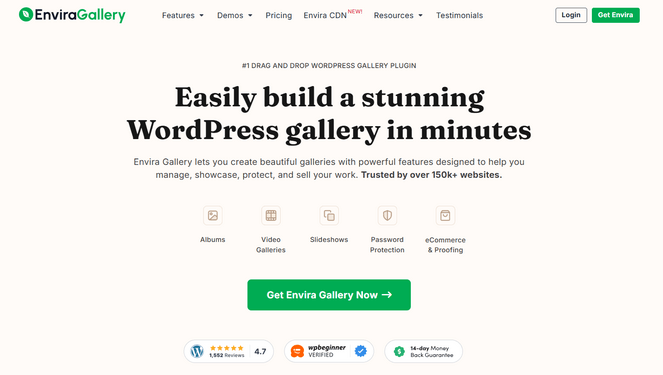
Envira Gallery has emerged as a standard-bearer for performance-oriented users. Its architecture is built around a lean, modular framework that prioritizes speed. Data indicates that its asynchronous loading capabilities minimize the impact on server requests, which is essential for SEO. The inclusion of a drag-and-drop interface allows for granular control over metadata and image ordering without requiring custom development, making it the preferred choice for enterprise-level blogging platforms.
2. NextGEN Gallery: The Professional Photography Standard
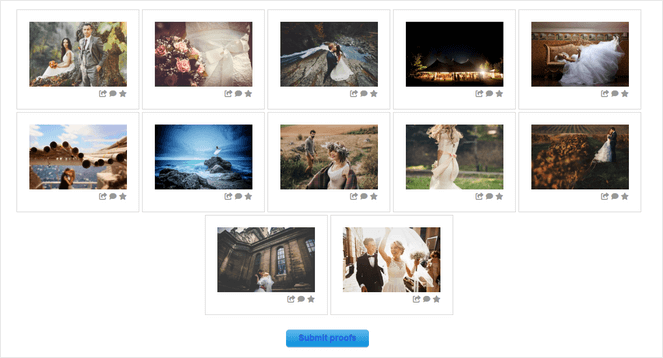
For users operating within the photography and fine art sectors, NextGEN Gallery offers a specialized feature set that transcends simple display. By integrating automated print fulfillment—a process that connects the digital gallery directly to professional labs—the platform addresses the logistical challenges of monetization. Furthermore, the inclusion of client-side proofing galleries provides a secure, gated environment for professional workflows, establishing a clear distinction between consumer-grade plugins and professional business tools.
3. Smash Balloon: Social Media Aggregation
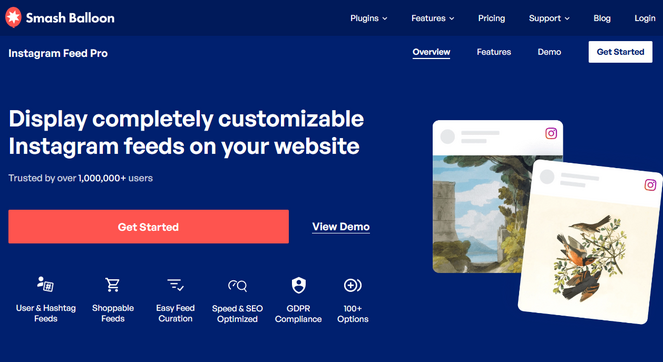
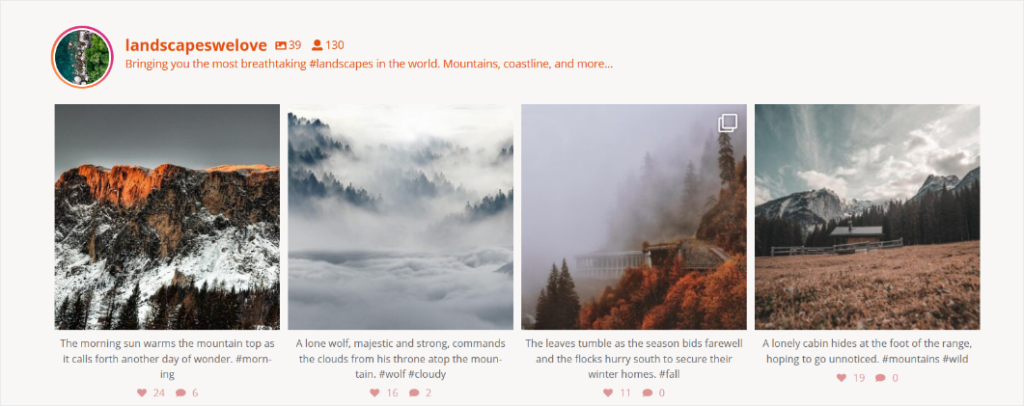
The rise of social-first content strategies has necessitated tools that bridge the gap between platforms like Instagram and independent domains. Smash Balloon’s Instagram Feed Pro utilizes API-based integration to ensure that galleries remain in constant synchronization with external social feeds. This automation reduces administrative overhead, as individual images no longer need to be manually uploaded to the WordPress media library. From a technical standpoint, the plugin’s ability to cache feeds ensures that the site does not rely on real-time API calls, thereby protecting the site’s performance during traffic spikes.

4. Soliloquy: Slider Optimization and Dynamic Content
Soliloquy focuses on the specific requirements of image sliders and carousels. Unlike many heavy-handed slider plugins that are notorious for degrading site performance, Soliloquy maintains a lightweight footprint. Its "dynamic slider" functionality, which pulls images from existing post thumbnails, is a significant utility for news aggregators and portfolio sites aiming to maintain a dynamic appearance with minimal manual input.
5. Modula: Grid Customization and Creative Control
Modula differentiates itself through a custom grid builder that allows for non-standard, asymmetric layouts. This level of flexibility is often sought after by designers who prioritize visual branding over standardized templates. By utilizing advanced CSS-based grid structures, Modula ensures that custom designs remain responsive, a common failure point for custom-built image grids.

6. FooGallery: Real-time Design Previews
FooGallery focuses on the developer and designer experience by incorporating a live-preview editor. In an industry where the trial-and-error cycle of adjusting settings can be time-consuming, the ability to see visual changes in real-time allows for more efficient design workflows. The plugin’s commitment to lazy loading and multisite compatibility makes it a robust option for agencies managing multiple client sites.
7. Photo Gallery by 10Web: Accessible Enterprise Features
10Web’s offering is notable for bringing high-end, often paid, features—such as robust lightbox effects and comprehensive watermarking—into a free-tier model. For independent creators or small businesses operating under strict budgetary constraints, this plugin provides a viable entry point into professional-grade media management without the barrier of a subscription cost.
Technical Implications and Best Practices
The integration of any third-party plugin carries inherent implications for site security and performance. When selecting a gallery solution, administrators should prioritize plugins that adhere to the following technical standards:
- Lazy Loading: Images should only load as they enter the user’s viewport.
- Mobile Responsiveness: The plugin must support touch-swipe gestures and dynamic aspect ratio adjustment.
- SEO Metadata Support: The ability to attach Alt-text and descriptive metadata to images within the gallery is vital for image search engine visibility.
- Security Protocols: Plugins must provide watermarking or right-click disable features to mitigate unauthorized content usage, particularly for original photography.
Industry Outlook and Future Trends
The trajectory of WordPress gallery technology is moving toward deeper integration with artificial intelligence. Future iterations are expected to include automated image tagging, AI-driven compression that maintains visual fidelity while reducing file size by up to 80%, and advanced analytics that track which images within a gallery receive the most interaction.
Furthermore, as the shift toward "Headless WordPress" increases, the demand for gallery plugins that provide clean, accessible JSON-ready image data is growing. Developers are moving away from restrictive shortcode-based systems toward API-first gallery architectures that can serve images across multiple platforms simultaneously.
Conclusion: Aligning Selection with Strategic Goals
Selecting a gallery plugin is ultimately a matter of aligning technical requirements with strategic business goals. For the high-traffic, performance-focused publisher, plugins like Envira or Soliloquy offer the necessary speed optimizations. For the digital entrepreneur seeking to monetize their creative assets, NextGEN Gallery remains the industry benchmark. Meanwhile, those focused on community engagement and social growth will find the most value in automated solutions like Smash Balloon.
As the digital landscape becomes increasingly visual, the infrastructure supporting these assets must be robust, scalable, and efficient. By moving beyond native display options and implementing specialized gallery management systems, publishers can ensure that their visual storytelling is not only aesthetically compelling but also technically optimized for the modern web.