In the contemporary digital economy, establishing a robust online footprint is no longer optional for organizations striving to capture consumer attention. With nearly two billion daily active users frequenting the platform globally, Facebook remains an unparalleled digital marketplace and networking ecosystem. Corporate entities, ranging from multinational corporations to local independent enterprises, continually leverage the platform’s free core infrastructure to build brand affinity, engage target demographics, and drive direct sales. Statistical data indicates that over 200 million businesses actively utilize Facebook Business Pages and associated free tools to manage their commercial presence.
Despite the saturated nature of social media marketing, creating a foundational page is an accessible undertaking that requires minimal technical expertise. This comprehensive guide outlines the systematic methodology required to establish, configure, and optimize a Facebook Business Page, ensuring organizations can maximize their digital reach and return on investment.
Background and Strategic Context
The evolution of Facebook from a collegiate networking site into a dominant commercial engine has transformed how brands interact with consumers. Historically, businesses relied on traditional media channels—such as print, television, and radio—to broadcast their value propositions. Today, social media platforms allow for bidirectional communication, enabling companies to foster direct relationships with their clientele.
A Facebook Business Page serves as a public digital storefront. Unlike personal profiles, which are designed for individual social networking, a business page provides analytical data, advertising integration capabilities, and advanced customer service tools. Integrating a page with supplementary assets like Facebook Shops and dedicated ad manager accounts allows enterprises to seamlessly transition users from casual browsers to paying customers. Industry analysts frequently emphasize that an optimized page acts as a centralized hub for an organization’s broader social media strategy, anchoring campaigns launched across multiple digital touchpoints.
Prerequisites and Preliminary Setup
Every Facebook Business Page must be anchored to an existing personal Facebook account. This architectural requirement ensures accountability and secure administrative control, as every page requires at least one designated manager. It is important for administrators to note that personal profile information, friends lists, and private personal activity remain entirely confidential and are never publicly displayed on the associated business page.
- Initiating the Page Creation Process
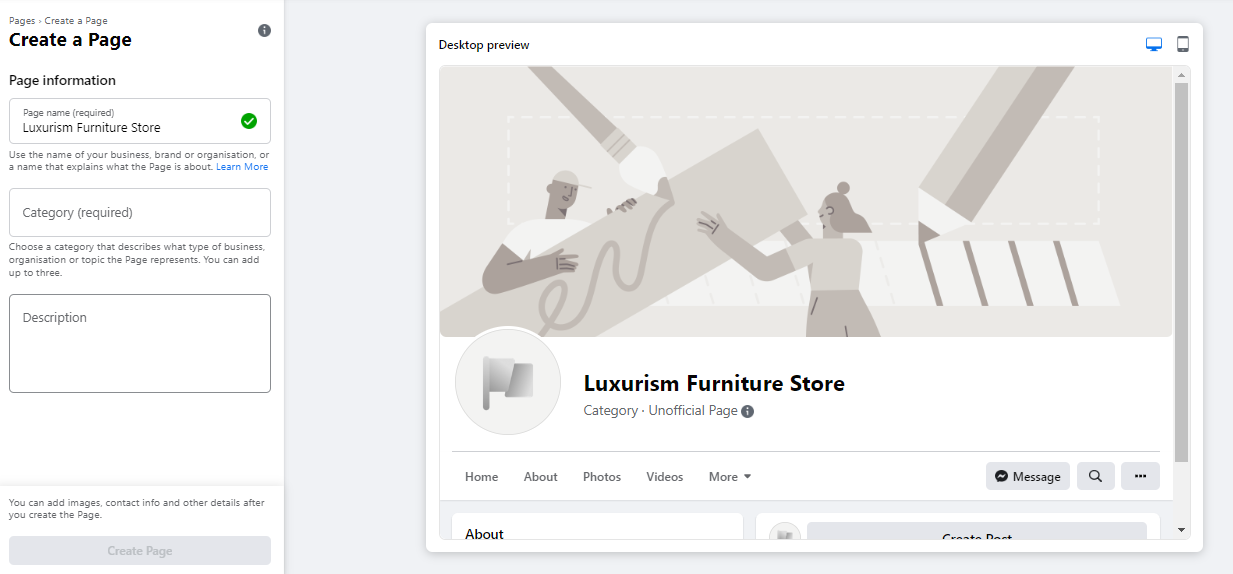
To commence setup, administrators navigate to the designated page creation portal at facebook.com/pages/create. The user interface features a real-time preview panel on the right-hand side, which dynamically updates as information is entered on the left.
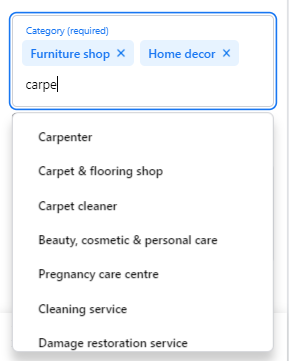
The initial step requires entering the Page Name. Best practices dictate selecting the official legal name of the enterprise or a recognizable moniker that consumers are likely to type into search engines. Following this, administrators must select up to three categorical descriptors that accurately encapsulate the business’s industry or function. Facebook utilizes these categories to categorize the page and improve search engine visibility within the platform.
A concise description must then be provided. Restricted to a maximum of 255 characters, this summary appears prominently in search engine results. It should succinctly articulate the core value proposition of the enterprise before finalizing the initial creation phase.

- Visual Branding: Profile and Cover Images
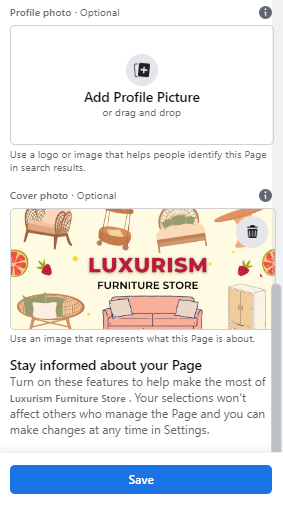
Visual identity is critical for establishing instant brand recognition. Once the baseline page is generated, administrators must upload high-resolution profile and cover images.
The profile image acts as the visual anchor of the brand, appearing alongside the company name in search results, user comments, and direct message threads. Established brands typically utilize their corporate logo, while public figures or artists often opt for professional headshots. Small business owners frequently choose a clear, high-definition photograph of their signature product or service offering. Standard dimensions dictate that profile images should measure 180 by 180 pixels. Because Facebook crops these images into a circular frame, administrators must ensure critical branding elements are kept clear of the image corners.
The cover image occupies the most prominent visual real estate at the top of the page. This banner should immediately communicate the brand’s personality, core offerings, or current promotional campaigns. Meta recommends a resolution of 1640 by 856 pixels for optimal rendering across both desktop and mobile viewports.
-
Optional Integration: Connecting to WhatsApp
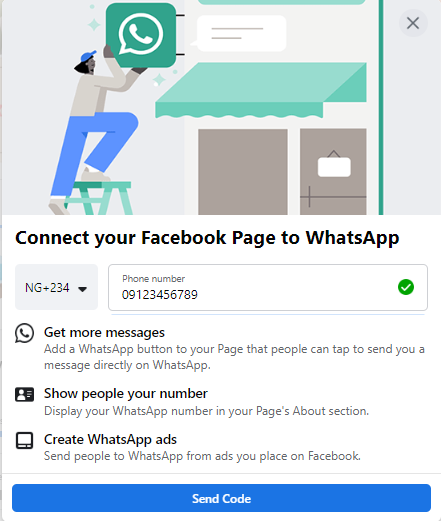
Modern consumer communication increasingly favors instant messaging services. Consequently, Facebook offers an integrated option to link the business page directly to a WhatsApp business account. While optional, this integration allows enterprises to display a direct WhatsApp call-to-action button on their profile and effortlessly route prospective leads generated through Facebook ad campaigns straight to a messaging interface. -
Establishing a Vanity URL (Username)
To facilitate easy sharing and memorable navigation, administrators must establish a unique username, commonly referred to as a vanity URL. This identifier dictates the direct web address of the page on Facebook. Usernames can span up to 50 characters, though shorter, concise variations of the business name are strongly encouraged to optimize user recall and ease of promotion across offline and online marketing collateral.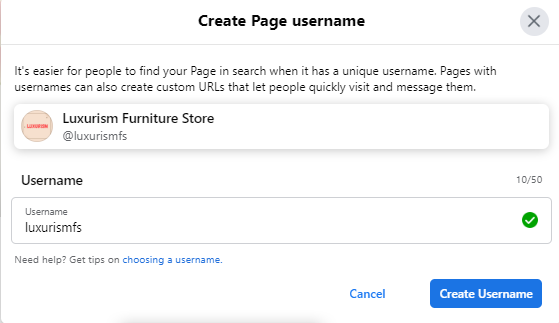
-
Populating Essential Business Details
Leaving an "About" section blank can severely undermine a brand’s credibility. Market research consistently demonstrates that modern consumers actively seek physical addresses, operational hours, contact telephone numbers, and digital links before engaging with a brand. Omitting these details often drives potential customers toward competing alternatives.
Administrators should systematically complete all fields within the preference and information panel, including:
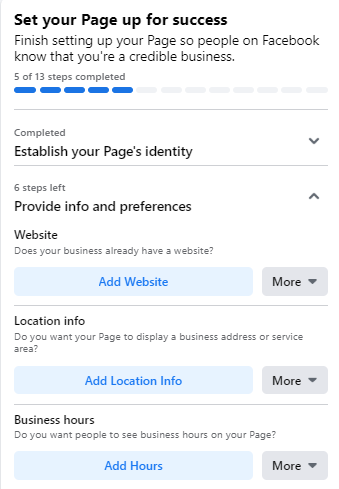
- Official website URLs
- Physical street addresses (where applicable)
- Operational hours of availability
- Primary customer service contact numbers
Furthermore, businesses should configure an actionable Call-to-Action (CTA) button. These interactive elements empower page visitors to execute specific tasks, such as booking an appointment, downloading promotional literature, visiting an external e-commerce store, or initiating direct communication channels. For organizations requiring time to curate their content before public exposure, the page can be temporarily toggled to an unpublished status via the general settings menu.
-
Initial Content Curation
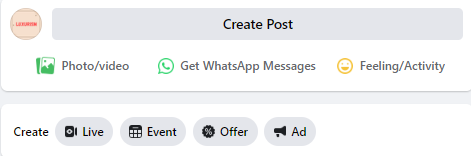
A freshly created page devoid of content offers little incentive for visitors to remain. Before inviting an audience, administrators should populate the feed with valuable, relevant content. This may include original thought-leadership articles, industry news, or media that highlights the brand’s expertise. Specialized posts—such as announcements for upcoming corporate events or active employment opportunities—can also be deployed to signal organizational growth and stability.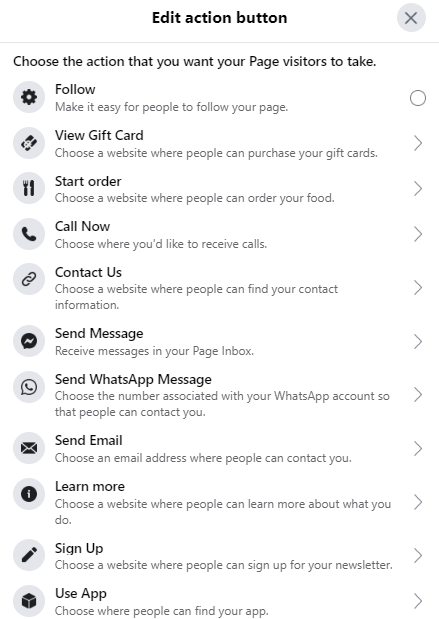
-
Audience Acquisition and Outreach
With the digital storefront fully structured and stocked with initial content, the focus shifts toward cultivating an active following. Initial outreach typically begins by inviting existing personal connections from the administrator’s network. Beyond internal platform invitations, organizations must cross-pollinate their digital properties by embedding "follow us" badges within email signatures, corporate newsletters, and alternative social media channels, such as Twitter or LinkedIn. Encouraging early customers to leave constructive reviews further bolsters social proof and accelerates organic audience growth.
Advanced Optimization Strategies for Maximum Engagement

Simply creating a page is insufficient to guarantee long-term success; ongoing optimization is vital for maintaining relevance within algorithmic newsfeeds and achieving broader marketing objectives.
Leveraging Page Analytics and Insights
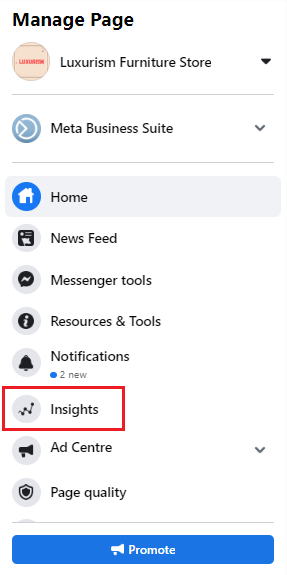
Data-driven decision-making separates high-performing digital campaigns from stagnant ones. Facebook Page Insights provides a wealth of metrics regarding user demographics, post reach, and audience engagement rates. By evaluating which content formats generate the highest volume of comments, shares, and reactions, marketing teams can continuously refine their content calendars. Insights also detail specific user interactions with digital touchpoints, such as website clicks, phone number inquiries, and CTA button activations, segmented by age, geographic location, and device type.
Strategic Deployment of Pinned Posts
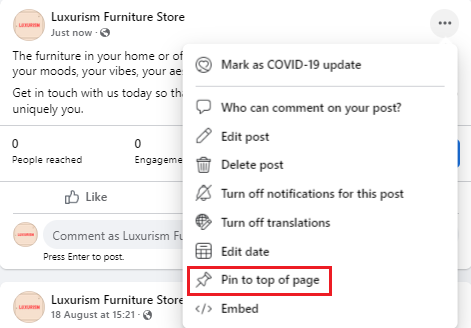
To ensure critical announcements—such as major product launches, seasonal promotions, or upcoming webinars—receive maximum visibility, administrators can utilize the "pinned post" feature. By anchoring a specific update to the absolute top of the feed, right beneath the cover banner, brands can direct visitor attention immediately to high-priority content, effectively mitigating the risk of key messages getting lost in the chronological scroll.
Community Building and Inter-Organizational Networking
Social media is inherently collaborative. Page administrators are encouraged to interact with non-competing industry peers by liking and following related business pages "as their page." This digital networking strategy fosters community goodwill, generates cross-referrals, and introduces the brand to adjacent market segments. Furthermore, participating in relevant Facebook Groups as a verified business page establishes subject-matter authority and builds consumer trust on a grassroots level.
Implications and Broader Digital Impact
The integration of a formalized Facebook Business Page into a corporate communication strategy carries profound economic and operational implications. By centralizing customer service, direct sales avenues, and analytical tracking within a single, accessible platform, small and medium-sized enterprises can achieve market penetration levels that were historically exclusive to organizations with massive advertising budgets.
As digital ecosystems continue to evolve, platforms like Facebook remain critical battlegrounds for consumer attention. Organizations that invest the necessary time to rigorously structure, meticulously optimize, and actively manage their social media assets position themselves advantageously within an increasingly competitive global marketplace, ensuring sustainable brand visibility and long-term commercial resilience.