The Evolution of Inbox Efficiency
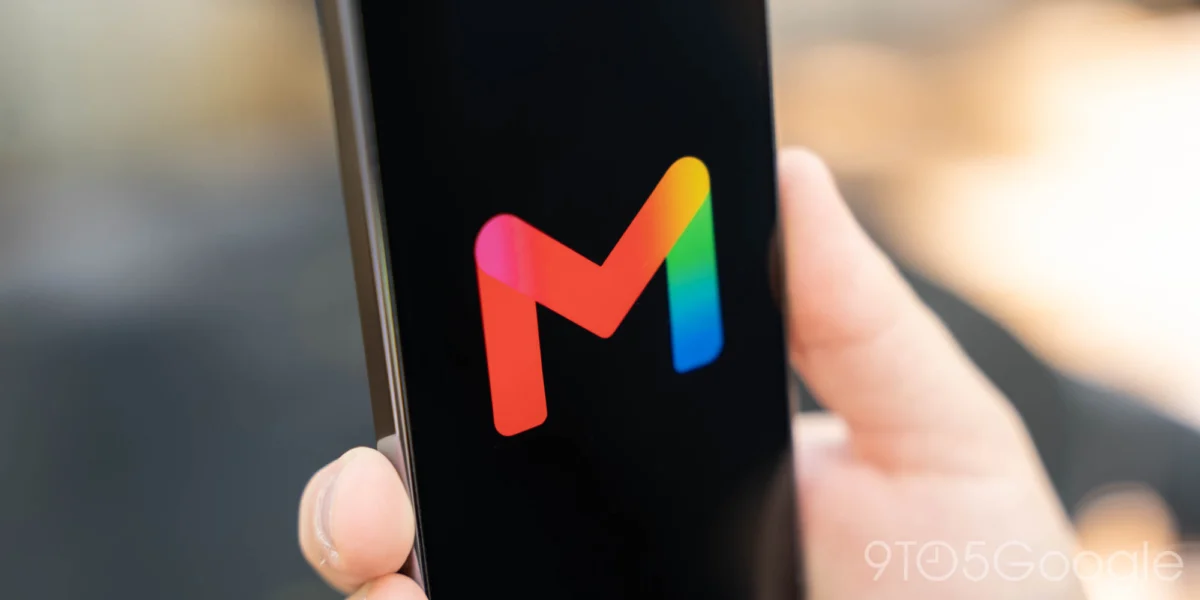
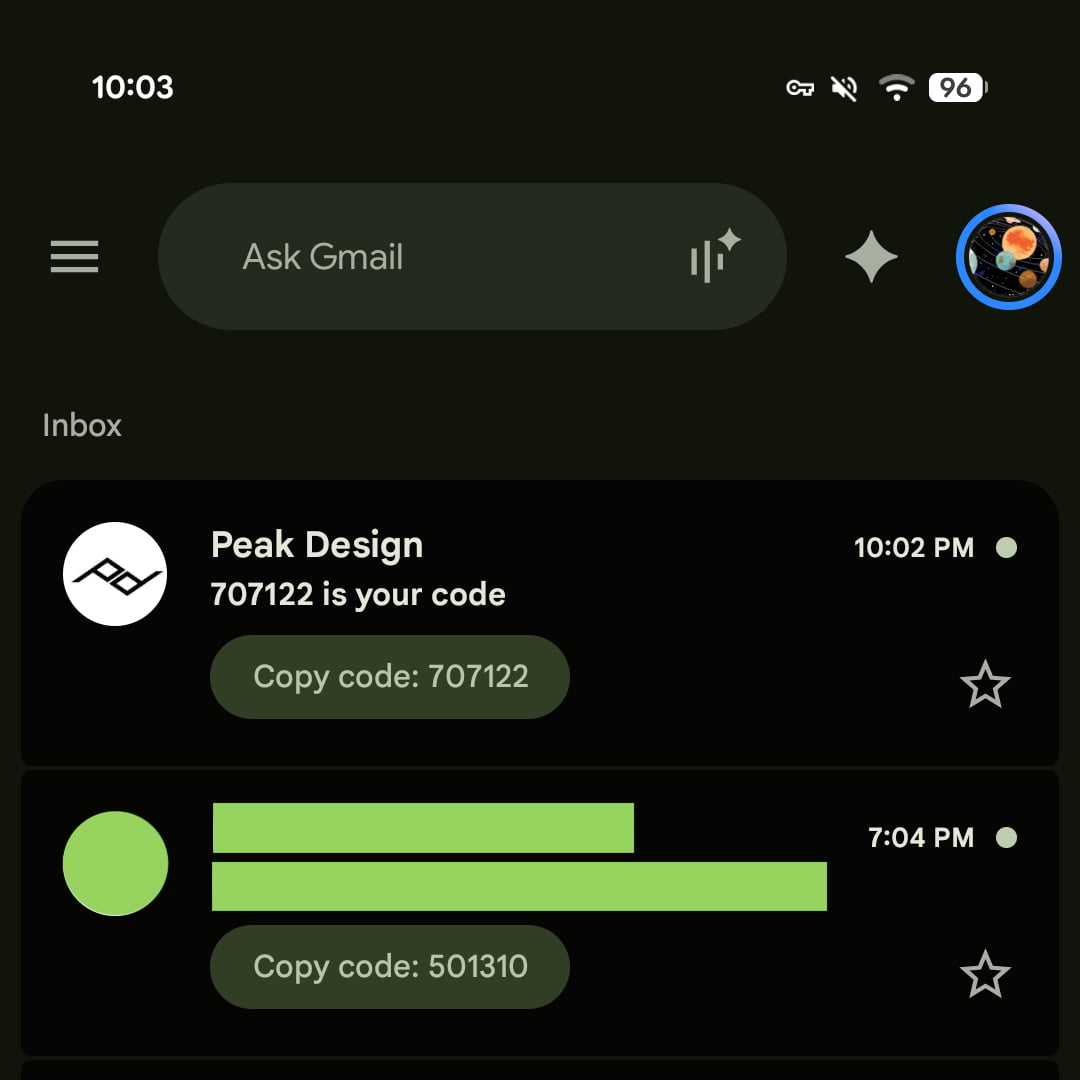
The deployment of the "Copy code" feature follows a series of rapid updates to the Gmail platform, including the integration of advanced Live search and enhanced chat functionalities earlier this month. The introduction of the pill-shaped button—which displays the specific authentication digits—is designed to function similarly to existing attachment previews for images, PDF documents, and other file types. By placing this shortcut directly beneath the subject line, Gmail eliminates the need to navigate into the message body, a process that historically introduced latency for users attempting to meet the strict time-sensitive windows often required by 2FA services.
This feature is currently available for Android users running version 2026.09.07.x and iOS users on version 6.0.260907. While the update has been confirmed across mobile platforms, Google has yet to roll out the functionality to the web-based interface, a distinction that reflects the different user interaction models between mobile touch interfaces and desktop mouse-and-keyboard environments.
Contextualizing the 2FA Workflow
To understand the significance of this update, one must examine the standard operating procedure for 2FA that has persisted for over a decade. Historically, when a user initiates a login request on a third-party site or application, a security server dispatches an email containing a transient, alphanumeric code. The user must then switch contexts, open their mail application, wait for the sync to complete, open the specific email, highlight the text, copy it to the clipboard, and return to the original application to paste the code.
This multi-step process is not merely a matter of convenience; it is a security consideration. Many 2FA codes expire within 60 to 300 seconds. Any delay caused by slow email delivery or the physical navigation of the application interface increases the probability of the code expiring before use. By abstracting the code into a primary UI element, Google is effectively optimizing the "time-to-verify" metric for its user base, which numbers in the billions.
Chronology of Recent Gmail Enhancements
Google’s recent push toward an "action-oriented" inbox is part of a broader strategy to transform Gmail from a passive communication tool into an active service hub. The chronology of these updates suggests a cohesive roadmap:
- Early 2026: Google began experimenting with AI-driven summaries within the mobile app, aimed at surfacing key data points from long-form emails.
- Early September 2026: The rollout of "Live search and chat" enabled real-time data retrieval, allowing users to query their inbox and connected workspace data with higher precision.
- Mid-September 2026: The official launch of the "Copy code" button for 2FA, focusing on security-centric automation.
Each of these steps demonstrates a commitment to reducing the "click count" required to perform essential tasks. Industry analysts note that this trend aligns with Google’s broader mission to integrate its Gemini-powered intelligence into every facet of the Workspace suite, ensuring that the email client acts as a command center for the user’s digital life.
Supporting Data and Security Implications
The reliance on email as a primary delivery mechanism for 2FA has been a subject of debate among cybersecurity experts. While SMS-based 2FA is increasingly flagged for vulnerabilities like SIM-swapping, email-based authentication remains a standard fallback or primary method for many financial and retail platforms.
According to data from the Identity Theft Resource Center and various cybersecurity research firms, the speed of authentication is directly correlated with user retention and the successful completion of secure login attempts. When a user experiences friction during the login process, the likelihood of "abandonment"—where the user ceases the attempt—increases significantly. By automating the extraction of these codes, Google is not only enhancing user experience but also inadvertently strengthening the security posture of its users by encouraging the use of 2FA in environments where they might have previously opted out due to the hassle.
However, security researchers also point out that the convenience of a "Copy code" button requires high levels of trust in the underlying notification system. Because the code is now visible without opening the email, the integrity of the Gmail notification system becomes a critical point of failure. Google appears to have mitigated this by ensuring the feature is restricted to trusted, authenticated senders identified through sophisticated domain-verification protocols.
Industry Reactions and Market Response
While official statements from Google representatives remain brief—characterizing the update as a "quality-of-life improvement"—the response from the developer and power-user community has been largely positive. On forums such as Reddit and various technology-focused social networks, users have praised the implementation for its responsiveness.
Industry analysts suggest that this move puts pressure on competing email providers such as Microsoft Outlook and Apple Mail. Both competitors have long-standing features that attempt to surface "important" information, but Google’s implementation is being cited as more refined due to the specific, actionable nature of the button. "Google is essentially treating the 2FA code as a first-class citizen in the inbox," noted one independent software analyst. "They are moving away from the paradigm of the inbox as a list of letters and toward the inbox as an interactive dashboard."
Broader Impact on Digital Infrastructure
The impact of this feature extends beyond simple convenience. It represents a subtle shift in how operating systems interact with application data. For this feature to function, the Gmail application must possess the permission and the algorithmic capability to "scan" incoming emails for patterns that resemble authentication codes. This capability is likely built upon Google’s existing Natural Language Processing (NLP) models, which have been trained to distinguish between marketing copy, transactional receipts, and security-critical verification messages.
This implies a future where the inbox may be able to categorize and act upon virtually any structured data. For instance, if a user receives an email containing a package tracking number, the next logical evolution of this feature would be a "Track Package" button. If a user receives an airline boarding pass, a "Add to Wallet" button becomes the natural next step. The "Copy code" feature is therefore a proof-of-concept for a more intelligent, intent-aware email architecture.
Limitations and Future Considerations
Despite the utility of the new feature, there are notable limitations. As mentioned, the lack of support for the web-based version of Gmail is a point of contention for enterprise users who perform the majority of their work on desktop computers. Furthermore, the feature currently relies on the accuracy of the sender’s formatting. If a bank or retail service sends a 2FA code in an unconventional format or buries it within a complex graphical element, the Gmail engine may fail to parse the code, leaving the user to revert to the traditional, manual method.

There is also the question of notification-level integration. Users have noted that while the code appears in the app, it would be significantly more efficient if the button were mirrored in the Android or iOS push notification itself. Currently, a user must still tap the notification to open the app to reach the button. If Google were to extend this to the notification shade—a feature that requires deeper integration with mobile operating system APIs—it would represent the pinnacle of frictionless authentication.
Conclusion: A Step Toward the Intelligent Inbox
The introduction of the "Copy code" button is a quintessential example of modern software refinement: a small, focused change that solves a specific, recurring pain point. By reducing the cognitive and physical load of the 2FA process, Google is demonstrating a commitment to streamlining the digital experience of its users.
As we move toward the end of 2026, the Gmail interface is becoming increasingly predictive. The "Copy code" button is unlikely to be the last of these functional shortcuts. As Google continues to refine its AI models and its ability to parse high-value information from the noise of the daily inbox, users can expect to see more of these "action-at-a-glance" features. For now, however, the new 2FA shortcut stands as a testament to the ongoing evolution of the email client, transforming it from a simple repository of messages into a dynamic, intelligent assistant designed to facilitate the rapid, secure verification of the modern digital identity.