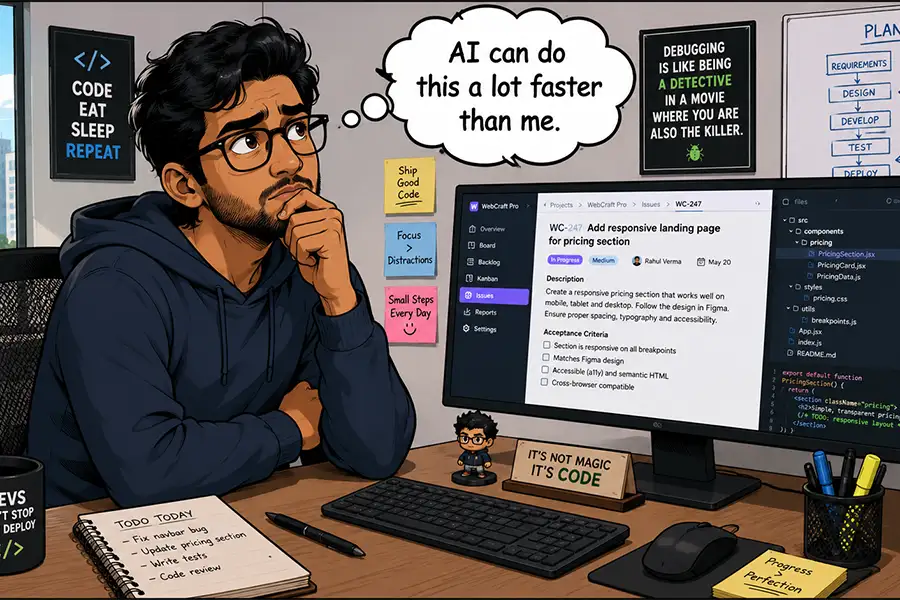
WordPress 7.0 marks a pivotal moment in the evolution of the world’s most popular content management system (CMS) with the groundbreaking introduction of the Connectors API, a native integration for Artificial Intelligence (AI) features. While third-party plugins have long enabled WordPress users to leverage various AI models, this marks the first time such capabilities are embedded directly into the core software, signaling a significant shift in how websites will be managed and developed. This advancement promises to streamline site administration, enhance user onboarding, and unlock novel applications for AI within the dynamic WordPress ecosystem.
The integration of AI into WordPress has been a gradual but increasingly impactful trend. Prior to WordPress 7.0, users relied on a diverse array of plugins to connect with AI services like OpenAI’s GPT models or Anthropic’s Claude. These solutions, while functional, often required separate installations, configuration, and sometimes complex management. The introduction of the Connectors API by the WordPress core development team, detailed in an announcement on March 18, 2026, aims to standardize and simplify this process, providing a robust and official framework for AI integration. This move is expected to accelerate innovation, foster greater adoption of AI tools among the vast WordPress user base, and position the CMS at the forefront of AI-powered digital experiences.
The potential ramifications of this native AI integration are far-reaching, touching upon every facet of website creation and maintenance. From automating mundane tasks to generating complex content and code, the scope of AI’s application within WordPress is theoretically boundless. However, as with any transformative technology, careful consideration must be given to its practical application, cost-effectiveness, and strategic value. This article delves into the key considerations for developers and website owners as they navigate this new era of AI-enhanced WordPress, exploring the tasks best suited for AI intervention, the economic implications, and the ongoing debate between AI solutions and established plugin functionalities.
Identifying the Optimal AI Workload in WordPress
The fundamental question for any WordPress user or developer embarking on AI integration is: what tasks are truly best delegated to artificial intelligence? While the temptation to leverage AI for every conceivable operation, from trivial post title modifications to on-the-fly plugin generation, is understandable, a nuanced approach is crucial. Not all tasks are created equal when it comes to AI’s efficiency and cost-effectiveness.
Practicality and Efficiency: The Human Touch vs. AI Precision
The first and perhaps most critical consideration is practicality. The adage "don’t use a sledgehammer to crack a nut" applies aptly here. Simple, repetitive actions that can be performed by a human user in mere seconds – such as checking a single box on a settings page – are unlikely to warrant the overhead of crafting an AI prompt, initiating an API call, and processing the response. The time saved, if any, would be negligible, and the cost of AI tokens, even for a single interaction, would represent an inefficient use of resources. The human brain excels at intuitive decision-making and immediate task execution for such straightforward operations.
Conversely, there are complex, time-consuming, or error-prone tasks that AI can significantly enhance or even automate. Consider the meticulous process of auditing website images for accessibility. The task of identifying every image lacking an alt attribute and then crafting descriptive text for each can consume hours of human labor. A report from Web Accessibility Initiative (WAI) in 2025 indicated that manual alt-text generation for a large e-commerce site with over 10,000 product images could take an average of 3-4 weeks for a dedicated accessibility auditor. AI, however, can rapidly scan an entire website, flag all images missing alt text, and even generate initial descriptive suggestions. This allows human experts to focus on refining the AI-generated content, ensuring accuracy and brand consistency, thereby dramatically accelerating the accessibility improvement process.
The Cost Factor: Token Economy and Budgetary Constraints
The economic reality of AI integration cannot be overlooked. Most advanced AI models, including those offered by industry leaders like OpenAI and Anthropic, operate on a token-based pricing structure. This means that every prompt submitted and every output generated incurs a cost. For users managing personal blogs or small business websites with limited budgets, indiscriminate use of AI for every task can quickly become prohibitively expensive.
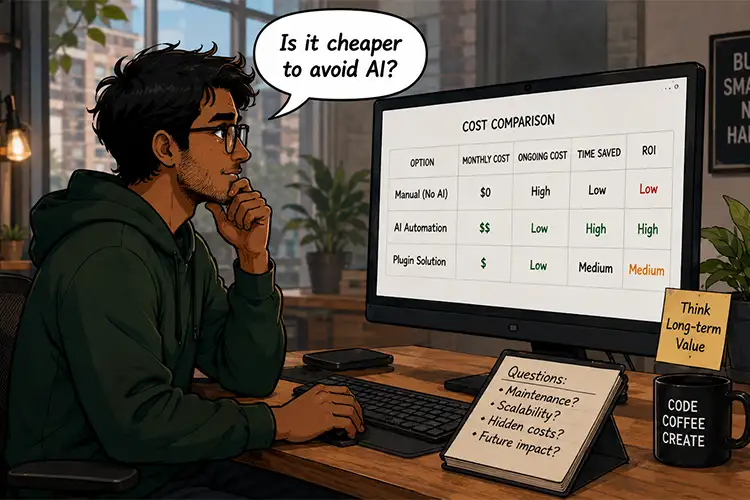
For instance, generating a blog post of 1,000 words using a leading AI model might cost between $0.02 to $0.10 per 1,000 tokens, with a typical 1,000-word article consuming approximately 1,500 tokens. This translates to a cost of roughly $0.03 to $0.15 per article. While seemingly small, when scaled across hundreds or thousands of articles, or for complex tasks involving extensive data processing, these costs can escalate rapidly. Developers and website owners must therefore adopt a strategic approach, prioritizing AI for tasks where the return on investment in terms of time saved, efficiency gained, or complexity managed significantly outweighs the token expenditure.
Experience as a Differentiator: Human Expertise vs. AI Assistance
The effectiveness of AI integration is also deeply intertwined with the user’s existing WordPress expertise. For seasoned professionals who have spent years mastering the intricacies of WordPress, many tasks that might seem daunting to a novice are routine. A beginner might struggle with advanced page layout creation in the Block Editor, potentially getting stuck and requiring significant time to resolve. In such scenarios, AI could offer valuable guidance or even generate initial layout structures, accelerating the learning curve and empowering the user.
However, for an experienced web designer, building intricate layouts might be a rapid and fluid process. The decision to involve AI should hinge on whether AI can perform the task demonstrably better or more efficiently than the human user, considering their skill level. For instance, while a developer might quickly insert an image or format text, AI’s true strength lies in its ability to operate at scale and handle complex data operations. Imagine the task of ensuring every image across a large multisite network has a descriptive alt attribute. Manually performing this on hundreds or thousands of sites would be an insurmountable undertaking. AI, however, can systematically identify these deficiencies, providing a foundation for human review and correction.
AI as a Learning Tool: Empowering Users Through AI Guidance
Beyond direct task execution, a significant, albeit often underestimated, benefit of AI integration lies in its potential as an educational tool. Users can leverage AI to learn about WordPress features, understand complex processes, or troubleshoot issues. By asking AI to guide them through the steps of configuring a specific plugin, optimizing database performance, or even writing custom CSS, users can gain valuable knowledge. This often leads to a situation where, after understanding the underlying process with AI’s help, the user no longer requires AI for that specific task, having internalized the skill. This "learn-to-fish" application of AI is a powerful use case that fosters user independence and expands their WordPress capabilities.
The Frequency Factor: When Automation Meets Demand
The recurring nature of a task is a critical determinant in assessing the value of AI integration. Tasks that are performed infrequently but are complex or time-consuming can be prime candidates for AI.
One-Off Complexities: AI for Deep Analysis and Audits
Consider a comprehensive code audit for security vulnerabilities or performance bottlenecks. This is a highly specialized and time-intensive task that, for most website owners, would necessitate hiring an expert. A few AI tokens spent on scanning the codebase and identifying potential issues can provide a significant head start. This allows the human expert to focus on the critical analysis and remediation, rather than the initial detection phase. The cost of AI tokens in this scenario is a small price to pay for the time saved and the enhanced security posture of the website.
The Power of Automation: AI as a Perpetual Assistant
Automation is where AI truly shines within the WordPress framework, particularly for recurring tasks. AI models can be programmed to execute operations at any time, day or night, without human intervention. This is invaluable for tasks such as:
- Scheduled Content Publishing: While WordPress has native scheduling, AI can offer more nuanced content generation and optimization before publishing.
- Data Reporting and Analysis: Generating custom reports from website data can be incredibly complex. AI, armed with plain-language requests, can extract, process, and present this data in a digestible format. For agencies managing multiple client sites, this capability can be transformative, enabling them to provide more comprehensive and timely reporting.
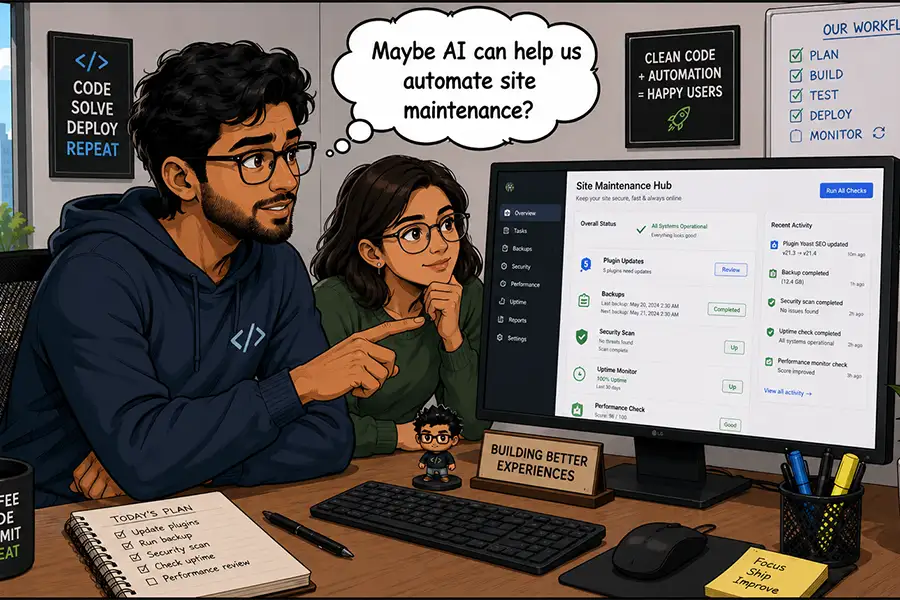
- Routine Maintenance and Updates: AI could potentially monitor for plugin updates, perform backups, or even detect and flag potential performance degradations, triggering alerts or initiating automated fixes.
- Personalized User Experiences: AI can analyze user behavior and dynamically adjust content or recommendations, creating more engaging and personalized experiences at scale.
The ability of AI to run these jobs in the background, independently and consistently, frees up human resources to focus on more strategic and creative endeavors. This is particularly beneficial for large organizations or digital agencies managing a substantial number of websites, where consistent operational efficiency is paramount.
Measuring Value: Time Saved and Complexity Resolved
Ultimately, the measure of AI’s value in WordPress boils down to how much time and effort a task would require from a human. For tasks like generating complex custom data reports, which can involve intricate database queries and data manipulation, AI offers a compelling alternative. A user can describe their reporting needs in natural language, and the AI can translate these requirements into actionable data extraction and presentation. This democratizes access to sophisticated data analysis, making it accessible to users without deep technical expertise.
For freelancers and agencies managing a portfolio of websites, AI acts as a force multiplier. Troubleshooting a buggy plugin, for example, can be a time-consuming process of elimination. AI can be tasked with analyzing error logs, identifying common conflicts, and even suggesting potential solutions, all while the human manager is engaged in other critical client-facing activities. This parallel processing capability significantly enhances productivity and responsiveness.
The Established Alternative: When Plugins Still Reign Supreme
While the allure of AI is undeniable, it’s crucial to acknowledge the robust ecosystem of existing non-AI solutions within WordPress. For a significant portion of website management and functionality needs, traditional plugins remain the most practical, cost-effective, and reliable choice.
The Plugin Ecosystem: Decades of Innovation
WordPress has benefited from a thriving plugin ecosystem for over two decades. During this time, developers have created highly specialized and efficient plugins for virtually every conceivable need. Automating workflows, exporting data, managing e-commerce operations, optimizing SEO, and enhancing security – these functionalities are already well-addressed by mature and extensively tested plugins.
The advantages of these established plugins are manifold:
- Cost Certainty: Most plugins offer a fixed price or a one-time purchase, providing clear budgetary control. Unlike AI, where usage costs can fluctuate, plugin expenses are predictable.
- Dedicated Support: Reputable plugins typically come with dedicated customer support, offering a human point of contact for troubleshooting and assistance. This can be invaluable when encountering complex issues.
- Functionality Specialization: Plugins are often designed with a singular focus, allowing for deep optimization and feature richness within their specific domain.
The Limitations of Plugins and the AI Advantage
However, the plugin landscape is not without its limitations. Some plugins can be resource-intensive, leading to performance issues. Others may have steep learning curves, requiring coding knowledge or significant configuration to unlock their full potential. Furthermore, niche functionalities may not be adequately covered by existing plugins, leaving a gap that AI can fill.
This is precisely where AI integration, powered by the Connectors API, becomes particularly valuable. For tasks that are not easily addressed by off-the-shelf solutions, or where dynamic, on-demand processing is required, AI offers a flexible and powerful alternative. The speed and seamlessness with which AI can process complex requests or generate creative content can surpass the capabilities of many traditional plugins.
The decision between an AI solution and a traditional plugin ultimately hinges on a thorough assessment of specific needs. If a well-established plugin can reliably and affordably meet the requirement, it often remains the preferred choice. However, for tasks demanding greater flexibility, customizability, or advanced processing power that existing plugins cannot readily provide, AI integration presents a compelling and increasingly accessible option.
The Evolving Landscape of WordPress AI
The integration of AI into the WordPress core via the Connectors API represents a significant leap forward, promising to democratize access to intelligent automation and sophisticated content generation for a vast user base. The CMS, powering an estimated 43% of all websites on the internet as of early 2026, is now better equipped than ever to adapt to the evolving demands of the digital landscape.
The true excitement lies in observing how users – from individual bloggers to large enterprises – will leverage this new capability. The sheer diversity of WordPress installations means that the use cases for AI are virtually limitless. Whether it’s a small, bespoke blog seeking to automate social media posting or a global corporation managing a complex multisite network requiring advanced data analytics, AI offers a suite of tools to enhance productivity and creativity.
The challenge, and indeed the opportunity, lies in identifying the tasks that genuinely benefit from AI intervention. This is not a one-size-fits-all scenario; it is a deeply personal decision for each user or organization. The advice for those looking to embrace this new technology is clear: experiment. Explore the capabilities of AI within your WordPress dashboard, keeping a close eye on token usage and meticulously tracking which applications yield the most significant value for your specific workflow.
It is entirely possible that some users will discover that AI dramatically amplifies their productivity, enabling them to accomplish more than ever before. Conversely, others may find that for many of their routine tasks, existing WordPress functionalities and plugins remain perfectly adequate. The beauty of this integration lies in its flexibility and the user’s autonomy. WordPress 7.0 empowers its users to make informed decisions, choosing when and how to harness the power of AI, ensuring that the technology serves as a tool for empowerment and efficiency, rather than an unnecessary expense. This strategic adoption will be key to unlocking the full potential of AI in the ever-evolving world of web content management.