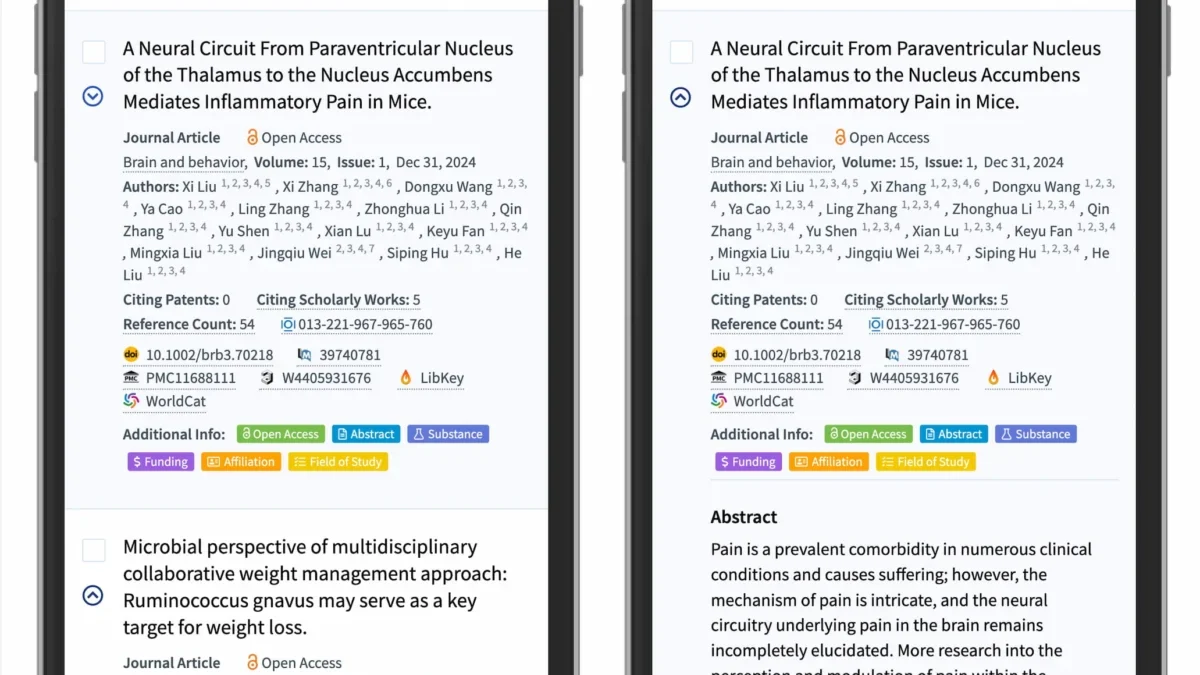
The design of mobile navigation interfaces represents one of the most critical challenges in contemporary web development, particularly as screen real estate becomes increasingly restricted. Recent empirical research from the Nielsen Norman Group (NN/g) has shed light on the cognitive friction caused by poorly implemented interface elements, specifically regarding the use of icons to signal accordion behavior. The findings suggest that designers often prioritize aesthetic trends over functional clarity, leading to significant user frustration and decreased engagement.
The Evolution of Accordion Navigation
Accordions—UI components that allow users to toggle the visibility of content sections—have become a staple of mobile-first design. However, the lack of a universal standard for these interactive elements has created a fragmented user experience. Historically, developers experimented with various symbols, ranging from plus signs to complex geometric arrows, to denote that a menu item contained hidden content.

The timeline of these design patterns reflects a broader shift toward "minimalist" interfaces. In the early 2010s, designers frequently employed plus (+) and minus (-) symbols, borrowing from legacy desktop operating systems. By the mid-2010s, as mobile web traffic surged, brands began adopting directional arrows, attempting to mimic the visual language of physical directories. Today, the industry is converging on the "caret" (a small, stylized triangle) as the gold standard for expansion and collapse functionality.
Empirical Data and User Behavior
Research conducted by NN/g, which utilized eye-tracking and interaction logs from hundreds of test sessions, highlights that the choice of icon dictates user behavior more than previously anticipated. The study observed that when no icon is present, users almost universally interpret the label as a direct link to a new page. This expectation is ingrained in the mental model of the modern web user.
The data reveals a critical insight: when designers employ ambiguous or "custom" icons, the click-through rate to the actual destination drops, as users become hesitant to interact with elements they cannot identify. Conversely, the study found that the caret, when positioned consistently, significantly reduces cognitive load. Participants in the study were more likely to tap the icon itself—rather than the text label—when a caret was present, effectively expanding the "hit area" and reducing the likelihood of accidental navigation to an incorrect page.

The Dangers of Split Menus
One of the most problematic patterns identified in the report is the "split menu" architecture. In this configuration, the text label of a menu item functions as a navigation link, while an adjacent icon acts as the trigger for an accordion dropdown. This design is often implemented to save space, but data shows it is a primary driver of user error.
Users do not consistently differentiate between the text and the icon; they tend to treat the entire row as a single interactive zone. When a user taps the text expecting to see more options, but is instead redirected to a new page, the resulting "context switch" degrades the user experience. Industry experts argue that this pattern should be avoided entirely. The recommended alternative is to provide a comprehensive, single-action trigger that expands the menu, with navigation links to the specific category page placed inside the expanded content area. This approach, utilized by large-scale logistics providers like DHL, ensures that the primary interaction remains predictable and fluid.
Icon Overload and Semantic Confusion
A recurring issue in UI design is the "overloading" of symbols. Symbols such as the plus sign (+), while intuitively associated with "addition," are often used to mean "show more." However, in complex, multi-level navigation systems, the presence of multiple plus signs can lead to a cluttered interface that feels overwhelming.

Similarly, arrows (→, ↓) are frequently used, yet their semantics are notoriously inconsistent. An arrow pointing right (→) might signal navigation to a new page, while a down arrow (↓) might suggest scrolling or the opening of a sub-menu. Because these symbols are used for diverse purposes across different platforms, they lack the specific semantic weight required for reliable accordion signaling.
The NN/g research confirms that the caret is the most effective icon because it is rarely used for anything other than a toggle state. Unlike the plus sign, which is overloaded with meanings like "add to cart," "zoom in," or "create new," the caret functions almost exclusively as a directional indicator for hidden content.
Implementation Best Practices for Developers
To achieve optimal usability, development teams should adhere to a simplified framework:

- The Underline Principle: If an element is a hyperlink to a new destination, the most effective indicator is an underline. It is a universal signifier that has remained consistent since the inception of the World Wide Web. Introducing arrows or icons to indicate a link often confuses the user, as it mimics the behavior of an accordion.
- Caret Consistency: When building an accordion, the caret should point downward when the content is collapsed and rotate to point upward or sideways when the content is expanded. This dynamic state change provides immediate visual feedback.
- Eliminate Dual-Action Targets: Avoid placing two distinct links on a single row. If a user needs to navigate to a page, provide that link within the sub-menu rather than forcing the user to distinguish between a text label and an icon.
- Prioritize Accessibility: Ensure that the interaction is reachable by touch-based devices. The "hit area" should be generous enough that users do not need to perform precision tapping.
Broader Implications for Web Architecture
The transition toward standardized, minimalist iconography is not merely a stylistic choice; it is a necessity for the modern, globalized web. As users navigate websites across varying devices and cultural contexts, interface predictability becomes the primary barrier to entry.
The findings presented here have profound implications for enterprise-level web development. Large organizations that manage vast information architectures often suffer from "design drift," where different departments implement different accordion behaviors across the same domain. This lack of cohesion is a measurable tax on user retention.
By adopting a unified approach to accordion design, companies can significantly improve the discoverability of their content. Furthermore, the reduction of unnecessary visual noise (such as extraneous arrows or complex buttons) leads to faster page load times and better performance on mobile networks, as fewer graphical assets are required.

Conclusion
The current landscape of web design suggests that we are moving away from the era of "clever" iconography toward a period of "functional" design. The data is clear: the most effective interfaces are those that respect the user’s existing mental models. By utilizing simple, universally understood symbols like the caret and reserving underlines for navigation, developers can create more accessible, efficient, and user-friendly web experiences.
As the web continues to evolve, the emphasis must remain on accessibility and usability. Whether through online workshops or professional documentation, the goal remains the same: to strip away the unnecessary, focus on clear communication, and ensure that the digital architecture of the future remains intuitive for every user. The simplicity of the caret is a testament to the fact that, in the world of UI/UX, the most effective solution is often the one that disappears into the background, leaving the user to focus entirely on the content.