Adobe After Effects serves as the industry standard for motion graphics, visual effects, and compositing, offering creators unparalleled creative freedom. However, the labor-intensive nature of building complex animations from an empty composition frequently conflicts with the fast-paced demands of modern production cycles. For professional motion designers and video editors, utilizing pre-built templates has transitioned from a shortcut to an essential strategic workflow. By leveraging well-engineered templates, designers can bypass the foundational setup—such as keyframe timing, expression scripting, and technical composition architecture—allowing them to dedicate their focus to the high-level creative details that differentiate a project.

The current landscape of digital production requires a diverse array of assets, including title sequences, logo reveals, dynamic slideshows, video openers, and lower thirds. While some templates are designed as self-contained sequences, others function as modular components intended for integration into larger, complex edits. The primary benefit of these assets is their inherent flexibility; professional-grade templates are typically built with global controllers, allowing users to modify typography, color palettes, footage, and audio synchronization to align with specific client branding or aesthetic requirements.

The Evolution of the Motion Design Workflow
Historically, every motion graphic element had to be manually keyframed, a process that could consume days of production time for even a thirty-second sequence. The emergence of the template economy, supported by platforms like Motion Array, Envato Elements, and Adobe Stock, has fundamentally altered this chronology. Over the last decade, the accessibility of high-quality templates has democratized motion design, enabling small-scale creators and corporate in-house teams to produce content that rivals the production values of major broadcast networks.

This shift in workflow has profound implications for the industry. By reducing the time spent on technical "heavy lifting," studios can now accommodate shorter turnaround times and offer more competitive pricing for clients. However, this convenience necessitates a disciplined approach. Experts caution that the quality of free templates can vary significantly. A poorly constructed template may lack clear layer organization, require obsolete third-party plugins, or fail to support newer versions of Adobe After Effects. Consequently, a critical stage in the modern production timeline involves rigorous technical vetting before a project begins.

Evaluating Template Quality and Technical Requirements
Before integrating an After Effects template into a professional project, technical due diligence is paramount. A polished, high-energy preview video does not necessarily indicate a stable, well-organized project file. Production managers and lead designers should verify three key metrics before deployment:

- Software Compatibility: Ensure the project was built in a version of After Effects that aligns with the studio’s pipeline. Projects created in CC 2023 or later may not be backward compatible with older versions, and reliance on legacy plugins can lead to catastrophic errors during the final render.
- Layer Organization and Documentation: A professional template must feature clear labeling. If a project is cluttered with unlabelled pre-compositions, the time saved during the initial build will be lost during the customization phase.
- Hardware Overhead: Complex templates often utilize 3D layers, heavy Gaussian blurs, or particle systems that can tax hardware resources. Designers should perform a "performance audit" by rendering a short preview segment to ensure their workstation can handle the render load without stalling.
Categorical Breakdown of Essential Assets
Title Sequences and Kinetic Typography
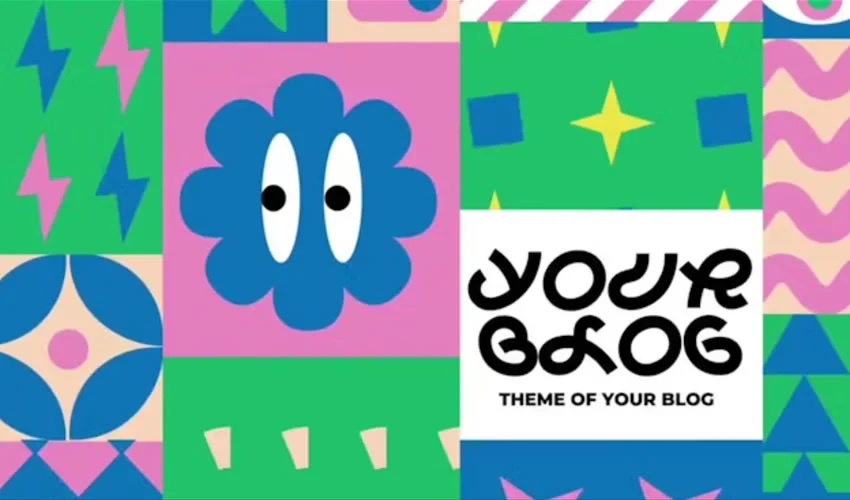
Typography is the voice of a video. An effective title sequence establishes the tone before the first frame of footage is shown. When selecting a template, such as the "Funny Shapes" or "2001 Space Odyssey" styles, the focus should remain on the balance between motion and readability. The current trend favors kinetic typography—text that moves in sync with the audio track—which requires a template that allows for easy timing adjustments without breaking the underlying animation logic.

Logo Reveals and Brand Identity
A logo reveal is the visual signature of a brand. Whether using a minimalist "MoGraph" approach or an aggressive, high-tech "Glitch" effect, the goal is to enhance brand recall. Research indicates that viewers form an opinion of a brand within the first three seconds of a video. Therefore, logo reveal templates must be concise. The most successful templates allow for "intelligent replacement," where a single logo placeholder automatically updates across multiple scenes within the project.

Slideshows and Gallery Structures
Slideshows are the most common application for templates in event videography, corporate portfolios, and social media marketing. The challenge with slideshows is avoiding a "cookie-cutter" look. Professionals recommend using the template as a structural foundation rather than a finished product. By adjusting the parallax effects, color grading, and timing of the transitions, a designer can turn a standard template into a bespoke gallery that feels unique to the subject matter.

Openers and Intros
Openers are the narrative hooks of a video. They must synthesize typography, graphics, and sound to establish the pace. For platforms like YouTube or LinkedIn, where viewer retention is measured in seconds, an opener must be punchy. The move toward modular, multi-aspect-ratio templates—such as those supporting both 16:9 for YouTube and 9:16 for Instagram—is a critical development, as it allows for efficient multi-platform content distribution.

Lower Thirds and Information Graphics
Lower thirds are the unsung heroes of professional broadcast. They must deliver vital information (names, locations, titles) without obstructing the visual composition. The most effective templates in this category utilize "responsive design," where the background shape automatically expands or contracts based on the length of the text input. This feature is a hallmark of a high-quality, time-saving asset.

Best Practices for Customization and Performance
The danger in using templates is the "sameness" that can result from minimal customization. To elevate a template from a generic asset to a professional piece of work, consider the following strategies:

- The Rule of Three Changes: At a minimum, alter the color palette to match the client’s brand guide, change the font to a professional-grade typeface, and re-time the primary transitions. These three adjustments alone can hide the origin of the template.
- Mastering the Global Controller: Most premium templates include a "Control" or "Settings" layer. Become familiar with these expressions. They are designed to allow you to change the aesthetic of the entire project from a single interface.
- Managing Project Bloat: To keep After Effects running smoothly, clear your disk cache regularly. If a template is overly complex, consider pre-rendering heavy layers into high-quality QuickTime or ProRes files before final assembly. This significantly reduces the render time for the final master.
The Strategic Value of Thoughtful Editing
The ultimate utility of an After Effects template is not to replace the designer, but to amplify their efficiency. A well-chosen template provides a solid technical framework, but it is the designer’s intervention—the subtle easing of a motion curve, the precise color correction of a logo, or the addition of custom sound design—that transforms a template into a high-value production.

As the demand for high-quality video content continues to accelerate across all sectors, the ability to effectively source, vet, and customize templates will remain a critical skill for motion designers. By treating these assets as foundations rather than finished products, studios can maintain high creative standards while meeting the aggressive timelines of the modern digital economy. The future of motion design is not in the manual creation of every frame, but in the intelligent, creative adaptation of powerful, pre-built structural foundations.