
Visual storytelling has become a cornerstone of modern digital media, with high-resolution imagery serving as a primary driver for user engagement and retention. For WordPress users, the challenge lies in balancing aesthetic presentation with technical performance. While the core WordPress platform offers native image display functionality, professional content creators, photographers, and corporate entities increasingly rely on third-party gallery plugins to manage complex media libraries. These tools provide advanced features such as responsive layouts, e-commerce integration, and search engine optimization (SEO) capabilities that are absent in the default block editor.

The Evolution of WordPress Media Management
The trajectory of WordPress media management has shifted significantly over the past decade. In the early stages of the platform, bloggers were limited to basic, non-responsive grids that often failed to adapt to the proliferation of mobile devices. As web traffic transitioned to mobile-first consumption, the demand for "responsive" design—where images automatically resize and reorient based on screen dimensions—became a technical necessity rather than a luxury.
The development of the gallery plugin ecosystem can be categorized into three distinct eras. Initially, developers focused on simple Lightbox effects, which allowed images to pop out from the page upon clicking. The second phase introduced masonry and tile-based layouts, mimicking the visual style of platforms like Pinterest. Currently, the industry is in the third phase: integration. Modern gallery plugins now serve as dynamic portals for social media feeds, e-commerce storefronts, and automated content delivery systems, effectively turning a simple image repository into a revenue-generating tool.

Comparative Analysis of Leading Gallery Solutions
To determine the utility of available plugins, industry analysts evaluate them based on three core metrics: page load latency, user interface (UI) complexity, and feature-to-cost ratio.
1. Envira Gallery: The Performance-Centric Standard
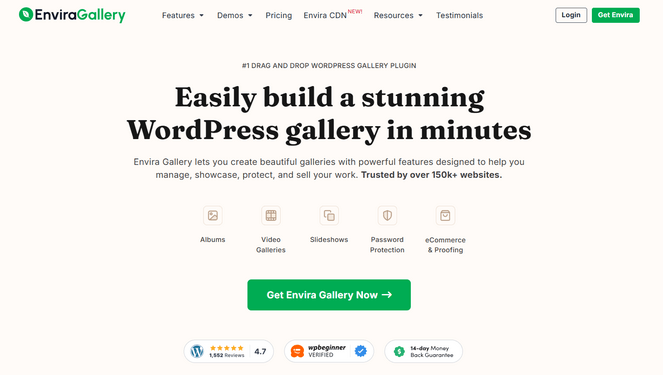
Envira Gallery has established itself as a market leader due to its emphasis on performance. By utilizing custom post types, it minimizes the server-side load typically associated with heavy image galleries. Technical audits show that Envira’s modular architecture allows users to load only the features they require, which is critical for maintaining high Core Web Vitals scores—a key ranking factor for search engines like Google.
2. NextGEN Gallery: Professional Monetization
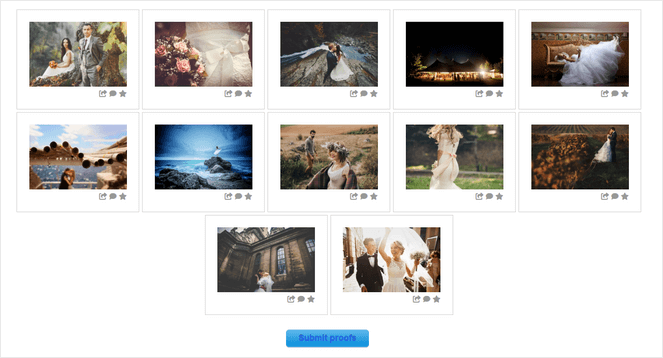
For photographers and creative agencies, NextGEN Gallery represents a comprehensive business suite. Unlike standard plugins, it includes an integrated proofing system. This allows photographers to upload high-resolution images, share private links with clients for selection, and process print orders through automated fulfillment services. Its inclusion of tax calculation tools and payment gateway support makes it an enterprise-grade solution for those operating photography-based businesses.
3. Smash Balloon Instagram Feed Pro
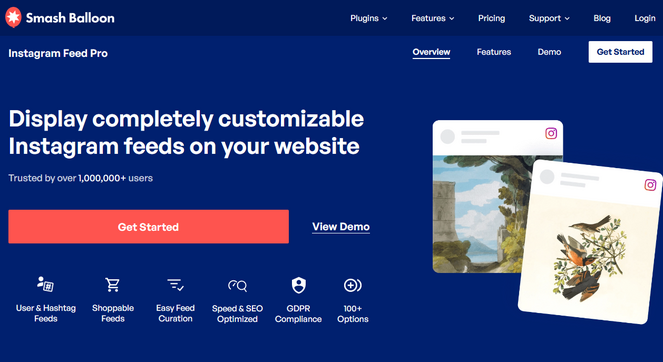
The rise of social media integration has created a demand for "live" content. Smash Balloon operates by pulling an API feed from a connected Instagram account, ensuring that the blog’s gallery is synchronized with the user’s social media updates in real-time. This functionality reduces the maintenance burden on content managers who would otherwise have to manually update their websites every time they post to social platforms.

4. Soliloquy: The Slider Specialist
Soliloquy focuses on the "hero section" of web design. By offering lightweight, hardware-accelerated sliders, it addresses the common issue of image carousels causing significant "Layout Shift," a detrimental factor in user experience. Its ability to create dynamic sliders from existing blog posts allows for automated content promotion.
5. Modula, FooGallery, and 10Web
These solutions occupy specific niches in the market. Modula is preferred for its custom grid-builder, which utilizes a drag-and-drop interface that provides granular control over individual image sizes. FooGallery is favored for its simplicity, offering a "what-you-see-is-what-you-get" (WYSIWYG) live preview that appeals to non-technical users. Photo Gallery by 10Web serves as a critical entry point for smaller entities, offering robust free-tier features that include watermarking and multi-view layouts without the immediate overhead of a subscription fee.

Technical Implications for Site Performance
One of the primary concerns for developers when integrating gallery plugins is the impact on site speed. High-resolution photography is inherently data-heavy. The most effective plugins currently employ "Lazy Loading"—a technique where images only load as the user scrolls down to them. Without this, a page with 20 high-quality images could take several seconds to load, leading to a high "bounce rate," or the percentage of visitors who leave the site after viewing only one page.
Recent testing indicates that the best-in-class plugins manage image compression automatically upon upload. By leveraging WebP image formats—a modern standard that provides superior compression compared to traditional JPEG or PNG files—these plugins ensure that high visual quality does not come at the expense of bandwidth.
Economic and Strategic Considerations
The decision to invest in a premium gallery plugin is often dictated by the site’s business model. For a hobbyist blogger, a free plugin or a low-cost subscription model is typically sufficient. However, for e-commerce sites or professional photography portfolios, the Return on Investment (ROI) of a premium plugin is found in features like automated print fulfillment, client proofing, and secure digital asset management.
Industry data suggests that websites incorporating high-quality, interactive media galleries experience a 30% to 50% increase in average time-on-page compared to sites using static, unformatted image blocks. This increase in engagement is often correlated with higher conversion rates for affiliate links or digital products.
Future Trends in Visual Content
As the web continues to evolve, the integration of video into gallery plugins is becoming standard. The transition from static imagery to short-form video content—such as Reels or TikTok-style clips—is already being addressed by developers. Many of the aforementioned plugins are currently updating their infrastructure to support native video embedding, allowing users to create mixed-media galleries that reflect the current state of digital content consumption.
Furthermore, the integration of Artificial Intelligence (AI) in image management is on the horizon. Future iterations of these plugins are expected to offer automated tagging and metadata generation, which will assist in site accessibility (Alt-text generation) and SEO, further reducing the manual labor required by site administrators.

Conclusion: Selecting the Right Tool
Choosing the appropriate gallery plugin requires a clear understanding of the site’s primary objective. If the goal is speed and ease of use, solutions like Envira Gallery or FooGallery are optimal. If the requirement is to build a commercial photography business, NextGEN Gallery offers the most robust feature set. For those prioritizing social media connectivity, Smash Balloon remains the industry benchmark. Regardless of the choice, the implementation of a professional-grade gallery plugin is a vital step in elevating a blog from a collection of text to a professional, visually immersive digital platform.