The Essential Guide to Enhancing WordPress Visuals: A Deep Dive into Leading Gallery Plugins

The digital landscape is increasingly visual, with compelling imagery now a cornerstone of effective online communication. For the vast ecosystem of WordPress users, ranging from nascent bloggers to established e-commerce platforms, the ability to showcase high-quality photographs and dynamic media is paramount. However, the default WordPress gallery functionality, while adequate for basic needs, often falls short of the sophisticated presentation and robust features required to truly captivate an audience and distinguish a website in a crowded online environment. This critical gap has spurred the development of a diverse array of specialized gallery plugins, each offering unique solutions to elevate visual content, improve user engagement, and enhance overall site performance.
The Evolving Landscape of Digital Visuals

The evolution of the internet has seen a dramatic shift from text-dominant pages to rich, multimedia experiences. Early web design was constrained by bandwidth limitations and display technologies, leading to a focus on textual content. However, with advancements in internet speeds, higher resolution screens, and the proliferation of mobile devices, visual content has surged in importance. Platforms like Instagram, Pinterest, and YouTube have fundamentally altered user expectations, fostering a culture where engaging visuals are not just preferred but expected.
For WordPress, the world’s most popular Content Management System (CMS), this shift presented both opportunities and challenges. Powering over 40% of all websites, WordPress users span every conceivable niche, from food bloggers and travel photographers to online retailers and corporate portfolios. Each of these segments relies heavily on visual storytelling to convey messages, showcase products, or simply add aesthetic appeal. Studies consistently demonstrate that articles with images receive significantly more views and shares than those without, with visual information processed by the human brain 60,000 times faster than text. This underscores the imperative for WordPress sites to present their visual assets optimally.
Addressing the Blogger’s Dilemma: Beyond Basic Galleries

A common frustration articulated by content creators is the struggle to translate their meticulously captured photographs into an equally stunning online presence. Many new bloggers, after investing considerable time and effort into producing high-quality images, find that displaying them individually within a wall of text diminishes their impact. The inherent limitations of WordPress’s native gallery, which offers minimal customization and lacks advanced display options, often lead to a disconnect between a creator’s artistic vision and their website’s visual output. This scenario can be particularly disheartening for professionals like food bloggers, fashion designers, or photographers whose livelihood depends on the visual appeal of their work. They often observe that their social media profiles, designed for visual impact, vastly outperform their blogs in terms of aesthetic presentation, leading to disillusionment with their online platforms.
In response to these pervasive challenges, the WordPress plugin development community has innovated extensively, introducing sophisticated gallery plugins that transform static images into dynamic, interactive, and highly customizable displays. These tools address the core need for visually engaging layouts, offering features that range from simple grid arrangements to complex interactive sliders and integrated e-commerce functionalities. The advent of these plugins has empowered countless bloggers and website administrators to overcome previous visual limitations, converting bland image presentations into professional, captivating showcases that enhance user experience and engagement.
Key Criteria for Evaluating WordPress Gallery Plugins
Selecting the appropriate gallery plugin requires careful consideration of several critical factors. A comprehensive evaluation process typically focuses on:
- Performance Optimization: Given the impact of image-heavy content on page load times, a superior gallery plugin must be lightweight and optimized for speed. Features like lazy loading, efficient image resizing, and clean code are crucial for maintaining site performance and improving SEO rankings.
- Ease of Use: For a broad user base, an intuitive interface is essential. Drag-and-drop builders, pre-designed templates, and clear customization options significantly reduce the learning curve and allow users to create professional-looking galleries without requiring coding expertise.
- Design Flexibility and Responsiveness: Modern web design demands adaptability. Plugins must offer diverse layout options (e.g., masonry, justified, grid, carousel) and ensure that galleries are fully responsive, displaying flawlessly across desktops, tablets, and mobile devices.
- Advanced Functionality: Beyond basic display, premium plugins offer a range of advanced features tailored to specific needs. These include e-commerce integration for selling prints or digital downloads, client proofing, social media feeds, video gallery support, watermarking for copyright protection, and SEO enhancements for image discoverability.
- Cost-Effectiveness and Support: While many plugins offer free versions with core functionalities, premium tiers unlock advanced features and dedicated support. Evaluating the value proposition relative to the pricing structure and the quality of developer support is crucial for long-term satisfaction.
In-Depth Review: Top WordPress Gallery Plugins
The market offers a robust selection of gallery plugins, each catering to distinct requirements. A detailed examination of the leading options reveals their strengths and ideal applications.

1. Envira Gallery: The All-Rounder for Seamless Integration and Performance
Envira Gallery stands out as a leading solution for WordPress users seeking a powerful yet exceptionally user-friendly gallery plugin. Its widespread adoption is attributed to a potent combination of advanced features and an intuitive drag-and-drop interface. Envira Gallery excels in simplifying the creation of aesthetically pleasing image galleries, offering a suite of professionally designed templates that enable rapid deployment of stunning visual displays. The plugin’s drag-and-drop builder allows for precise image placement and arrangement, eliminating the need for complex configurations or coding.
A core strength of Envira Gallery is its robust responsive design, ensuring that galleries maintain their visual integrity and functionality across all device types, from large desktop monitors to compact smartphones. This adaptability is critical for delivering a consistent and engaging user experience. Furthermore, Envira Gallery’s album feature provides an efficient mechanism for organizing multiple galleries into cohesive collections, a vital tool for bloggers and content creators with extensive photo libraries. Practical functionalities such as integrated social sharing buttons and image watermarking enhance both content discoverability and copyright protection. The plugin’s support for video galleries extends its utility beyond static images, accommodating the growing demand for multimedia content. Envira Gallery’s emphasis on lightweight code ensures minimal impact on site loading speeds, a crucial factor for SEO and user retention.

- Key Features: Drag-and-drop builder, professional templates, responsive design, albums, social sharing, image watermarking, video galleries.
- Pricing: Starts at $39.50/year for the Basic plan, with a feature-limited free version available.
- Ideal User: Bloggers and content creators who require a powerful, easy-to-use solution for professional-looking galleries without compromising site performance.
2. NextGEN Gallery: Powerhouse for Professional Photographers and Monetization
NextGEN Gallery by Imagely is specifically engineered to meet the demanding requirements of professional photographers and those focused on monetizing their visual assets. While offering comprehensive image gallery features akin to Envira Gallery, including over 20 pre-made layouts and lightbox effects, NextGEN’s distinguishing characteristic lies in its unparalleled e-commerce and image management capabilities.
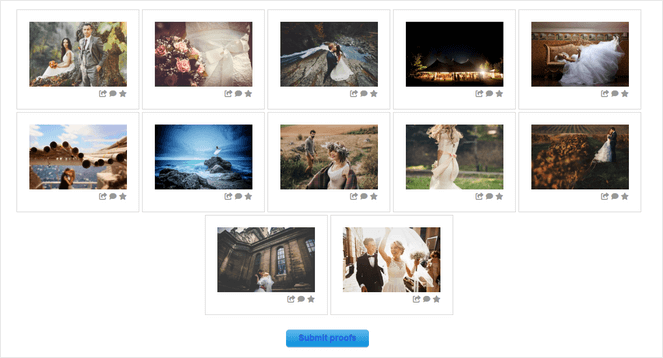
The plugin provides an automated print fulfillment system, allowing photographers to seamlessly manage orders and ship physical prints directly to customers through partnerships with industry-leading professional print labs. This integrated e-commerce functionality extends to automatic tax calculations, robust integrations with popular payment gateways like Stripe and PayPal, customizable pricelists, coupon management, and secure digital downloads. NextGEN Gallery’s client proofing galleries further streamline professional workflows, enabling photographers to share images with clients for feedback and selection within a secure, branded environment. Efficiency features such as bulk image uploads via zip files or FTP, alongside automatic image resizing and optimization, significantly reduce manual labor and ensure high-quality presentation.
- Key Features: Automated print fulfillment, integrated e-commerce (Stripe, PayPal, pricelists, coupons, digital downloads), client proofing, 20+ gallery layouts, bulk upload tools, watermarking.
- Pricing: Starts at $69.50/year for the Starter plan, with a limited free version available.
- Ideal User: Professional photographers and serious photography bloggers who aim to display, sell, and manage their photographic work directly from their WordPress platform.
3. Smash Balloon Instagram Feed Pro: Bridging Social Media and WordPress
Smash Balloon Instagram Feed Pro serves as an indispensable tool for bloggers and businesses aiming to integrate their Instagram content seamlessly into their WordPress websites. This plugin automates the process of creating dynamic Instagram galleries that update in real-time with new posts, ensuring that the website’s visual content remains fresh and engaging without manual intervention. The plugin offers straightforward connectivity to Instagram accounts, eliminating the need for complex coding.
Users can display an unlimited number of photo feeds, including hashtag feeds, tagged posts, Instagram Reels, Stories, and more, offering comprehensive integration of social media activity. A wide array of customizable layout options, such as grid, carousel, masonry, and highlight styles, allows users to tailor the feed’s appearance to match their blog’s aesthetic. A significant advantage is the ability to make feeds "shoppable" by adding direct links to products or relevant pages, effectively converting Instagram content into a direct sales channel. The display of likes and comments directly within the feed provides valuable social proof, while a customizable "Follow on Instagram" button encourages audience growth across platforms.

- Key Features: Auto-updating Instagram feeds, multiple feed types (hashtag, tagged posts, Reels, Stories), diverse layout options, shoppable feeds, social proof display, "Follow" button.
- Pricing: Starts at $49/year for the Basic plan, with a free version offering core functionalities.
- Ideal User: Bloggers and businesses seeking to leverage their Instagram content as a dynamic, self-updating gallery to boost engagement and grow their social media following.
4. Soliloquy: Pioneering Dynamic Sliders for Engaging Content Presentation
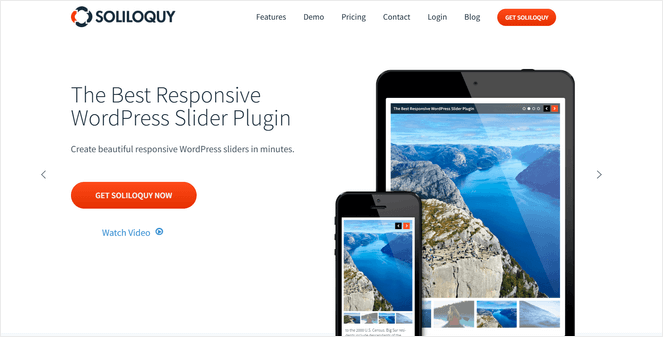
Soliloquy distinguishes itself as the premier WordPress plugin for creating interactive image sliders, offering a sophisticated alternative to static photo grids. Its drag-and-drop builder, coupled with an array of pre-built templates, streamlines the creation of visually compelling sliders. A standout feature is its dynamic slider capability, which automatically populates sliders with content from featured blog posts, testimonials, or Instagram feeds. This automation is a significant advantage for maintaining fresh content highlights without constant manual updates.
Renowned for its lightweight architecture, Soliloquy ensures that its stunning visual displays do not impede website performance, a common pitfall with less optimized slider plugins. The plugin’s responsive, mobile-friendly designs guarantee optimal viewing across all devices. Furthermore, Soliloquy incorporates SEO-friendly configurations, allowing for the addition of metadata to each slide, which aids in search engine visibility. For e-commerce sites, the integrated WooCommerce functionality facilitates the creation of product sliders, effectively driving engagement and potentially increasing sales.

- Key Features: Dynamic sliders from blog posts/testimonials/Instagram, drag-and-drop builder, pre-built templates, lightweight and fast performance, responsive design, SEO-friendly, WooCommerce integration.
- Pricing: Starts at $19.50/year for the Personal plan, with a free version available.
- Ideal User: Bloggers and website administrators who require dynamic, interactive image sliders to showcase content, products, or testimonials, prioritizing speed and ease of use.
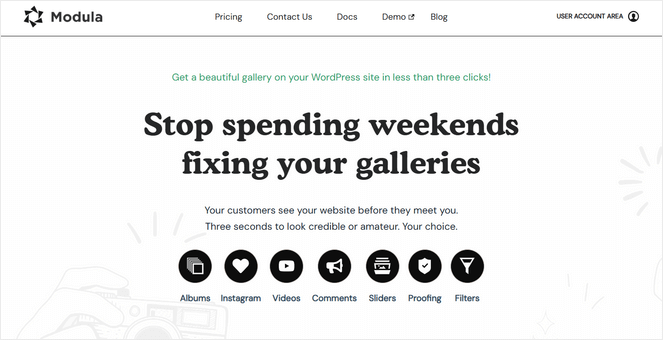
5. Modula: Unlocking Creative Freedom with Custom Grid Layouts
Modula is a robust WordPress plugin designed for users who demand extensive creative control over their image galleries. Its most prominent feature is the unique custom grid builder, which empowers users to precisely resize and arrange images by simply dragging their corners. This intuitive control facilitates the creation of bespoke gallery layouts that perfectly align with individual design aesthetics, distinguishing Modula from plugins with more rigid template structures.
The drag-and-drop interface is remarkably beginner-friendly, making advanced customization accessible to users without coding knowledge. Modula enhances visual appeal with features such as customizable hover effects and loading animations, adding a layer of polish and professionalism to galleries. Beyond static images, it supports video galleries with integrated YouTube and Vimeo functionality, and offers image filtering by tags for managing large collections. The inclusion of gallery commenting features promotes user engagement, fostering community interaction around visual content. While it may not possess the extensive e-commerce features of NextGEN or the deep social integration of Smash Balloon, Modula’s focus on design flexibility and user-centric customization makes it a compelling choice for visually driven websites.
- Key Features: Custom drag-to-resize grid builder, hover effects, loading animations, video galleries (YouTube/Vimeo), image filtering by tags, gallery commenting.
- Pricing: Starts at £29/year for the Starter plan, with a free version available.
- Ideal User: Bloggers, designers, and creatives who prioritize maximum artistic freedom and require highly customizable grid layouts without relying on code.
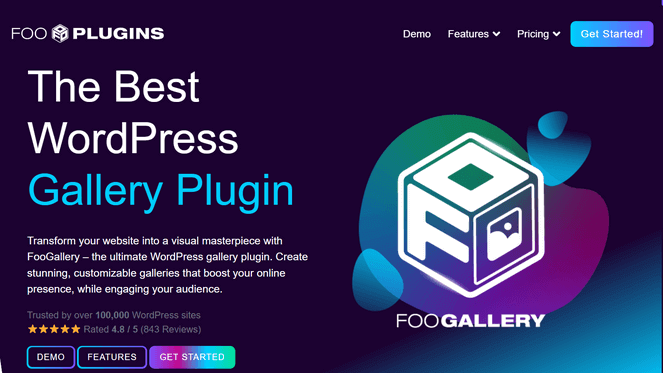
6. FooGallery: Simplicity and Elegance for User-Friendly Galleries
FooGallery offers a straightforward and user-friendly approach to creating image galleries in WordPress. While its interface might appear more basic compared to some premium counterparts, its strength lies in its simplicity and efficiency. A key feature is the live preview editor, which allows users to visualize changes in real-time during the gallery creation process, significantly accelerating design and refinement.
The plugin provides a variety of gallery layouts, including masonry, justified, carousel grids, and the distinctive Polaroid style, offering sufficient options to craft attractive visual presentations. Customization tools, such as hover effects, thumbnail filters, and loading icons, enable users to add stylistic flourishes without overwhelming complexity. FooGallery is also optimized for performance, incorporating features like lazy loading to ensure that galleries load quickly and do not negatively impact website speed, contributing positively to user experience and SEO. Its balance between ease of use and effective customization makes it a solid choice for those who need reliable, visually appealing galleries without an extensive feature set.

- Key Features: Live preview editor, multiple gallery layouts (masonry, justified, carousel, Polaroid), customization tools (hover effects, filters), lazy loading for speed.
- Pricing: Starts at $33.99/year for the Pro Starter plan, with a free version available.
- Ideal User: Bloggers and content creators who seek a simple, intuitive, and efficient gallery plugin for quickly creating attractive and responsive image galleries with real-time feedback.
7. Photo Gallery by 10Web: Robust Features on a Budget
Photo Gallery by 10Web stands out as a remarkably powerful free gallery plugin, offering a feature set that often rivals premium solutions. It provides an exceptional value proposition for budget-conscious bloggers and small businesses. The plugin includes 9 distinct gallery and album views, 15 lightbox effects, integrated watermarking capabilities, social sharing options, and seamless Instagram integration. These features empower users to create sophisticated image galleries without incurring any cost.
The inclusion of built-in watermarking is particularly noteworthy, as this critical image protection feature is often reserved for paid versions in other gallery plugins. Photo Gallery by 10Web enables users to manage and display their visual content effectively, offering a robust foundation for visually rich websites. While its interface might require a slightly steeper learning curve compared to more streamlined drag-and-drop builders, the extensive functionalities available for free make it an invaluable resource for those operating with financial constraints.
- Key Features: 9 gallery/album views, 15 lightbox effects, integrated watermarking, social sharing, Instagram integration.
- Pricing: Free.
- Ideal User: Bloggers and small businesses on a limited budget who require a feature-rich gallery plugin, including advanced functionalities like watermarking and social media integration, at no cost.
Strategic Implications for Content Creators
The strategic selection and implementation of a WordPress gallery plugin have far-reaching implications for content creators. Beyond mere aesthetics, these tools significantly impact:
- SEO and User Experience: Visually engaging galleries improve key SEO metrics such as time on page and reduce bounce rates. Faster loading galleries, enabled by optimized plugins, are favored by search engines, contributing to higher rankings.
- Brand Identity and Storytelling: Professional galleries allow content creators to develop a strong visual brand identity, communicating their message and story more effectively. Visual storytelling fosters deeper emotional connections with the audience.
- Monetization Opportunities: For photographers and artists, plugins with e-commerce integration directly facilitate sales. For other bloggers, visually rich content can be leveraged for affiliate marketing or to showcase products in an engaging manner, driving conversions.
- Site Performance and Scalability: Choosing a lightweight and well-coded plugin ensures that the addition of extensive visual content does not compromise site speed, which is crucial for retaining visitors and supporting future growth.
- Audience Engagement and Growth: Dynamic and interactive galleries encourage visitors to spend more time exploring content, share it on social media, and ultimately contribute to audience growth and community building.
Expert Insights: FAQs About Gallery Plugins
What is the fundamental difference between a dedicated gallery plugin and WordPress’s built-in gallery feature?
WordPress’s default gallery offers basic image display in a simple grid with minimal customization. Dedicated gallery plugins, conversely, provide an expansive array of advanced layouts (e.g., masonry, sliders, carousels), comprehensive customization options, and specialized features such as lightboxes, integrated social sharing, robust mobile optimization, album organization, and essential copyright protection via watermarking. They are designed to meet professional and advanced amateur needs for visual presentation.
Do gallery plugins adversely affect website loading speeds?
The impact on website speed is highly dependent on the plugin’s code quality and optimization. Reputable plugins like Envira Gallery and Soliloquy are meticulously engineered for performance, incorporating features such as lazy loading and efficient image handling to ensure minimal impact on site speed. Conversely, poorly coded or feature-heavy plugins that are not optimized can indeed slow down a website. Prioritizing well-reviewed, performance-focused options is crucial.
Is it possible to directly sell photographs through a WordPress gallery plugin?
Yes, but this capability is not universal. Plugins specifically designed for professional photographers, such as NextGEN Gallery, offer comprehensive e-commerce functionalities. These include the ability to sell both digital downloads and physical prints, often with automated print fulfillment services, secure payment gateway integrations, and robust inventory management.
Will galleries created with these plugins display correctly on mobile devices?
All highly recommended gallery plugins are developed with full responsiveness and mobile-friendliness as a core design principle. This ensures that galleries automatically adapt and render optimally across a spectrum of devices, including smartphones and tablets, without requiring manual adjustments. Some advanced plugins, such as Modula and Envira Gallery, even offer granular control over how galleries appear on different screen sizes.
Are coding skills necessary to utilize WordPress gallery plugins effectively?
Modern gallery plugins are designed for accessibility and ease of use, making coding skills largely unnecessary for basic and even many advanced gallery creations. Tools like Envira Gallery, Modula, and FooGallery feature intuitive drag-and-drop builders and pre-designed templates that allow users to create sophisticated galleries by simply uploading images and selecting desired layouts. While some highly specialized customizations might benefit from CSS knowledge, the vast majority of gallery creation can be accomplished without writing any code.
In conclusion, the strategic choice of a WordPress gallery plugin is a pivotal decision for any content creator aiming to maximize the impact of their visual content. By carefully considering individual needs, budget constraints, and desired functionalities, users can select a tool that not only transforms their website’s aesthetic appeal but also enhances user engagement, improves SEO, and opens new avenues for content monetization. The diverse array of plugins available ensures that there is a powerful solution for every requirement, empowering WordPress users to elevate their digital presence through compelling visual storytelling.