Managing user-generated content and external media assets has long been one of the most persistent technical challenges in web and mobile application development. As platforms scale, developers face the daunting task of accepting files in virtually any format, resolution, and size from an infinite array of user devices. Historically, engineering teams had to build custom file-handling infrastructures from scratch, writing complex logic to manage cloud storage buckets, server-side image processing scripts, and content delivery network (CDN) configurations. Today, however, the paradigm has shifted toward specialized third-party utility services designed to handle the entire lifecycle of digital media. Among these, Filestack has emerged as a prominent solution, offering an integrated ecosystem for uploading, transforming, and delivering files with minimal engineering overhead.
The Evolution of Media Management in Modern Web Development
In the early days of the internet, file uploads were typically restricted to basic document formats or small profile pictures, handled by simple server-side form submissions. As broadband speeds increased and smartphones democratized high-resolution photography and 4K video recording, the demands on web infrastructure grew exponentially. Users now expect seamless, instant media uploads accompanied by drag-and-drop functionality, real-time progress indicators, and automatic optimization.
Building this capability internally requires deep expertise in distributed systems, asynchronous processing queues, and security protocols to prevent malicious file uploads. Furthermore, developers must account for diverse storage backends, such as Amazon S3 or Google Cloud Storage, while ensuring that images and videos are properly compressed to maintain optimal page load speeds. The complexity multiplies when applications need to support third-party cloud drives and social media platforms—such as Google Drive, Dropbox, Instagram, and GitHub—forcing engineering teams to integrate dozens of disparate APIs.
To mitigate these challenges, Developer Operations (DevOps) and software architecture trends have increasingly favored headless, API-driven utility services. By outsourcing media pipelines to specialized infrastructure providers, organizations can reallocate engineering hours toward core product features rather than maintaining file-processing servers.
Getting Started: The Developer Onboarding Journey
Adopting a media management utility typically begins with an exploratory development phase. Modern developer platforms generally provide frictionless entry points, such as risk-free trial periods ranging from 14 to 30 days, allowing engineering teams to stress-test APIs against production-scale workloads before committing capital. Upon registration, developers gain programmatic access to robust software development kits (SDKs) and comprehensive documentation libraries, which serve as foundational resources for integration.
In the case of Filestack, the onboarding experience is supported by multi-language code libraries covering JavaScript, Python, PHP, Ruby, and mobile frameworks. This breadth of support ensures that development teams can implement file-handling capabilities regardless of their underlying technology stack. Documentation quality has become a critical differentiator in the developer tooling market, with modern utilities providing interactive code snippets, error-handling guides, and sandbox environments to accelerate implementation times.
Front-End Integration and User Experience
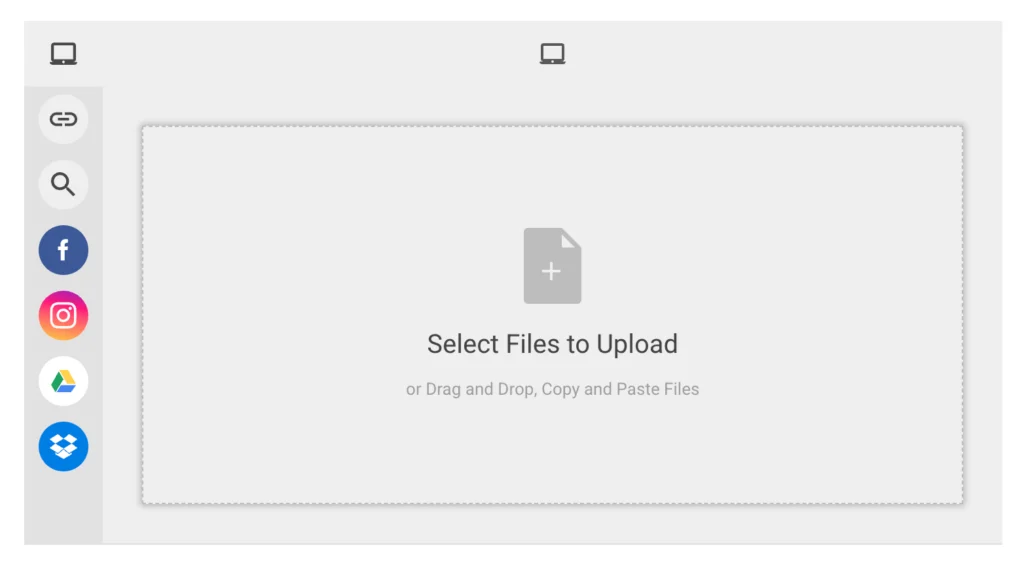
The front-end user interface (UI) represents the first line of interaction in any media pipeline. A poorly designed upload widget can lead to high abandonment rates, particularly on mobile devices where file selection can be cumbersome. Modern file pickers are designed to bridge this usability gap by offering clean, highly customizable modals and drag-and-drop zones.
Implementing a client-side file picker using JavaScript typically requires only a few lines of initialization code. By invoking a global client object and opening a modal picker, developers can instantly deploy a feature-rich UI component.
// Initializing the client and opening the picker in JavaScript
const client = filestack.init("YOUR_API_KEY");
const picker = client.picker(
  onUploadDone: (res) => console.log(res),
);
picker.open();
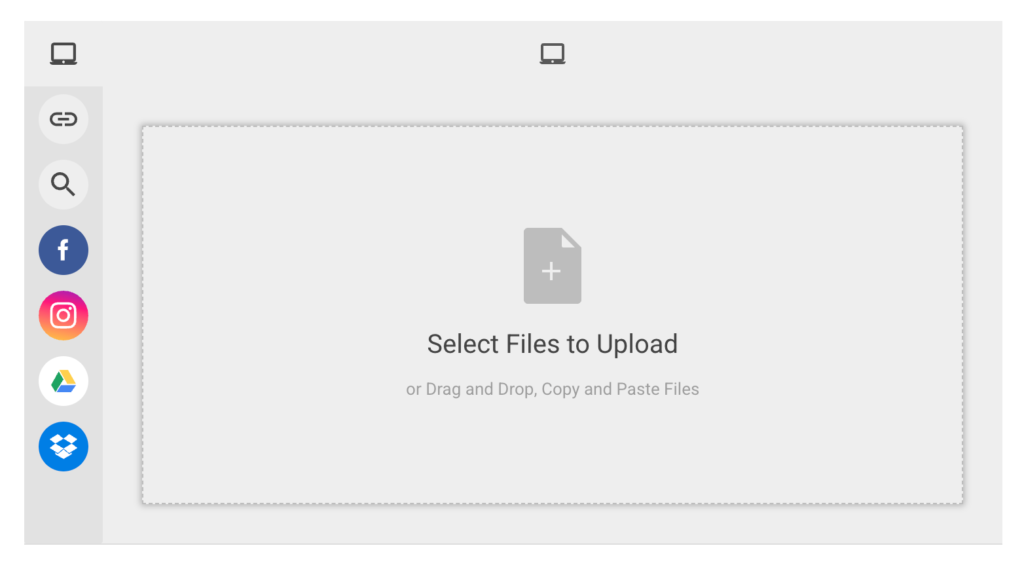
Beyond standard local file selection from a user’s hard drive or smartphone gallery, these modern pickers integrate natively with more than twenty popular cloud storage and social media services. Users can securely authenticate into their Google Drive, Dropbox, Instagram, Facebook, or GitHub accounts to import existing media assets directly into the host application without downloading and re-uploading them. This multi-source integration significantly reduces friction for end-users, thereby increasing engagement and content submission rates.
Back-End Orchestration and Cloud Storage Syncing
While front-end components manage user interaction, back-end infrastructure handles automated ingestion, security scanning, and cloud storage routing. Enterprise applications often require server-side uploads—such as automated cron jobs, batch data migrations, or administrative bulk imports—where a user interface is neither present nor necessary.
Python, widely utilized in data-heavy and enterprise backend architectures, offers dedicated libraries to interface with media APIs securely. Developers can define granular storage parameters, routing paths, and metadata tagging during the server-side upload process.
from filestack import Client

# Initializing the Python client with secure credentials
client = Client("YOUR_API_KEY")

store_params =
    'location': 's3',
    'path': 'user_uploads/2026/03/',
    'upload_tags':
        'department': 'engineering',
        'verified': 'true'


# Executing the server-side upload
filelink = client.upload(
    filepath='/path/to/local/asset.jpg',
    store_params=store_params
)
print(f"File successfully uploaded to: filelink.url")
This level of programmatic control ensures that incoming assets are automatically routed to specific cloud buckets—such as Amazon S3 or Google Cloud Storage—while appending essential metadata for future auditing and categorization.
Dynamic Real-Time Transformations
Once files are successfully ingested, the next critical phase in the media pipeline is transformation. Users rarely upload assets in the exact dimensions, formats, or resolutions required by a modern web layout. Historically, this necessitated heavy server-side processing libraries (such as ImageMagick or FFmpeg), which could easily consume CPU resources, slow down server response times, and create storage bottlenecks as derivative files accumulated.
Modern media utilities solve this issue through on-the-fly, URL-based transformation engines. Rather than pre-generating dozens of resized images upon upload, transformations are executed dynamically via URL parameters and cached at the edge.
For example, resizing an uploaded image to a precise width of 300 pixels is achieved simply by appending a transformation string to the Content Delivery Network (CDN) URL:
https://cdn.filestackcontent.com/resize=width:300/pdn7PhZdT02GoYZCVYeFIf the application design requires additional aesthetic adjustments—such as applying a custom color filter, rotating the orientation, or adding a stylized photographic border—developers can chain multiple transformation commands into a single URL string:
https://cdn.filestackcontent.com/resize=width:300/sepia=tone:80/polaroid/pdn7PhZdT02GoYZCVYeFThis dynamic approach extends across file types. Images can be cropped, watermarked, converted between formats (e.g., converting legacy JPEGs to next-generation WebP or AVIF formats for improved compression), and optimized for Retina displays. Documents can be rendered as viewable image thumbnails, and video files can be transcoded into adaptive bitrate streams suitable for various network conditions. Furthermore, many platforms provide interactive transformation user interfaces, allowing end-users or content administrators to crop and edit media directly within the application before final submission.
Delivery, Caching, and Performance Implications
The final and arguably most critical phase of the media lifecycle is delivery. No matter how efficient the upload or sophisticated the transformation, if an asset fails to render quickly, user experience and business conversion rates suffer. Industry studies consistently demonstrate that even a one-second delay in page load time can result in a measurable drop in user retention and e-commerce revenue.
To combat latency, modern media platforms rely heavily on globally distributed Content Delivery Networks (CDNs). When a transformed or original asset is requested for the first time, the CDN caches the generated file at a Point of Presence (PoP) closest to the end-user. Subsequent requests for the same unique URL are served instantly from the edge cache, bypassing the origin server entirely.
Standard caching policies dictate that cached assets remain active for a designated period—often thirty days—before requiring re-validation or re-caching if underlying parameters change. This architecture minimizes bandwidth consumption, reduces origin server load, and guarantees sub-second asset delivery regardless of the user’s geographic location.
Economic and Strategic Analysis of Outsourced Media Pipelines
For CTOs and engineering directors, deciding whether to build internal media infrastructure or adopt a third-party service involves careful cost-benefit analysis. Building an in-house pipeline requires hiring specialized talent, provisioning redundant cloud storage, configuring auto-scaling compute clusters for video transcoding, and maintaining ongoing security patches.
Conversely, leveraging an established platform introduces predictable operational expenditures while providing immediate access to enterprise-grade scalability, security compliance (such as GDPR and HIPAA readiness), and cutting-edge performance optimizations like next-gen image formatting. As web standards continue to evolve and media consumption habits shift toward higher resolutions and interactive formats, the strategic advantage of utilizing managed infrastructure platforms will likely remain a cornerstone of efficient software engineering.