The process of configuring a new workstation has long been a foundational ritual for design and development professionals, historically defined by the systematic installation of an extensive library of locally hosted software. For decades, the industry standard dictated that high-performance work required the raw processing power and deep integration afforded by desktop-native applications. However, a significant shift in computing architecture is challenging this paradigm, as cloud-native, browser-based applications increasingly match the functionality once reserved exclusively for local installations. This technological migration prompts a critical examination of the industry’s reliance on desktop environments versus the efficiency of modern web-based workflows.
The Chronology of Computing: From Local Silos to Cloud Integration
The trajectory of professional software began with the "local-first" era, characterized by the 1990s and early 2000s, when software like Adobe Photoshop, Microsoft Office, and Dreamweaver were the only viable solutions for creative and administrative tasks. During this period, the web browser was primarily a consumption tool—a view-only window into the internet. The release of Netscape Navigator in 1994 marked the beginning of this browser-centric era, but it would take nearly two decades for web standards—specifically HTML5, CSS3, and WebAssembly—to evolve sufficiently to support heavy-duty computing tasks.
By the mid-2010s, the "Software as a Service" (SaaS) model began to gain traction, fundamentally altering how professionals interacted with their tools. The introduction of platforms like Figma in 2012 signaled a turning point, demonstrating that collaborative, browser-based design was not only possible but arguably more efficient than traditional desktop workflows. This shift accelerated during the 2020 global pandemic, which necessitated remote collaboration and forced a mass migration of professional workflows to cloud-hosted environments. Today, even legacy giants like Adobe have transitioned their flagship products into hybrid models, offering web-based versions of Photoshop and Illustrator that perform complex rendering tasks on remote servers rather than local hardware.
Supporting Data and Performance Metrics
The shift toward browser-based applications is supported by significant improvements in web technology performance. According to recent industry benchmarks, the adoption of WebAssembly has enabled web applications to achieve near-native execution speeds. While a locally installed application still benefits from direct access to a machine’s GPU and dedicated RAM, modern browsers have implemented hardware acceleration that closes the performance gap significantly for most professional tasks.

Cloud storage statistics further illustrate this transition. A 2024 report by Gartner highlighted that enterprise spending on cloud-native software now outpaces traditional on-premise software licensing by a margin of three-to-one. This migration is driven not only by cost-efficiency but by the "anywhere-access" requirement of the modern workforce. For design agencies, the ability to share a URL for real-time, multi-user collaboration in a tool like Figma has reduced project turnaround times by an estimated 25% compared to legacy workflows that required the manual emailing of large, version-conflicted files.
The Trade-Off: Efficiency versus Data Sovereignty
Despite the clear productivity advantages of browser-based tools, the industry remains divided on the long-term implications for data ownership and security. Professional organizations must weigh the benefits of synchronization against the risks of vendor lock-in and data exposure.
A primary concern is the fragility of the "cloud-first" ecosystem. In August 2026, a high-profile incident involving a public media institution losing access to 50 terabytes of data due to a provider’s abrupt termination of service served as a cautionary tale for the industry. Unlike local hard drives, which allow for physical control and offline backups, browser-based tools place the user at the mercy of the service provider’s stability, terms of service, and financial health.
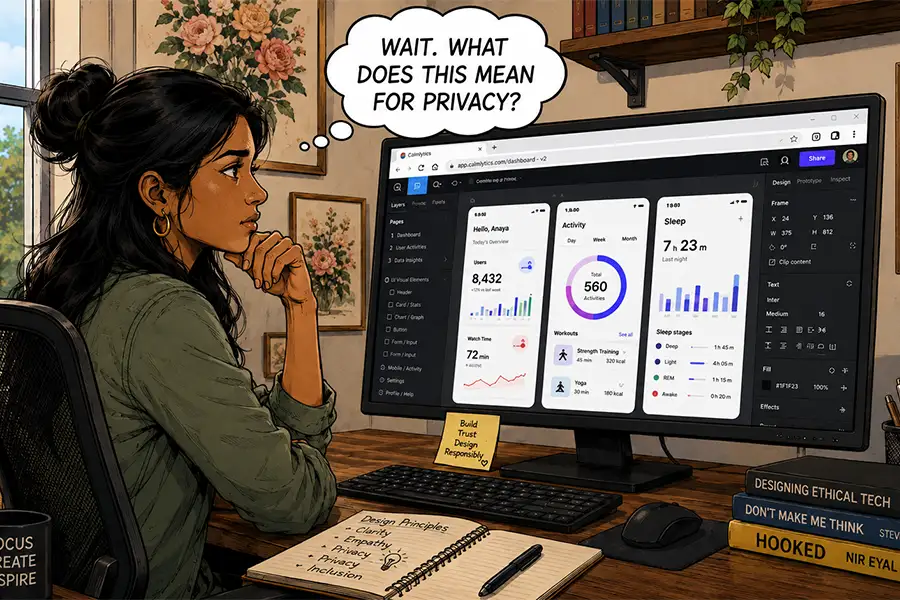
Furthermore, the rise of Artificial Intelligence (AI) has introduced new complexities. Many browser-based tools now incorporate generative AI features that utilize user input for model training. Privacy advocates and corporate legal departments have raised concerns regarding the lack of transparency in how these models process sensitive intellectual property. There have been documented instances where private data shared within cloud-based interfaces became inadvertently searchable or indexed due to improper security configurations, underscoring the risks inherent in working within a browser window that is, by design, connected to the global internet.
Analytical Perspective: The Hybrid Future
The current market environment suggests that the "browser vs. desktop" debate is not a binary choice but rather a transition toward a hybrid future. Desktop applications remain the gold standard for high-intensity, localized computing, such as 8K video rendering, large-scale 3D animation, or complex software development that requires complete system-level access. In these fields, the overhead of a browser—which must manage the security sandbox of the web—still represents a bottleneck.

However, for the vast majority of web designers, writers, and administrative professionals, the browser has become a sufficient, if not superior, operating environment. The "thin client" philosophy—where the computing heavy lifting is handled by remote server farms—allows professionals to utilize lower-cost hardware, as the requirements for local storage and high-end processing power decrease.
Industry experts suggest that the future of professional software will likely be defined by "interoperability." Rather than choosing between a browser and a desktop app, users will increasingly rely on ecosystems that seamlessly sync between the two. A designer might begin a complex project in a desktop-native application for high-precision editing and transition to a browser-based interface for client reviews, feedback collection, and final distribution.
Broader Implications for the Workforce
The implications of this shift extend beyond the individual user to the structure of the digital workforce itself. As browser-based tools become the standard, the barrier to entry for creative professionals is lowered. Expensive software suites that once required thousands of dollars in upfront licensing are being replaced by subscription-based or freemium web tools, democratizing access to professional-grade technology.
However, this democratization comes with the necessity for improved digital literacy regarding data security. Professionals are now required to act as stewards of their own digital footprint, understanding the privacy policies of their service providers and maintaining offline redundancies for critical intellectual property.
In summary, the transition from local installations to browser-based applications represents one of the most significant architectural shifts in computing history. While the desktop will likely never fully disappear—particularly for tasks where privacy, performance, and offline control are paramount—the browser has firmly established itself as the primary interface for the modern digital economy. The challenge for the coming years will not be whether to adopt these tools, but how to manage the inherent risks of a cloud-dependent professional life. For the individual designer or developer, the goal remains unchanged: finding the right tool for the job while ensuring that the workflow remains as resilient as the output.