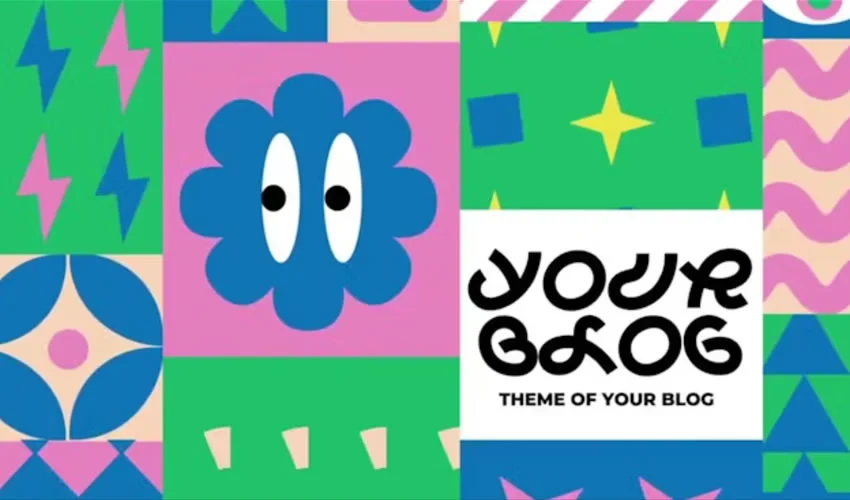
Motion design has evolved into a cornerstone of digital storytelling, demanding high-quality visuals produced at rapid turnaround times. Adobe After Effects remains the industry standard for this work, offering unparalleled control over keyframes, particle systems, and compositing. However, the complexity of the software means that building every animation from a blank canvas is often economically unfeasible for agencies and freelancers alike. The rise of pre-built After Effects templates has provided a solution, acting as a structural foundation that allows designers to shift their focus from technical setup to creative refinement.

The Evolution of the Motion Design Workflow
In the early 2000s, motion graphics were largely bespoke, requiring hours of manual labor to create simple transitions or title sequences. Today, the demand for content across social media platforms, corporate branding, and streaming services has necessitated a shift toward modular production. Templates provide the essential scaffolding—timing, easing, and layer organization—which allows creators to produce high-end motion sequences in a fraction of the time.

Data from recent industry surveys suggests that nearly 60% of independent video editors and motion designers now incorporate templates into their workflow for at least 40% of their projects. This shift is not merely about convenience; it is a response to the increasing demand for "broadcast-quality" aesthetics in short-form content. By utilizing professional templates, creators can bypass the steep learning curve associated with advanced expressions and complex character rigging, allowing them to deliver polished assets for titles, logo reveals, and lower thirds that align with current industry standards.

Categorizing Essential Template Types
Production needs vary, and the template market has segmented to address specific aesthetic and functional requirements:

- Title Sequences: Often the primary visual hook of a video, title templates must balance legibility with kinetic energy. Modern trends favor minimalist, sans-serif typography, though cinematic, 2001-inspired styles continue to hold weight in high-end production.
- Logo Reveals: These serve as the brand’s digital handshake. The most effective reveals are brief—typically under five seconds—using motion to reinforce brand identity through speed, color, and sound synchronization.
- Slideshows and Galleries: Designed for portfolios and event highlights, these templates manage the difficult task of visual rhythm. Effective slideshows utilize parallax effects and depth-of-field masking to turn static images into dynamic narratives.
- Lower Thirds: Critical for documentary and corporate interviews, these assets provide essential context without obstructing the primary subject. Industry standards dictate that these must remain clean, contrast-heavy, and easily readable across various backgrounds.
- Animated Typography and Icons: Moving beyond static text, animated fonts and icons provide character to UI/UX demonstrations and explainer videos. These templates often leverage JSON or shape-layer logic, allowing for infinite scalability without loss of quality.
Strategic Selection and Technical Best Practices
While the availability of free templates is vast, the variance in quality is equally significant. A common pitfall for newcomers is the "plug-and-play" fallacy—the assumption that a template is a finished product. Professional motion designers approach templates as "blueprints" rather than final deliverables.

Before committing a project to a specific template, practitioners should conduct a technical audit:

- Version Compatibility: Ensure the template was built for your specific iteration of After Effects. Older project files may rely on deprecated plugins or legacy expressions that can cause rendering errors.
- Plugin Dependency: Many high-end templates require third-party plugins like Red Giant Trapcode or Boris FX. Relying on these without owning the licenses can lead to "missing effect" errors during the export process.
- Documentation: A reputable template provider will always include a "Read Me" file or a video tutorial. If a download lacks basic instructions, it is often a sign of a poorly organized project structure that will prove difficult to customize.
Workflow Integration: The Customization Process
To maximize the value of a template, designers must personalize the asset to avoid the "generic look." The most effective customization involves four key pillars:

- Timing Adjustments: Standard templates are often built with generic easing. By manually adjusting the "Graph Editor" in After Effects, designers can give the motion a more organic, weighted feel that reflects the specific mood of the brand.
- Color Palette Alignment: Simply swapping a template’s default colors for a brand’s primary palette can instantly make the animation feel bespoke.
- Typography Selection: If a template uses a default system font, replacing it with the client’s brand-approved typeface can drastically change the aesthetic impact and professional legitimacy of the piece.
- Dynamic Asset Replacement: Rather than using the template’s placeholder footage, integrating custom-shot or curated stock content ensures that the animation resonates with the target audience.
The Role of Performance Optimization
Complex templates can be resource-heavy, taxing even the most powerful workstations. Large footage files, high-resolution textures, and multiple nested compositions can lead to slow previews and long render times. To optimize performance, editors should:

- Cache Management: Regularly clear the "Media & Disk Cache" in the After Effects preferences.
- Proxy Workflows: Create low-resolution proxies for heavy footage files during the editing phase, switching to full-resolution assets only for the final export.
- Composition Nesting: Simplify complex projects by pre-rendering segments that have been finalized, thereby reducing the real-time calculation load on the processor.
Broader Implications and Future Trends
The proliferation of high-quality, free-to-download After Effects templates has effectively lowered the barrier to entry for motion design. This democratization has led to a more competitive landscape where the value of a creator is increasingly measured by their ability to curate and customize rather than their ability to build from scratch.

However, as AI-driven animation tools emerge, the motion design industry is poised for another transition. While current templates are static projects, the next generation of motion assets will likely feature "intelligent" attributes—templates that automatically adapt their timing to the music’s BPM or adjust their layout based on the aspect ratio of the incoming footage.

For now, the strategic use of existing After Effects templates remains an essential skill. By treating these assets as a foundation and applying rigorous professional standards to their customization, motion designers can maintain the high output levels required by today’s digital landscape without sacrificing the creative integrity of their work. The key to success lies in the balance: using the template to handle the technical labor, while reserving the human touch for the timing, pacing, and visual storytelling that defines truly memorable design.