

Adobe Lightroom Mobile has solidified its position as the industry-standard software for mobile photography, bridging the gap between professional-grade desktop editing and the convenience of smartphone image capture. As the volume of global mobile photo production continues to rise—with billions of images captured annually—the demand for efficient, high-quality post-processing tools has surged. For both seasoned professionals and casual photographers, Lightroom Mobile serves as a robust platform that offers advanced color correction, exposure adjustment, and tonal management. Central to this ecosystem are Lightroom Presets, which are pre-configured, reusable editing parameters that allow users to achieve complex stylistic goals with a single interaction.

The Technical Evolution of Mobile Presets
A preset is essentially a saved state of a photograph’s metadata, encompassing adjustments to exposure, contrast, highlights, shadows, white balance, and saturation. By applying these parameters, users can standardize the visual aesthetic of a collection, ensuring a cohesive "look and feel" across disparate environments. From a technical standpoint, these presets manipulate the raw sensor data of a mobile image (often stored in DNG format), allowing for non-destructive editing that maintains the integrity of the original file.
The rise of the mobile preset can be traced back to the early 2010s with the advent of mobile-first social media platforms. As mobile sensors improved, users sought ways to differentiate their content from standard filters. Lightroom Mobile answered this by allowing users to import professional-grade (.xmp and .dng) settings. This shift signaled a move away from the "one-size-fits-all" filters found in basic social apps toward a more nuanced, modular approach to digital darkroom techniques.

Curated Categories for Diverse Photography Needs
The utility of presets varies significantly depending on the subject matter. Below is an analysis of specialized presets that address specific environmental and aesthetic requirements.

Travel and Landscape Documentation
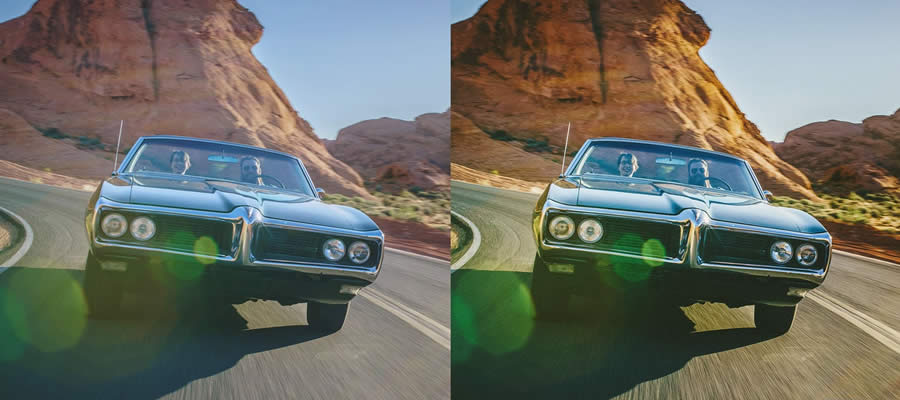
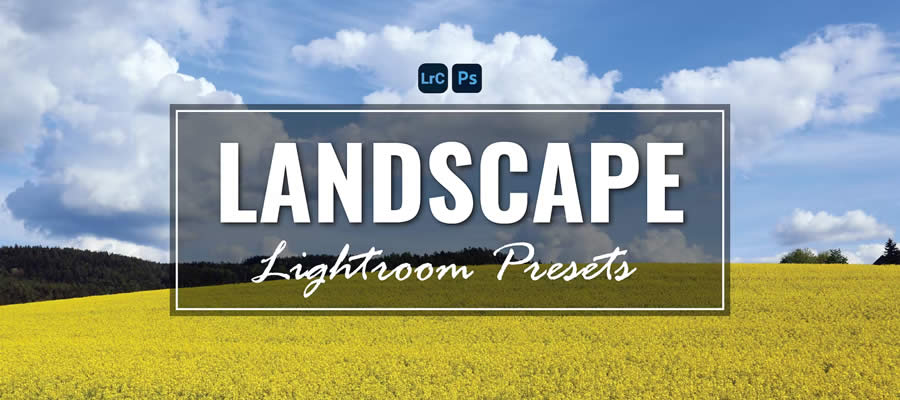
For travel photographers, the primary challenge is managing inconsistent lighting conditions. Presets such as the "Wonderlust" collection are engineered to harmonize varied light temperatures, often balancing the bright, high-contrast light of urban environments with the more subtle, diffused light of natural landscapes. Similarly, "Road & Travel" presets emphasize vintage aesthetics, utilizing desaturation and grain to evoke a sense of nostalgia. For landscape purists, comprehensive bundles—often containing upwards of 30 specialized settings—focus on color-grading techniques that amplify natural greens, blues, and earth tones to provide greater dynamic range and depth to wide-angle shots.
Lifestyle and Social Media Aesthetics
The "Instagram-style" preset category represents the intersection of professional photography and social media branding. These presets, such as the "Insta Blogger" collection, are designed to replicate the clean, minimalist look favored by content creators. They typically involve a significant reduction in noise, an increase in clarity, and a specific bias toward high-key lighting, which ensures images remain legible even when viewed on smaller, lower-resolution smartphone screens.

Cinematic and Moody Storytelling
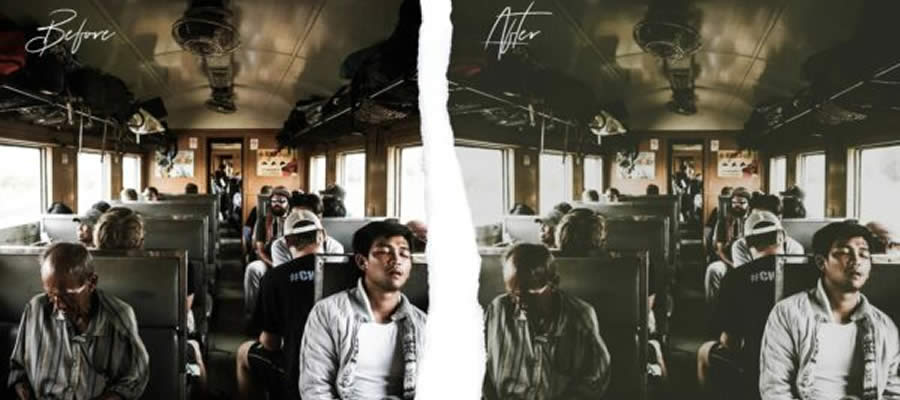
Cinematic presets, such as those emphasizing "Moody Light" or "Cinema Effect," prioritize the psychological impact of an image. By manipulating the tone curve and introducing color shifts—often toward the green or teal spectrum—these presets create a sense of drama. These are frequently used in editorial and lifestyle photography to convey mood rather than mere technical accuracy. Techniques like "Chocolate Matte" or "Coffee" presets utilize deep shadows and softened highlights to create a warm, tactile aesthetic that is highly effective for indoor and atmospheric photography.

The Economic and Creative Implications of Preset Adoption
The widespread availability of free and paid presets has democratized high-end photography. Historically, learning to achieve a "film-look" or "professional color grade" required years of training in color theory and software mastery. Today, the accessibility of these tools allows amateur photographers to achieve results that were once exclusive to studio professionals.

From a data-driven perspective, the efficiency gained through preset usage is significant. A professional photographer processing a batch of 500 wedding photos can reduce their editing time by approximately 60–70% by using a base preset as a starting point. This operational efficiency is a primary driver for the adoption of Lightroom Mobile in professional workflows, where time-to-market for digital content is critical.

Industry Standards and Best Practices
When selecting and applying presets, professionals recommend several key considerations:
- Base Exposure: Presets are not a substitute for proper exposure. Users should always adjust the basic exposure and white balance sliders before applying a preset to ensure the software’s algorithms are interpreting the image data correctly.
- Modular Editing: The most effective workflow involves applying a preset as a "base layer" and then fine-tuning individual parameters. This customization ensures that the final image retains the photographer’s unique signature.
- File Format Matters: To maximize the potential of any preset, users should capture images in DNG or RAW format. Compressed JPEG files contain significantly less data, which limits the effectiveness of complex adjustments like color grading or shadow recovery.
Managing Workflow: Installation and Application
To utilize these tools effectively, the technical installation process must be precise. For Lightroom Mobile, the standard procedure involves importing a DNG file (which contains the preset data) into the app, navigating to the "Presets" panel, and selecting the "Create Preset" function from the three-dot menu. Once saved, these presets are synced across all devices logged into the same Adobe Creative Cloud account, ensuring that a user’s aesthetic style remains consistent whether they are editing on a smartphone, tablet, or desktop computer.

Future Trajectory: AI and Beyond
As artificial intelligence (AI) continues to permeate the imaging industry, the role of the manual preset is evolving. Adobe’s integration of AI-powered masking (which can automatically identify subjects, skies, or backgrounds) is increasingly being baked into the next generation of presets. This shift suggests that the future of mobile editing will not just be about color grading, but about "intelligent" editing—where the software understands the context of the photo to adjust it dynamically.

For the modern photographer, Lightroom Mobile remains an essential tool. By leveraging the diversity of available presets, photographers can maintain creative consistency while significantly optimizing their post-production timelines. Whether one is documenting a global travel itinerary, capturing the intimate details of a wedding, or building a brand on social media, the judicious application of professional presets serves as a catalyst for creative growth and technical proficiency.

While the landscape of photography is in constant flux, the core requirement—the ability to tell a compelling visual story—remains constant. Lightroom presets provide the technical infrastructure to support that story, ensuring that every image, regardless of the device it was captured on, meets the high standards of contemporary visual communication. As users continue to refine their workflows, the focus will undoubtedly shift toward even greater integration between mobile capture and professional-grade editing, further cementing the status of the smartphone as a legitimate tool for serious photographic inquiry.








