The Definitive Guide to WordPress Gallery Plugins: Enhancing Visual Storytelling and Website Engagement


In the rapidly evolving digital landscape, visual content has become an indispensable element for engaging audiences and conveying information effectively. For the vast number of websites powered by WordPress, which constitutes over 43% of all sites on the internet, the ability to present high-quality images and multimedia in compelling galleries is paramount. While WordPress offers a built-in gallery function, its capabilities are often too basic for the sophisticated needs of modern bloggers, businesses, and professional content creators. This limitation has spurred the development of a robust ecosystem of specialized gallery plugins, each designed to elevate visual presentation beyond standard functionality.
The demand for enhanced visual tools stems from compelling data: studies indicate that articles with relevant images receive 94% more views than those without, and visual information is processed by the human brain 60,000 times faster than text. Moreover, engaging visuals can significantly reduce bounce rates and improve overall user experience, directly contributing to better search engine optimization (SEO) performance. However, merely uploading photos is not enough; their presentation, responsiveness across devices, and integration with other website functionalities are critical. Many content creators, from food bloggers showcasing culinary masterpieces to professional photographers displaying portfolios, initially encounter frustration when their carefully captured images appear lackluster or disorganized within a default WordPress setup. This highlights the crucial role that a well-chosen gallery plugin plays in transforming a blog from plain to professionally polished, ensuring that visual assets truly stand out.

Key Considerations for Modern WordPress Gallery Solutions
When evaluating WordPress gallery plugins, several factors consistently emerge as critical for optimal performance and user satisfaction. These considerations guide both developers in their creation and users in their selection, ensuring that the chosen solution aligns with specific operational and aesthetic goals.
Firstly, ease of use is paramount. A plugin should feature an intuitive interface, preferably a drag-and-drop builder, allowing users to create and customize galleries without requiring extensive coding knowledge. This democratizes professional-grade visual presentation, making it accessible to a wider range of content creators.

Secondly, performance optimization is non-negotiable. Large image files and inefficient code can severely impact website loading speed, leading to higher bounce rates and poorer SEO rankings. Essential features include lazy loading (loading images only when they become visible), efficient image resizing, and clean code architecture.
Thirdly, responsiveness and mobile compatibility are vital. With mobile devices accounting for over half of all web traffic, galleries must automatically adapt and display beautifully across various screen sizes and orientations.
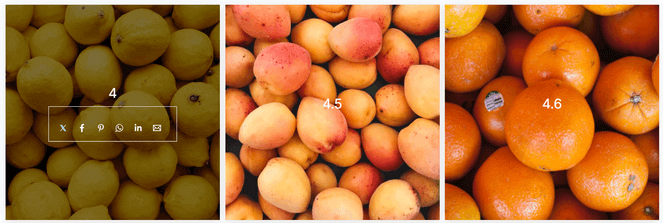
Fourthly, feature richness and customization options distinguish leading plugins. This includes a variety of layout templates (grid, masonry, justified, carousel, slider), lightbox effects for full-screen viewing, social sharing integration, watermarking for image protection, and potentially video gallery support.
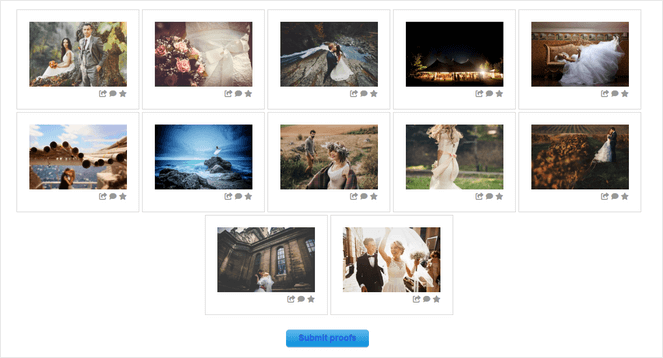
Finally, monetization capabilities are increasingly important for professionals. The ability to sell prints, digital downloads, or offer client proofing directly through the gallery streamlines business operations for photographers and artists.
Leading WordPress Gallery Plugins: An In-Depth Analysis
Based on comprehensive testing and market analysis, several gallery plugins consistently rise to the forefront, catering to diverse needs from casual blogging to professional e-commerce.

1. Envira Gallery: Power and Accessibility Combined
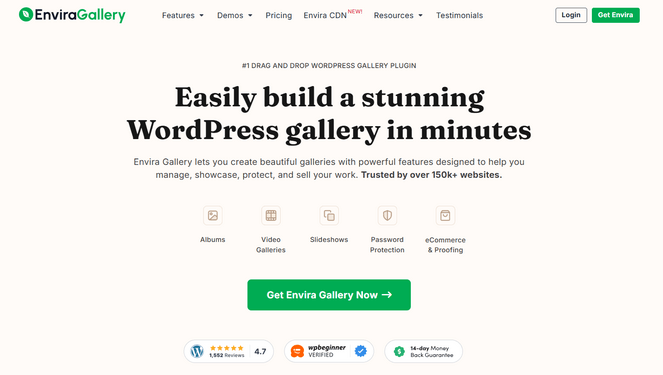
Envira Gallery stands out as a highly acclaimed solution, frequently recommended for its powerful feature set combined with remarkable ease of use. It is designed to be accessible for beginners while offering the depth of functionality required by advanced users. The plugin’s core strength lies in its intuitive drag-and-drop gallery builder, which allows users to effortlessly arrange images into visually stunning layouts using professionally designed templates. This simplifies the creation process, enabling users to transform raw image collections into polished galleries within minutes.
Beyond its user-friendly interface, Envira Gallery is engineered for performance, ensuring that galleries load quickly and do not impede site speed. Its responsive design guarantees seamless display across all device types—desktops, tablets, and smartphones—automatically adjusting layouts for optimal viewing. Advanced features include an albums functionality for organizing multiple galleries into cohesive collections, crucial for sites with extensive visual content. Furthermore, it incorporates practical tools such as social sharing buttons to amplify content reach and image watermarking to protect proprietary visuals from unauthorized use. The support for video galleries extends its utility beyond static images, accommodating a broader range of multimedia content. Envira Gallery offers both a comprehensive premium version starting at $39.50/year and a feature-limited free version, providing flexibility for different budget constraints.

2. NextGEN Gallery: The Professional Photographer’s Toolkit
For professional photographers and serious photography bloggers, NextGEN Gallery by Imagely emerges as an unparalleled solution, particularly due to its robust image monetization features. While it offers similar aesthetic capabilities to other top-tier plugins, including over 20 pre-made gallery layouts and sophisticated lightbox options, its e-commerce integration is its defining characteristic. NextGEN Gallery provides automated print fulfillment, allowing photographers to directly sell prints to customers through partnerships with leading professional print labs. This capability streamlines the sales process from order placement to shipping, eliminating manual intervention.
The plugin further supports photography businesses with features like auto tax calculations, seamless integration with major payment gateways such as Stripe and PayPal, customizable pricelists, coupon creation, and secure digital downloads. Its client proofing galleries are invaluable for collaborative workflows, enabling photographers to share images with clients for feedback and selection. Large-scale image management is facilitated through options for bulk uploads via zip files or FTP, complemented by automatic image resizing for optimal web performance. Available with a Starter plan at $69.50/year and a free version with core features, NextGEN Gallery represents a comprehensive business platform for image professionals.
3. Smash Balloon Instagram Feed Pro: Seamless Social Integration
Recognizing the immense popularity and visual richness of Instagram, Smash Balloon Instagram Feed Pro offers a specialized solution for integrating dynamic Instagram content directly into WordPress websites. This plugin enables the creation of auto-updating Instagram galleries, ensuring that a blog’s visual content remains fresh and synchronized with a user’s social media presence. The setup process is remarkably straightforward, requiring no coding expertise to connect an Instagram account and display a live photo feed.
The plugin supports various Instagram content types, including hashtag feeds, tagged posts, Reels, and Stories, offering extensive flexibility in content curation. It provides multiple layout options such as grid, carousel, masonry, and highlight styles, all fully customizable to match the website’s design aesthetic. A key feature for monetization is the ability to make feeds "shoppable" by adding direct links to products or services, converting Instagram engagement into potential sales. Furthermore, the display of likes and comments within the feed provides valuable social proof, while a customizable "Follow on Instagram" button aids in growing the social media audience directly from the website. Starting at $49/year for the Basic plan, with a free version also available, Instagram Feed Pro is an essential tool for social media-driven visual content strategies.

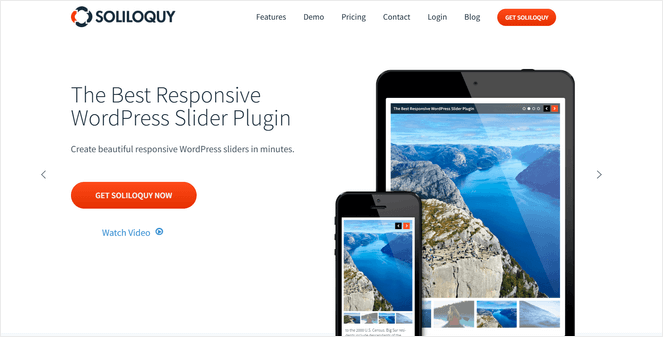
4. Soliloquy: Dynamic Sliders for Interactive Content
For websites aiming to feature interactive image galleries rather than static grids, Soliloquy stands out as a leading WordPress plugin for creating dynamic image sliders. Its drag-and-drop builder, coupled with pre-built templates, makes slider creation accessible and efficient. A standout capability is its dynamic sliders feature, which can automatically pull content from various sources, including featured blog posts, testimonials, or Instagram feeds. This automation is a significant advantage for content creators who need to highlight fresh content without constant manual updates.
Soliloquy is renowned for its lightweight architecture and exceptional speed, a critical factor for slider plugins which can often be resource-intensive. It delivers visually stunning results without compromising website performance. The plugin ensures responsive, mobile-friendly designs, guaranteeing that sliders render perfectly across all devices. SEO-friendly setup allows for the addition of metadata to each slide, improving search engine visibility. For e-commerce platforms, WooCommerce integration enables the creation of product sliders, boosting engagement and potentially driving sales. Available from $19.50/year for the Personal plan and with a free version, Soliloquy offers a compelling solution for interactive visual storytelling.

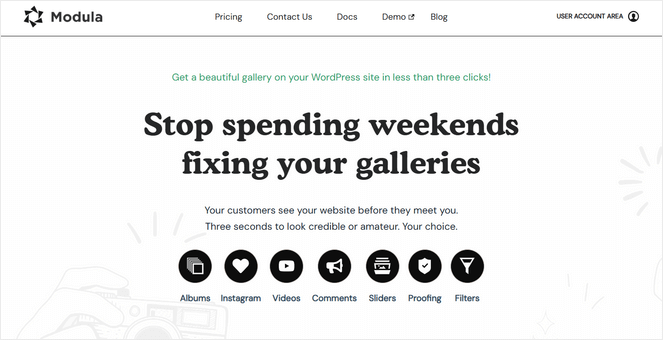
5. Modula: Creative Freedom Through Custom Grids
Modula is tailored for users who prioritize granular creative control over their image galleries. Its most distinctive feature is the custom grid builder, which provides an unparalleled level of flexibility. Users can resize and arrange images within a grid simply by dragging their corners, allowing for the creation of truly unique and customized layouts that perfectly align with a specific aesthetic vision. This "drag-to-resize" functionality sets it apart from plugins that rely solely on predefined templates.
Despite its advanced customization options, Modula maintains a user-friendly drag-and-drop interface, making it accessible to beginners. The plugin enhances visual appeal with features like elegant hover effects and loading animations, adding a professional and polished feel to galleries. It supports video galleries with integration for platforms like YouTube and Vimeo, and offers image filtering by tags, which is invaluable for organizing large collections. Gallery commenting features are also available to foster greater user engagement. While it may offer a slightly different feature set compared to broader solutions like Envira or NextGEN, Modula’s focus on creative layout freedom makes it a strong contender for design-conscious bloggers. Pricing starts at £29/year for the Starter plan.
6. FooGallery: Simplicity Meets Attractive Design
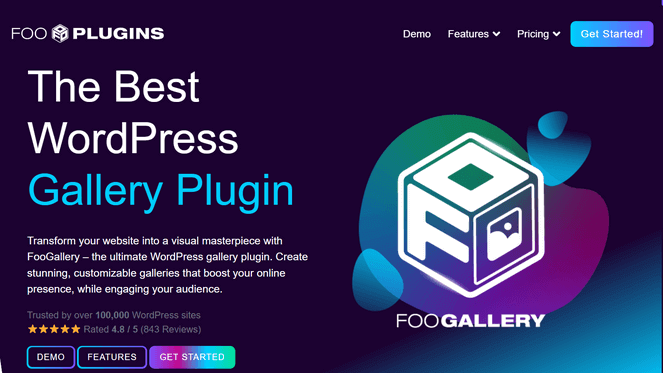
FooGallery positions itself as a straightforward and beginner-friendly option for creating attractive image galleries without unnecessary complexity. Its primary appeal lies in its live preview editor, a feature that significantly streamlines the design process by allowing users to visualize changes in real-time as they build their galleries. This immediate feedback loop enhances user experience and accelerates customization.
The plugin offers a variety of gallery layouts, including masonry, justified, carousel grids, and a distinctive Polaroid style, providing sufficient options to create engaging visual displays. Customization tools, such as hover effects, thumbnail filters, and loading icons, enable users to add stylistic flair without overwhelming the interface. FooGallery is also optimized for speed, incorporating features like lazy loading to ensure that galleries do not compromise website performance, a critical factor for user retention and SEO. Starting at $33.99/year for the Pro Starter plan, FooGallery provides a reliable solution for users seeking an intuitive and efficient gallery creation experience.

7. Photo Gallery by 10Web: Robust Features for Budget-Conscious Users
For bloggers and website owners operating on a limited budget, Photo Gallery by 10Web emerges as the most powerful free gallery plugin available. It impresses with a surprisingly extensive feature set that often requires a premium subscription in other solutions. The free version includes 9 gallery and album views, 15 distinct lightbox effects, crucial image watermarking capabilities, social sharing integration, and even basic Instagram integration.
The inclusion of built-in watermarking is particularly noteworthy, as this image protection feature is typically a premium offering. This makes Photo Gallery by 10Web an excellent choice for users who need solid functionality and security without incurring additional costs. While it provides a robust foundation for image presentation, some of the more advanced e-commerce or dynamic content features found in premium plugins are understandably reserved for its paid tiers. However, as a free solution, it delivers exceptional value, making professional-looking image galleries accessible to a broader audience.
Comparative Overview and Strategic Selection
| Plugin | Best For | Key Feature | Starting Price | Rating (Industry Consensus) |
|---|---|---|---|---|
| Envira Gallery | Bloggers wanting easy, feature-rich galleries | Drag-and-drop builder with professional templates | $39.50/year + Free | ⭐⭐⭐⭐⭐ |
| NextGEN Gallery | Professional photographers | Built-in eCommerce and print fulfillment | $69.50/year + Free | ⭐⭐⭐⭐⭐ |
| Instagram Feed Pro | Social media integration | Auto-updating Instagram galleries | $49/year + Free | ⭐⭐⭐⭐⭐ |
| Soliloquy | Dynamic content sliders | Automatic sliders from blog posts | $19.50/year + Free | ⭐⭐⭐⭐⭐ |
| Modula | Creative custom layouts | Custom grid builder with drag-to-resize | £29/year + Free | ⭐⭐⭐⭐ |
| FooGallery | Simple and attractive galleries | Live preview customization | $33.99/year + Free | ⭐⭐⭐⭐ |
| Photo Gallery by 10Web | Budget-conscious bloggers | Some premium features at no cost | Free | ⭐⭐⭐ |
The selection of the optimal gallery plugin ultimately hinges on a website’s specific requirements and the user’s technical proficiency. Envira Gallery is widely regarded as the best all-around solution for most WordPress bloggers, striking an ideal balance between powerful features, intuitive design, and performance optimization. Its professional templates and drag-and-drop builder make it highly accessible for creating stunning galleries efficiently. For professional photographers seeking to monetize their work, NextGEN Gallery is the definitive choice, offering unparalleled e-commerce capabilities, including automated print fulfillment and client proofing. Smash Balloon Instagram Feed Pro is indispensable for those who wish to leverage their Instagram content dynamically on their website, ensuring fresh content and social growth. Soliloquy excels in creating dynamic, responsive image sliders, ideal for showcasing rotating content efficiently. Modula offers unparalleled creative freedom for custom grid layouts, appealing to design-focused users. FooGallery provides a simple yet effective solution with real-time previews, while Photo Gallery by 10Web stands out as the most feature-rich free option, particularly for budget-conscious users requiring essential tools like watermarking.
Future Trends in WordPress Visuals
The evolution of WordPress gallery plugins is expected to continue integrating cutting-edge technologies. Future developments may include more advanced artificial intelligence (AI) features for automated image tagging, smart cropping, and personalized content delivery based on user behavior. Enhanced integration with augmented reality (AR) and virtual reality (VR) technologies could also offer immersive viewing experiences, particularly for portfolios and product showcases. The ongoing emphasis on Core Web Vitals and overall website performance will drive further innovation in lightweight code, efficient image delivery, and predictive loading mechanisms.
Frequently Asked Questions Regarding Gallery Plugins
What differentiates a specialized gallery plugin from WordPress’s default gallery?
WordPress’s default gallery offers very limited functionality, typically displaying images in a basic grid. Dedicated gallery plugins provide advanced layouts (masonry, carousel, slider), sophisticated customization options, lightbox effects, social sharing, watermarking, albums, and optimized performance, significantly enhancing visual presentation and user engagement.
Do gallery plugins adversely affect website loading speed?
The impact on website speed varies significantly among plugins. Reputable and well-coded plugins, such as Envira Gallery and Soliloquy, are specifically optimized for performance, incorporating features like lazy loading and efficient image processing to minimize their footprint. However, poorly developed plugins can indeed slow down a website, underscoring the importance of choosing solutions from trusted developers.
Is it possible to sell photographs directly through a gallery plugin?
Yes, certain gallery plugins are equipped with robust e-commerce functionalities that allow for the direct sale of digital downloads and physical prints. NextGEN Gallery is a prime example, offering comprehensive tools for order management, payment processing, and even automated print fulfillment, making it ideal for professional photographers.
Will galleries display correctly on mobile devices?
Leading gallery plugins are built with responsive design principles, ensuring that galleries automatically adapt and render beautifully across various screen sizes, including smartphones and tablets. Plugins like Envira Gallery and Modula often provide specific options to fine-tune how galleries appear on different devices, ensuring an optimal viewing experience for all users.

Are coding skills necessary to utilize gallery plugins effectively?
The vast majority of modern gallery plugins are designed for accessibility, featuring intuitive drag-and-drop builders and user-friendly interfaces. This allows users to create and customize sophisticated galleries without needing to write any code. While advanced customizations might occasionally benefit from CSS knowledge, all fundamental gallery creation tasks can be accomplished code-free.
The strategic implementation of a high-quality gallery plugin is no longer a luxury but a necessity for any WordPress website aiming to excel in visual storytelling and user engagement. By carefully considering the diverse capabilities of the plugins detailed above, content creators can select the ideal tool to transform their visual assets into captivating and high-performing elements of their digital presence.