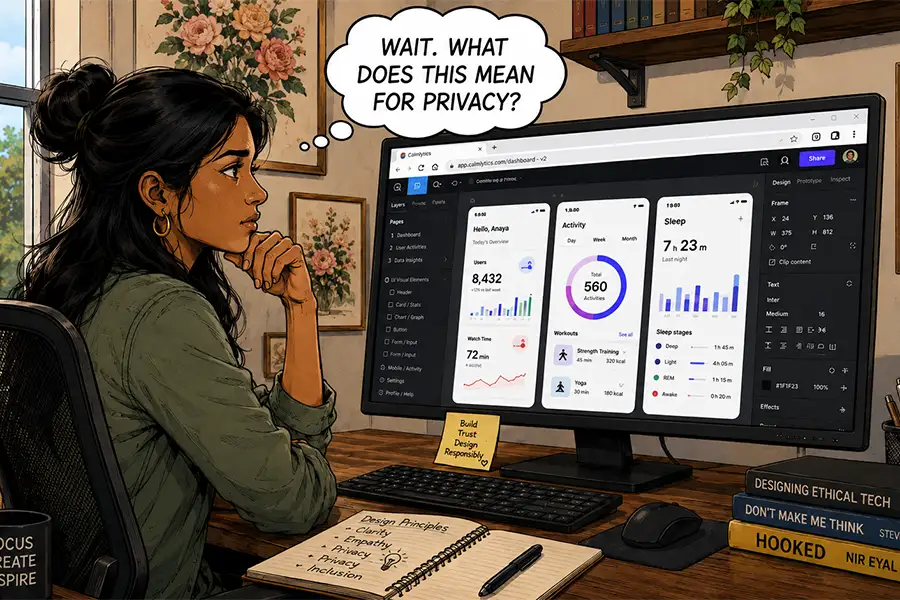
The modern professional workstation is undergoing a significant transformation, characterized by a fundamental migration from local, disk-based software installations to cloud-native, browser-centric environments. For decades, the ritual of configuring a new computer involved the systematic installation of heavy, proprietary software suites. Today, however, that paradigm is being challenged by the increasing capability of web technologies—HTML5, WebAssembly, and advanced server-side processing—which allow complex applications to run directly within a standard web browser. This transition marks a critical turning point in how businesses manage digital infrastructure, balancing the undeniable efficiency of cloud collaboration against the persistent, evolving risks of data ownership and privacy.
The Evolution of the Desktop-to-Browser Pipeline
The history of computing has been defined by a constant tug-of-war between local processing power and remote connectivity. In the early 1990s, the emergence of Netscape Navigator introduced the world to the concept of the "network as the computer," though early web-based tools were severely limited by latency and bandwidth. For the majority of the 2000s and 2010s, "professional grade" remained synonymous with "desktop installed." Software like Adobe Creative Suite, Microsoft Office, and integrated development environments (IDEs) required local installation to leverage the full graphical processing power (GPU) and central processing unit (CPU) of the user’s hardware.
The shift began in earnest around 2015, as high-speed broadband became ubiquitous and browser engines like Chromium matured. The timeline of this shift can be categorized into three distinct phases:
- The Peripheral Era (2005–2012): Web apps were used primarily for auxiliary tasks, such as basic email (Gmail) or simple cloud storage (Dropbox). Desktop apps remained the primary engine for high-fidelity work.
- The Collaborative Era (2013–2020): Tools like Figma and Google Workspace demonstrated that real-time collaboration could outperform desktop-siloed workflows. Design and documentation moved to the browser, significantly reducing the "email-attachment" bottleneck.
- The Native-Equivalent Era (2021–Present): Browser-based tools now offer features previously thought impossible in a web container, including advanced video rendering, high-bit-depth image editing, and complex local database management.
Economic and Operational Implications
The migration to the browser is not merely a preference for convenience; it is a response to the economic demands of modern digital workflows. By moving applications to the cloud, organizations reduce the "Total Cost of Ownership" (TCO) associated with hardware lifecycle management. When software is browser-agnostic, the reliance on high-end, operating-system-specific hardware diminishes. An employee using a mid-tier machine can perform the same tasks as one on a high-end workstation because the heavy lifting—such as rendering or compiling—is offloaded to server-side infrastructure.

According to recent industry analysis, the shift toward SaaS (Software as a Service) models has contributed to a 20% increase in cross-platform interoperability within remote-first companies. However, this efficiency comes with a trade-off: vendor lock-in. Once a workflow is established within a proprietary cloud environment, migrating data to a competitor or back to a local machine becomes a complex, often expensive technical hurdle.
Security, Data Sovereignty, and the AI Factor
The transition to browser-based tools has introduced a new layer of risk concerning data sovereignty. When an application runs locally, the user maintains absolute control over the files. In a browser-based environment, the data resides on the service provider’s servers. This creates a "black box" scenario, where users must trust the provider’s security protocols, disaster recovery plans, and internal privacy policies.
The integration of Generative Artificial Intelligence (AI) has further complicated this landscape. Many browser-based tools now utilize user-generated content to train their proprietary Large Language Models (LLMs). This has prompted significant legal concerns regarding intellectual property (IP). If a design firm uses a browser-based tool to create a proprietary interface, the terms of service may grant the tool provider the right to analyze or "learn" from that data. Security experts advise that organizations must now conduct a "Privacy Impact Assessment" (PIA) for every cloud tool, a step that was less critical when working within a self-contained, offline desktop application.
The Persistence of Desktop Architecture
Despite the momentum behind browser-based applications, "desktop-class" software remains a necessity for specific high-stakes industries. Sectors such as feature-film production, high-frequency financial modeling, and specialized engineering design require low-latency performance that current internet architectures cannot consistently provide.
Furthermore, the "Control Gap" remains the primary argument for keeping certain applications on the local hard drive. Desktop software allows for:

- Offline Availability: The ability to continue working during network outages or while traveling.
- Deep Customization: Access to system-level APIs and plugins that browsers often restrict for security reasons.
- Data Integrity: The ability to perform local, encrypted backups that are completely disconnected from the reach of a third-party server.
Industry Perspectives and Future Outlook
Industry leaders are increasingly adopting a "hybrid" model. In this configuration, administrative and collaborative tasks are handled through browser-based platforms, while high-intensity production tasks are reserved for specialized desktop applications.
Official statements from major software developers indicate that the future is not binary. Microsoft, Adobe, and Apple are simultaneously investing in browser-based parity and local performance. For instance, Adobe’s strategy involves "Cloud Documents," which allow files to be accessed via the web for review and light editing, while retaining the full, resource-heavy functionality of the desktop application for final production.
The broader implication for the workforce is a need for increased digital literacy. Professionals must now distinguish between "convenience-first" tools and "security-first" tools. The reliance on the browser has essentially turned the web browser into the modern operating system (OS). As we move further into this decade, the choice between browser and desktop will likely be dictated not by which is "better," but by which offers the most robust protection of the user’s most valuable asset: their data.
Ultimately, while the convenience of a "zero-install" environment is transformative for global business, the inherent risks—ranging from third-party tracking to the loss of access during provider outages—suggest that the local machine will not disappear. Instead, the desktop is evolving into a specialized tool for creators who demand complete, unfiltered control over their output, while the browser serves as the universal interface for the global, interconnected economy.