Nearly eight years after the Gutenberg block editor fundamentally transformed the WordPress content architecture, the platform’s core development team has released a feature long requested by backend developers: the ability to build custom blocks using exclusively PHP. Debuting in WordPress 7.0, this new capability eliminates the historic requirement to learn React, configure complex Node Package Manager (NPM) workflows, or manage intricate build pipelines for block development. While the architectural limitations of a PHP-only approach mean it is not intended to replace JavaScript for highly interactive components, industry analysts and developers note that it dramatically lowers the barrier to entry for modernizing legacy codebases.
The Evolution of WordPress Block Development: A Chronology

To understand the significance of the WordPress 7.0 release, one must examine the timeline of the block editor’s adoption since its inception in late 2018 with WordPress 5.0.
In the early phases of Gutenberg, custom block creation mandated a dual-registration process. Developers were required to register blocks once on the server side using PHP and again on the client side using JavaScript. As the Full Site Editing (FSE) paradigm matured through versions 5.9 to 6.x, the ecosystem increasingly favored block themes. However, developers specializing in traditional PHP themes faced a steep learning curve. Transitioning legacy features—such as custom shortcodes, dynamic widgets, and procedural template parts—demanded proficiency in modern JavaScript tooling, Webpack configurations, and React component lifecycles.
For many small agencies and solo developers, this technological shift created an invisible wall, delaying the adoption of block themes despite their proven performance and maintenance advantages. The release of WordPress 7.0 addresses this friction directly by introducing the ‘autoRegister’ => true flag within the core block registration API, enabling WordPress to automatically generate the necessary client-side bindings and editor previews directly from server-side PHP instructions.

Technical Architecture and Implementation Details
Under traditional architectures, building a block that accepted user input required defining attributes in PHP while simultaneously constructing corresponding UI controls using React components inside the editor interface. With WordPress 7.0, developers can define basic block attributes—restricted to strings, numbers, and booleans—directly within the register_block_type function array.
function css_tricks_hello_world_block()
  register_block_type(
    'css-tricks/hello-world',
      [
        'title' => 'Hello World',
        'render_callback' => function ()
          return sprintf(
            '<div %s>Hello World!</div>',
            get_block_wrapper_attributes()
          );
        ,
        'supports' => [
          'autoRegister' => true,
        ],
      ]
  );

add_action('init', 'css_tricks_hello_world_block');
When the ‘autoRegister’ parameter is enabled, WordPress handles the client-side instantiation automatically. Furthermore, developers can map attributes to basic sidebar controls without touching JavaScript. For instance, defining a string attribute automatically generates a corresponding text input field within the block’s settings sidebar. Similar mappings exist for numeric inputs, checkboxes, and basic dropdown menus.

However, the technical tradeoffs of this simplified approach are substantial. Because PHP-only blocks rely on server-side rendering callbacks and REST API endpoints for editor previews, they operate outside the single-page JavaScript application that powers the core editor experience.
Key Limitations of the PHP-Only Approach
While the reduction in boilerplate code is welcomed by traditional developers, core contributors and architectural reviewers have outlined four critical constraints associated with PHP-only block registration:

-
Absence of In-Context Interactivity: Because the editor simply displays HTML returned by a PHP render callback, developers cannot build inline, interactive editing experiences (such as rich text inline editing or drag-and-drop interfaces). Developers are strictly limited to auto-generated controls in the block settings sidebar. Furthermore, attaching complex JavaScript libraries—such as front-end sliders or dynamic data visualizers—to the block preview is unreliable, as asynchronous re-renders frequently break DOM event listeners.
-
Disconnection from Real-Time State: The WordPress block editor manages post data within a client-side JavaScript store until the user explicitly saves the document. PHP-only blocks bypass this store, querying the database directly. Consequently, these blocks display stale data if a user modifies related fields (such as the post title or featured image) in the editor without performing an intermediate save and page reload.
-
Lack of Native Post Context in the Editor: Frontend block rendering occurs within The Loop, granting access to global variables like $post. Conversely, the REST API endpoints utilized for block editor previews are stateless. While an existing post ID can sometimes be captured via URL parameters during editing, creating a new post fails to pass contextual data to the PHP render callback, rendering template tags dependent on global state unreliable during the authoring process.

-
Restricted Attribute Types and UI Elements: WordPress 7.0 limits PHP-registered block attributes to three primitive data types: strings, numbers, and booleans. Advanced interface components—such as media uploaders, multi-line text areas, date pickers, and keyed dropdown arrays (where a displayed label differs from the stored database value)—are unavailable. For example, developers cannot easily construct a category selector that displays human-readable category names in the dropdown while storing immutable category IDs, forcing reliance on brittle slugs instead.
The Killer Use Case: Migrating Legacy PHP Codebases
Despite these architectural constraints, industry consensus points to a singular, highly impactful use case where the limitations of PHP-only blocks become largely irrelevant: the migration of legacy themes to modern block themes.

Thousands of enterprise and boutique WordPress installations remain tethered to classic PHP architectures simply because the cost and time required to rewrite custom shortcodes, widget logic, and procedural template parts in JavaScript are prohibitive. WordPress 7.0 removes this barrier.
By wrapping legacy PHP functionality inside a server-side rendered block with auto-registration enabled, developers can preserve existing backend logic while integrating legacy components into the Site Editor. While the backend preview in the editor may function merely as a static representation or a placeholder, the frontend render functions identically to the original classic implementation. This capability allows development teams to migrate complex monolithic themes into performant block-based structures in hours rather than weeks.
Advanced Techniques and Workarounds

Developers experimenting with PHP-only blocks in WordPress 7.0 have already identified several workarounds to optimize their implementation workflows:
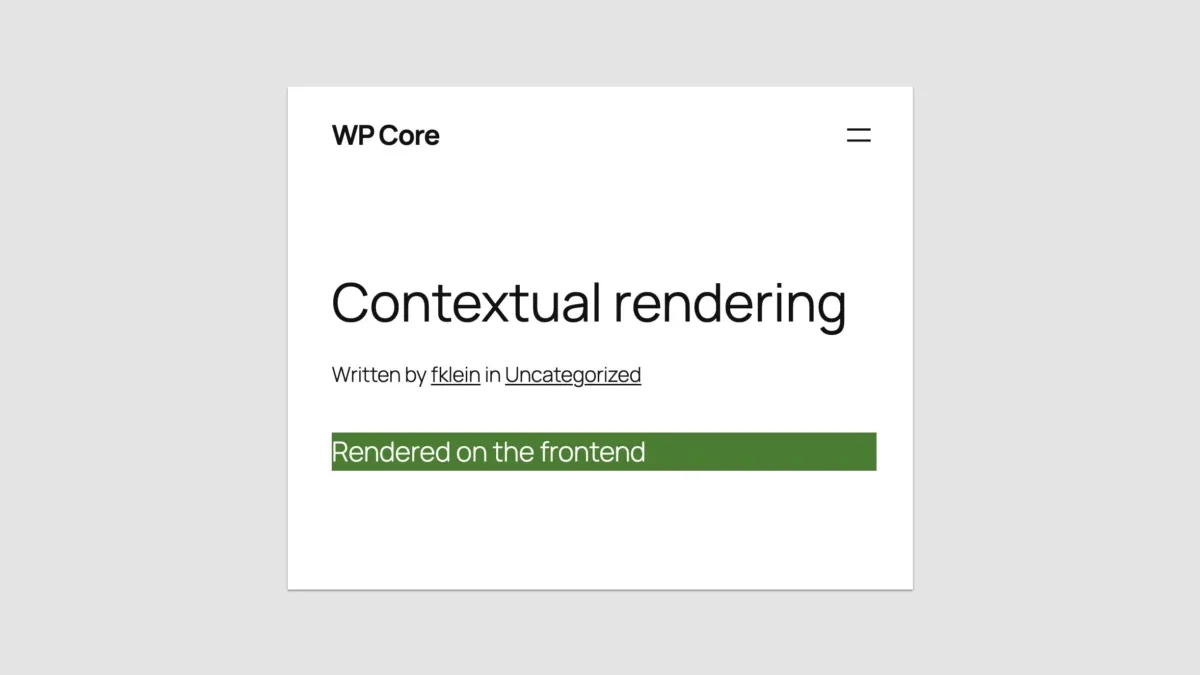
- Contextual Rendering Detection: To serve different markup depending on whether a block is viewed on the frontend or within the editor preview, developers can utilize the wp_is_rest_endpoint() function combined with a check for the block-renderer REST route, bypassing the limitations of the traditional is_admin() conditional.
- Managing Post IDs: By reading GET parameters during the initialization hook, developers can map local attributes to the current post ID, though this workaround remains imperfect during the initial creation of new, unsaved posts.
- Block Supports Integration: PHP-only blocks can still leverage the Block Supports API to opt into core features such as color customization, spacing controls, and alignment rules. Furthermore, properties like inserter => false or multiple => false allow developers to restrict block usage to specific templates or limit instances to a single occurrence per post.
- Enqueuing Assets: Developers can cleanly attach stylesheets and view scripts via wp_register_style and wp_register_script, ensuring that assets are only loaded when the specific block is present on a given page.
Broader Industry Implications and Future Outlook
The introduction of PHP-only block registration in WordPress 7.0 signals a broader philosophical shift within WordPress Core: a renewed focus on developer ergonomics and reducing unnecessary friction in the contribution workflow.

While core maintainers stress that PHP-only blocks are not intended to compete with JavaScript-powered blocks for dynamic, highly interactive user experiences, the feature successfully bridges a critical gap for the platform’s vast community of PHP developers. By lowering the cost of migration to block themes, WordPress 7.0 accelerates the ecosystem’s transition toward full-site editing architecture without alienating the developers who built the platform over the past two decades.
As WordPress continues its trajectory toward full-iframed editor compatibility and enhanced API versioning in subsequent minor releases, the tools provided in version 7.0 offer a pragmatic, albeit bounded, bridge between legacy code and modern CMS standards.