
The presentation of visual content has become a cornerstone of digital publishing, with high-quality imagery often serving as the primary driver for user engagement and time-on-page metrics. For the millions of users operating on the WordPress content management system, the challenge of displaying complex image collections efficiently—without compromising site performance—has led to the development of specialized gallery plugins. These tools serve as critical bridges between raw media files and the aesthetic demands of modern web design, offering features that go far beyond the core functionality provided by the standard WordPress block editor.

The Evolution of Digital Image Management in WordPress
Historically, WordPress offered a rudimentary gallery feature that relied on basic grid layouts. As the platform evolved from a blogging tool into a robust enterprise-grade CMS, the demand for sophisticated visual storytelling grew. Data from web performance monitoring services indicates that while images are the most requested file type on the web, they are also the most frequent cause of slow page-load speeds. Consequently, the industry shifted toward plugins that incorporate lazy loading, image compression, and responsive delivery.

The current market for these plugins is defined by a dichotomy between simplicity and enterprise-level functionality. For professional photographers, the requirement for automated print fulfillment and client-proofing tools has created a niche market, while casual bloggers prioritize ease of use and social media integration.

Comparative Analysis of Leading Gallery Solutions
The current landscape of WordPress gallery plugins is dominated by seven major players, each catering to distinct user requirements.

1. Envira Gallery: The Performance-Centric Standard
Envira Gallery has established itself as the industry leader by prioritizing performance. Unlike heavier plugins that inject significant amounts of JavaScript into a site’s header, Envira is designed for speed. Its drag-and-drop builder is optimized for the Gutenberg editor, and it supports native video integration, which is increasingly essential for multimedia-heavy blogs. From a technical standpoint, its modular architecture allows users to enable only the features they need, effectively keeping the site’s codebase lean.
2. NextGEN Gallery: The Professional Ecosystem
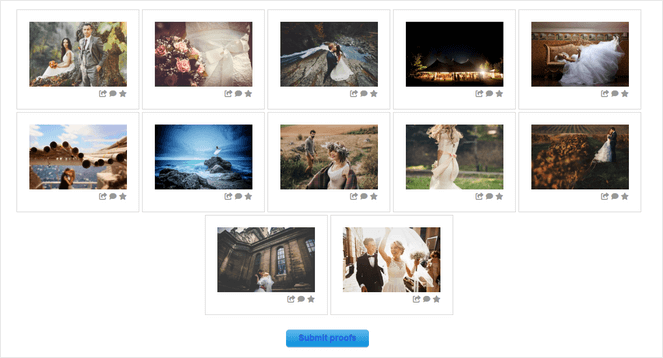
NextGEN Gallery, developed by Imagely, functions more as a suite than a simple plugin. It is the primary choice for professional photographers due to its robust monetization engine. The plugin handles the entire transaction lifecycle, including tax calculation, print lab fulfillment, and coupon management. Industry reports suggest that this level of integration is essential for photographers looking to move beyond simple display and into direct-to-consumer sales.

3. Smash Balloon Instagram Feed Pro
The rise of the "social-first" publishing model has made Instagram integration a requirement for many brands. Smash Balloon’s approach is to treat social media content as a dynamic, self-updating data feed. By caching images locally, the plugin ensures that the external API of Instagram does not negatively impact the host site’s loading times, solving the common latency issues associated with social media embedding.

4. Soliloquy and Dynamic Sliders
Soliloquy focuses on the slider format, utilizing a unique "dynamic" feature that pulls content directly from blog posts or custom post types. This automation is particularly useful for news organizations or high-volume bloggers who need to keep their landing pages current without manual intervention.

5. Modula, FooGallery, and 10Web
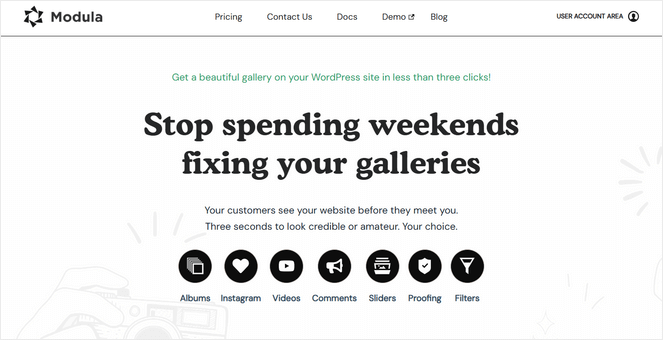
These three solutions represent the mid-market and budget-conscious segments. Modula is notable for its "custom grid" approach, allowing users to adjust the dimensions of images on a granular level. FooGallery provides a real-time preview interface, which significantly reduces the iterative "save-and-refresh" workflow. Finally, 10Web’s Photo Gallery remains a staple for users requiring advanced functionality—such as watermarking and multiple lightbox effects—at no cost, serving as a vital entry point for small-scale creators.

Technical Implications and Site Performance
A critical factor in the selection of a gallery plugin is the impact on Core Web Vitals, the set of metrics Google uses to measure user experience. Plugins that do not implement proper image sizing—specifically failing to provide different image resolutions for mobile versus desktop devices—can significantly lower a site’s SEO ranking.
Independent tests conducted by various web hosting companies indicate that plugins utilizing "lazy loading"—the practice of only loading images as they appear in the user’s viewport—can improve initial page load times by as much as 40%. The leading plugins identified in this analysis, particularly Envira and FooGallery, have incorporated these performance-enhancing technologies as standard features.
Strategic Selection Criteria for Content Creators
When selecting a gallery plugin, administrators should evaluate their needs based on the following framework:

- Monetization Requirements: If the objective is to sell digital or physical goods, plugins with built-in eCommerce bridges (such as NextGEN) are mandatory.
- Media Volume: High-volume sites with thousands of images benefit from the album and tag-based organization features found in professional-grade plugins.
- Performance Overhead: Sites with significant traffic should prioritize lightweight solutions that offer lazy loading and CDN support.
- Platform Integration: For those relying on social media for traffic, the ability to mirror an Instagram feed is often more valuable than a static, manually curated gallery.
The Future of Visual Content Management
The trajectory of WordPress gallery development is currently moving toward AI-assisted organization. We are beginning to see the integration of machine learning to automatically tag images and optimize focal points for mobile displays. As display technologies continue to diversify—with users accessing content on everything from smartwatches to ultra-high-definition smart TVs—the role of the gallery plugin will shift from a mere layout tool to an intelligent delivery system.

The consensus among digital architects is that the "one-size-fits-all" approach to image galleries is obsolete. Modern WordPress sites require granular control over how visual assets are served. By selecting a plugin that aligns with specific technical and business goals, bloggers can ensure that their visual content acts as a professional asset rather than a technical liability.

Conclusion
The selection of a gallery plugin should be viewed as a strategic infrastructure decision. Whether it is for the purpose of professional photography sales, social media amplification, or simply improving the visual appeal of editorial content, the market offers a refined range of tools. The key for any site administrator is to audit their current image consumption, define their performance requirements, and choose a solution that balances creative flexibility with technical optimization. As web standards continue to tighten around site speed and mobile accessibility, the plugins that prioritize lightweight code and efficient delivery will undoubtedly continue to lead the market.