Motion designers frequently face the challenge of balancing creative expression with the rigid demands of production timelines. While building an animation from an empty composition offers complete control, it is rarely the most practical approach for agencies or freelance creators managing high-volume client projects. Adobe After Effects templates have emerged as a foundational industry tool, providing the necessary structure, timing, and technical architecture that allows designers to focus on the nuanced details that define a project’s aesthetic identity. By leveraging these pre-built frameworks, professionals can significantly reduce the "groundwork" phase of production, often cutting project turnaround times by 30 to 50 percent.

The Strategic Value of Motion Design Frameworks
In the contemporary landscape of digital content, video assets serve as the primary communication vehicle for brands. From high-energy logo reveals for tech startups to sophisticated lower thirds for corporate documentary work, the demand for high-quality motion graphics is unprecedented. A well-constructed template acts as a force multiplier; it handles the complex math of keyframe interpolation, easing, and layer parenting, while leaving the creative choices—such as color palettes, typography, and asset integration—to the editor.

However, the proliferation of free template repositories has created a secondary challenge: quality control. Because these assets are distributed across various platforms—ranging from community-driven forums to premium marketplace "freebie" sections—the technical standards vary drastically. Professional designers must exercise rigorous vetting processes, ensuring that a template is compatible with current versions of After Effects and does not rely on obscure third-party plugins that could break the project’s portability.

Chronology of Motion Design Trends
The evolution of motion design templates mirrors the shift in video consumption habits over the last decade. During the early 2010s, templates were largely defined by heavy 3D extrusion and complex, long-form sequences. By 2018, as platforms like Instagram and TikTok began to dominate the media landscape, the industry shifted toward "kinetic typography" and "minimalist UI" templates. These designs prioritized readability and rapid information delivery. Today, the most sought-after assets are modular in nature, designed for multi-format export—allowing a single project to be easily reformatted for 16:9 widescreen, 9:16 vertical social media feeds, and 1:1 square compositions without compromising the integrity of the motion.

Core Categories and Production Utility
To effectively integrate templates into a professional workflow, it is necessary to understand the primary categories of available assets and their specific roles in a production pipeline:

1. Title Sequences and Kinetic Typography
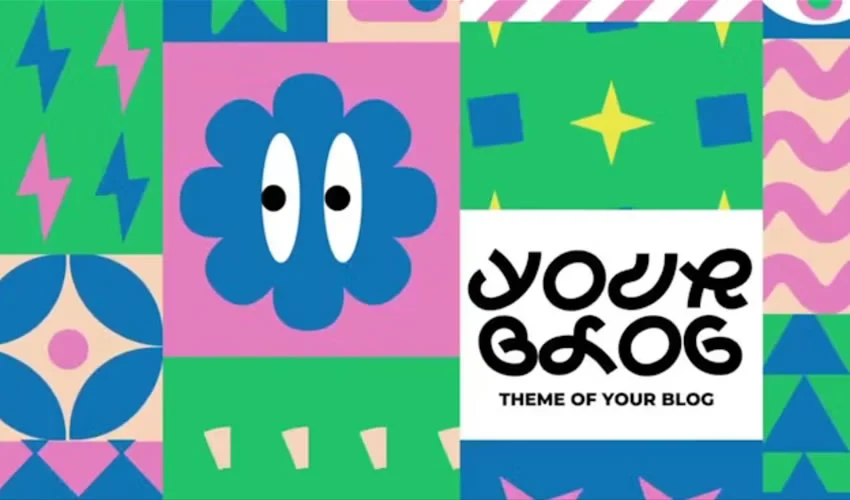
Typography is the most immediate point of contact between a video and its audience. A high-quality title template does more than display text; it sets the emotional tone of the video. Modern templates in this category emphasize "bouncy" or "elastic" motion, which has become a staple in modern digital branding. Designers should look for templates that utilize After Effects’ native "Essential Graphics" panel, which allows for the rapid modification of font faces and letter spacing without requiring the user to navigate the underlying composition architecture.

2. Logo Reveals
Logo animation is a branding necessity. The most effective reveals are brief—typically under five seconds—and rely on clean, geometric motion. When selecting a logo reveal, professionals should prioritize templates that support "Alpha" transparency channels. This ensures that the logo can be dropped into any background footage without unsightly matting or fringing.

3. Slideshows and Gallery Assets
Managing large sets of images or video clips requires a structural framework that maintains consistency. Parallax-based slideshow templates remain the gold standard for portfolios and event recaps. By utilizing Z-space (depth) and camera-tracking layers, these templates give static images a cinematic, three-dimensional quality that elevates the viewer’s engagement.

4. Lower Thirds and Information Overlays
In broadcast and interview-style production, lower thirds are the workhorses of the edit. They must be legible against varying backgrounds. The most useful templates in this category include a variety of "social media" icons, name tags, and location identifiers, all built with a consistent visual language to ensure brand coherence throughout an entire series.

Technical Best Practices for Integration
The implementation of a template into a professional project requires more than a simple "copy-paste." Industry experts recommend the following workflow:

- Project Isolation: Always work within a duplicate of the original template file. Never overwrite the source.
- Asset Management: Use the "Collect Files" feature in After Effects to gather all associated footage, fonts, and dependencies into a single project folder. This prevents the "missing asset" errors that frequently occur when transferring files between different workstations.
- Performance Optimization: Templates often contain heavy pre-renders or high-bitrate effects. During the rough-cut phase, utilize "Draft Quality" and "Half Resolution" preview settings. If the template uses complex 3D ray-traced rendering, consider switching the project renderer to "Classic 3D" if the visual fidelity requirements permit, as this significantly accelerates RAM preview speeds.
Implications for the Creative Industry
The widespread availability of professional-grade templates has democratized motion design, allowing smaller creators to compete with larger production houses in terms of visual polish. However, this has also raised the bar for what is considered "standard" work. The implication for the professional designer is clear: the template is not the finished product. The true value of a motion designer now lies in their ability to curate, modify, and deconstruct these templates to create something unique.

A common pitfall for novices is leaving the template exactly as it was downloaded. The "professional" touch involves stripping away the generic elements—such as default transitions or stock music—and replacing them with custom sound design and modified easing curves. When an animator treats a template as a skeleton rather than a finished garment, they gain the ability to produce high-end motion graphics at a fraction of the time, effectively future-proofing their workflow against the increasing demand for rapid content iteration.

Final Technical Recommendations
Before finalizing any template-based animation, designers should perform a comprehensive "Pre-flight" check:

- Check Plugin Dependencies: Ensure the template does not require paid third-party plugins like Red Giant Trapcode or Boris FX, unless you are certain those assets are licensed for your machine.
- Font Verification: Many free templates utilize open-source fonts that may not be pre-installed on your system. Always check the template’s documentation folder to identify required typography.
- Frame Rate Consistency: Verify that the template’s composition settings (e.g., 23.976 fps vs. 30 fps) match your primary project timeline to avoid motion stuttering or synchronization issues.
In conclusion, After Effects templates represent an essential evolution in motion design. By focusing on the structural foundation these assets provide, designers can achieve a higher level of creative output, ensuring that their work remains both technically proficient and aesthetically relevant in an increasingly crowded media environment. The key to success is not in the avoidance of templates, but in the intelligent, customized application of them.