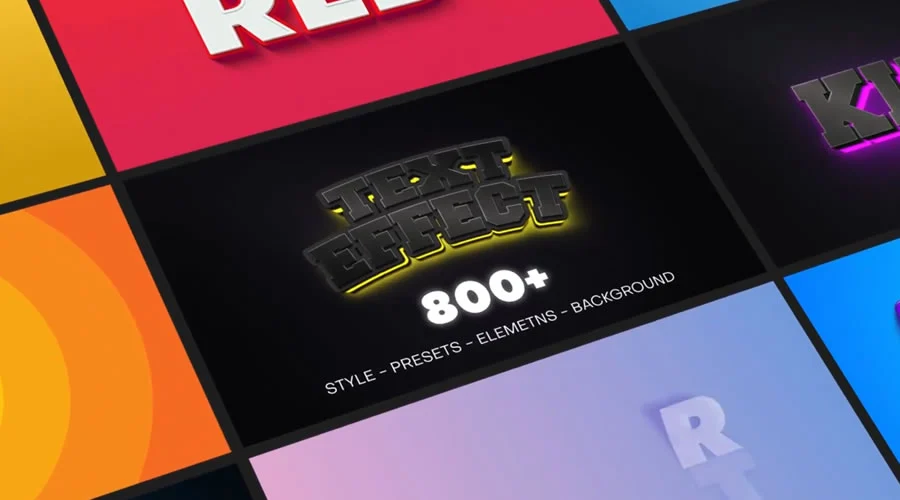
After Effects serves as the industry-standard software for motion graphics, visual effects, and compositing, offering creators unparalleled creative latitude. However, the professional landscape is defined by tight production deadlines and the need for high-frequency content output. Building complex motion sequences from an empty composition for every project is often an impractical use of time. Professional motion designers increasingly rely on well-structured templates to handle the foundational technical setup, timing, and structural groundwork, allowing them to redirect their focus toward the nuanced creative details that define a unique project.

The Strategic Value of Motion Design Templates
Templates function as a robust skeletal framework. By utilizing pre-configured projects—ranging from intricate logo reveals and cinematic openers to functional lower thirds and animated typefaces—studios can significantly reduce their production cycles. According to industry workflow surveys, agencies that integrate template-based workflows can reduce project turnaround times by approximately 40% without compromising visual fidelity.

Beyond efficiency, these templates act as an educational resource for junior designers. By deconstructing how a seasoned professional manages keyframes, nested compositions, and expression-based animation, learners can reverse-engineer high-end techniques that would otherwise require years of manual trial and error.

A Chronology of Template Evolution
The proliferation of digital marketplaces has fundamentally shifted how motion assets are distributed. In the early 2000s, motion graphics were largely bespoke; a custom logo animation often required a specialized production house and weeks of development. The late 2000s saw the rise of the first generation of stock motion asset platforms. By 2015, the "template economy" matured, with the introduction of sophisticated project organization standards, such as the use of dedicated "Control Panels" within After Effects projects, which allow users to modify colors and text globally without digging into deep, complex composition layers.

Today, the standard has moved toward modularity. Modern templates are no longer static; they are highly responsive, often supporting multiple aspect ratios—such as 9:16 for TikTok and Instagram Reels, 1:1 for LinkedIn, and 16:9 for YouTube—within a single project file.

Evaluating Quality and Technical Compatibility
Not all After Effects templates are created equal. In the professional sector, the reliability of a template is measured by its "cleanliness." A high-quality template should feature:

- Layer Organization: Clearly labeled groups and color-coded layers that prevent clutter.
- Global Controls: A dedicated "Control" composition that manages typography, global color palettes, and animation duration via sliders.
- Documentation: Comprehensive help files or video tutorials that outline plugin requirements and font licensing.
Designers must be wary of "dependency creep." Many templates rely on third-party plugins—such as Trapcode Particular or Video Copilot’s Optical Flares—which can lead to rendering errors if the user does not possess the necessary licenses. Always verify the software version; an After Effects project saved in version 2024 may not be backwards-compatible with an older CC 2020 installation, which is a common pitfall in collaborative agency environments.

Categories of Essential Motion Assets
1. Cinematic Title Sequences
Titles represent the viewer’s first impression of a video. Whether aiming for the minimalist elegance of a documentary or the high-energy kinetics of a music video, title templates manage the complex easing and motion blur that make text feel "professional."

- Key Consideration: Ensure the template utilizes dynamic text boxes that auto-resize based on the length of the string, saving the user from manual layer adjustments.
2. Strategic Logo Reveals
A logo reveal is a branding imperative. The most effective animations are brief, usually clocking in between three and six seconds. The current trend favors "minimalist impact," where the logo transitions from an abstract geometric state to a full brand mark using clean line-work or subtle chromatic aberration.

3. Slideshows and Gallery Assets
For photographers and videographers, slideshow templates provide a narrative structure. Modern parallax-scrolling templates use 3D space and camera movement to add depth to static imagery. These are particularly useful for wedding videography, corporate portfolio showcases, and event recaps.

4. Lower Thirds and Data Presentation
Lower thirds are the workhorses of professional broadcasting. They must provide information without obscuring the subject. Professional-grade templates for lower thirds emphasize legibility and clear contrast, often including "in" and "out" animations that are easy to trigger via markers.

5. Animated Typefaces and Icons
Animated fonts represent a significant leap in complexity. By animating each character as an individual composition, these templates allow for a level of typographic playfulness—such as bouncing, flickering, or "paint-on" effects—that would take hours to animate manually.

The Ethical and Technical Implications of Template Usage
The rise of template-based workflows has sparked a debate within the creative industry regarding originality. Critics argue that over-reliance on stock assets leads to a homogenization of visual content. However, the prevailing view in high-pressure production environments is that the template is a starting point, not the destination.

The mark of a professional designer is the ability to take a template and "break it." By altering the timing, swapping the default color palettes for brand-specific colors, and adding bespoke sound design, a designer can ensure that the final product does not resemble the original stock preview.

Best Practices for Installation and Performance
To maintain system stability, designers should adhere to a rigorous workflow:

- Asset Management: Always keep the project file and the "Footage" folder in a single, dedicated directory. Moving these files after the project is opened will result in "missing file" errors.
- Performance Optimization: Templates often contain complex effects that slow down the RAM preview. To mitigate this, lower the preview resolution (e.g., from Full to Half or Third) and disable motion blur or depth of field until the final render.
- Incremental Saving: Always save a copy of the original template before making modifications. If an expression breaks or a layer is accidentally deleted, you must be able to revert to the baseline version.
Future Trends in Motion Assets
The integration of artificial intelligence into After Effects—such as the generative fill features and AI-assisted rotoscoping—is beginning to influence template design. We are seeing a move toward "smart templates" that can automatically adjust their duration based on the length of the audio track imported. Furthermore, the push toward more accessible, web-based motion graphics (such as those using the Lottie framework) is creating a new category of templates designed for UI/UX designers, bridging the gap between traditional video production and software development.

Conclusion: The Professional Mandate
Templates are a force multiplier for the modern motion designer. They do not replace the need for an artistic eye, a deep understanding of animation principles, or a mastery of After Effects’ complex interface. Rather, they automate the technical friction of the craft. By treating these assets as a foundation rather than a finished product, designers can maintain the high quality demanded by modern audiences while meeting the rapid pace of the contemporary digital media landscape. Whether working on a local business advertisement or a global brand campaign, the intelligent use of After Effects templates remains a cornerstone of efficient, high-impact motion design.