In the modern digital economy, establishing a robust online footprint is no longer optional for commercial enterprises striving for sustainable growth. With Meta reporting nearly two billion daily active users globally, Facebook continues to serve as an indispensable digital ecosystem where organizations can engage prospective consumers, build lasting brand equity, and drive direct sales. Statistical data indicates that more than 200 million commercial entities globally leverage Facebook’s suite of complimentary tools, most notably the Facebook Business Page. When properly structured, optimized, and maintained, a corporate page functions as a dynamic marketing channel capable of amplifying brand awareness and facilitating meaningful consumer interactions.
The strategic importance of maintaining a business presence on social networking platforms has evolved significantly over the past decade. Historically viewed as a simple directory listing, the contemporary Facebook Page is now integrated with advanced commerce tools, including Facebook Shops and robust advertising manager accounts. This integration allows companies of all sizes—from local artisanal storefronts to multinational corporations—to bridge the gap between organic discovery and transactional conversion. Consequently, mastering the initial configuration and ongoing optimization of a Facebook Page is a foundational requirement for digital marketers and business owners alike.
Foundational Requirements and the Page Creation Process
Establishing a commercial presence on the platform requires an active personal Facebook account. Meta mandates this linkage because administrative duties, security protocols, and page ownership must be anchored to verifiable human identities. While this prerequisite sometimes causes initial hesitation among privacy-conscious entrepreneurs, platform policies dictate that personal profile information remains entirely private and hidden from public view on the business page. The personal profile acts strictly as a secure gateway to the administrative dashboard.
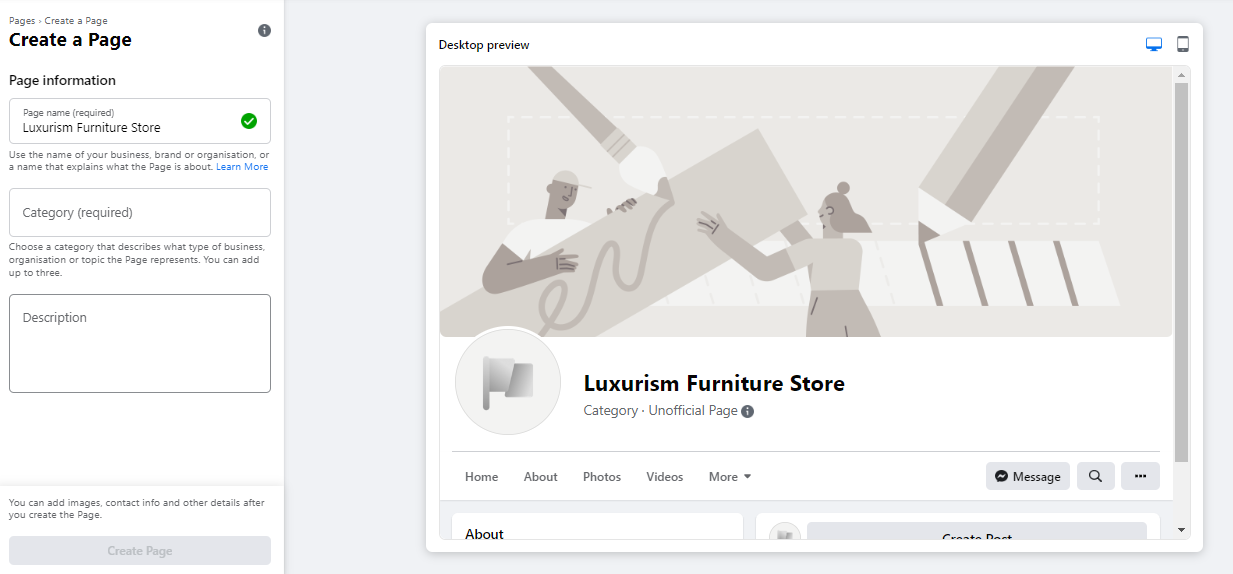
The first operational phase begins by navigating to the designated creation portal at facebook.com/pages/create. Here, administrators encounter a split-screen interface where input fields on the left dynamically update a real-time preview on the right. Precision during this initial data entry stage is critical for search engine optimization (SEO) within the platform’s internal search engine.
- Page Naming Conventions: Organizations must select a title that accurately reflects their legal name or the primary brand moniker that target audiences are likely to input into search queries. Avoiding excessive keyword stuffing ensures compliance with Meta’s naming guidelines while maintaining professional credibility.
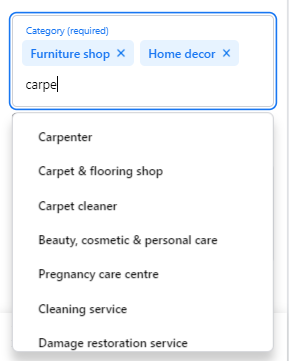
- Category Selection: Users are prompted to assign up to three descriptive categories. By typing a keyword related to their industry, administrators unlock predictive dropdown suggestions provided by the platform’s categorization algorithm. This classification helps the platform serve the business to users demonstrating matching behavioral interests.
- Business Description: A concise summary restricted to a maximum of 255 characters must be provided. This brief narrative appears prominently in search results, making clarity and succinct value propositions paramount.
Once these preliminary fields are populated, clicking the creation prompt initializes the foundational page structure, allowing administrators to transition into visual branding and asset deployment.
Visual Branding: Profile and Cover Imagery
A commercial entity’s visual identity on social media directly influences consumer trust and brand retention. Consequently, the deployment of high-resolution, professionally curated imagery is a vital second step in the page development lifecycle.
The profile picture acts as the primary visual anchor for the brand. It appears adjacent to the business name in search results, alongside organic commentary, and in the upper-left quadrant of the page layout. Large enterprises typically utilize official corporate logos, whereas sole proprietors, public figures, and artists often benefit from professional headshots. For local service providers, an iconic photograph of a signature product or service offering yields optimal recognition. Meta guidelines specify an ideal profile image dimension of 180 by 180 pixels. Because the platform automatically crops these uploads into a circular frame, designers must ensure that crucial graphical elements, such as logomarks, are centered and kept clear of the extreme corners.
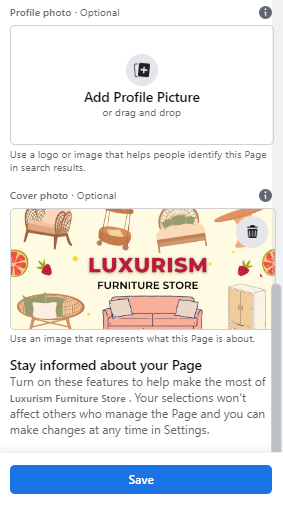
Complementing the profile icon is the cover photo, which occupies the most prominent visual real estate on the page interface. Recommended at dimensions of 1640 by 856 pixels, this banner should instantly communicate the core personality, primary offerings, or overarching mission of the organization. Administrators are advised to utilize the platform’s preview toggles to examine how both assets render across distinct device architectures, ensuring seamless visual transition between desktop monitors and mobile smartphone screens before saving the layout.
Establishing Connectivity and Identity: WhatsApp Integration and Usernames
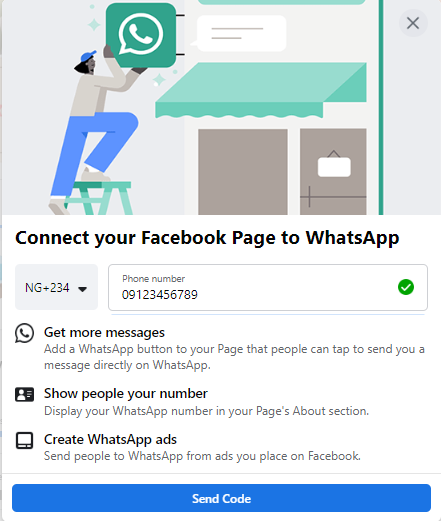
Modern consumer communication demands immediacy. To facilitate rapid dialogue, Meta provides an optional integration linking the newly formed business page with WhatsApp Business accounts. While bypassable, configuring this integration enables a direct call-to-action button on the page interface, allowing interested consumers to initiate private chats instantly or transition seamlessly from paid Facebook advertisements directly into a secure messaging environment.

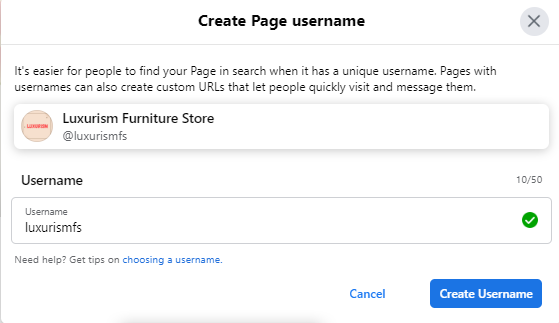
Following communication configuration, establishing a unique username—commonly referred to as a vanity URL—is essential for cross-platform marketing. Restricted to 50 characters, this identifier dictates the direct web address (e.g., facebook.com/YourBusinessName) where users can locate the entity. Selecting a concise, memorable username derived directly from the corporate moniker enhances offline marketing viability, enabling seamless promotion across physical packaging, print media, and external digital channels.
Comprehensive Data Population and Action Buttons
Leaving administrative and background data incomplete can significantly hinder conversion rates. Industry analysts note that contemporary consumers often view sparse profiles with skepticism. If a prospective client seeks a physical brick-and-mortar storefront or operating hours and fails to find them immediately, they frequently abandon the page in favor of a competitor.
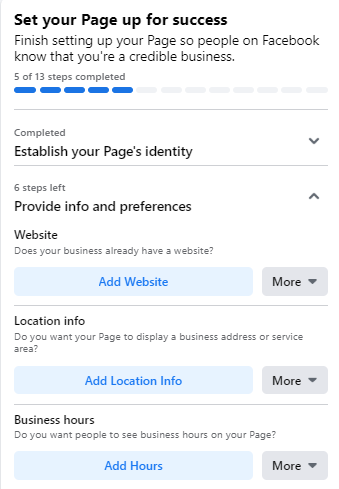
Administrators must populate the "About" section comprehensively. This includes embedding active hyperlinks to official corporate websites, specifying accurate operating hours, providing verified telephone contact details, and inputting physical location data where applicable.
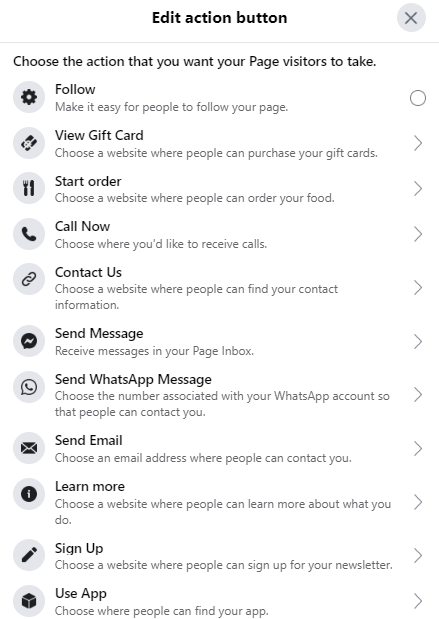
Furthermore, optimizing the call-to-action (CTA) button is a critical conversion mechanism. Meta offers an array of customizable button options designed to align with specific organizational objectives. Depending on the enterprise model, this button can be configured to prompt visitors to:
- Shop Now: Directing traffic to an e-commerce platform or integrated Facebook Shop.
- Learn More: Directing users to informational landing pages or corporate blogs.
- Book Now: Integrating third-party scheduling software for service-based businesses.
- Download: Facilitating access to lead-generation resources such as whitepapers or digital guides.
For organizations requiring extended setup periods, the platform permits pages to be temporarily unpublished. By accessing the general settings menu and altering page visibility parameters, administrators can work on backend configurations in a staging environment before releasing the fully realized asset to the public.
Content Deployment and Audience Acquisition
A newly published page must offer immediate utility before driving mass traffic. Deploying an initial batch of high-value, relevant content ensures that early visitors encounter an active, engaging environment rather than an empty digital shell. Organizations can curate industry insights, publish original thought-leadership articles, or announce upcoming corporate milestones.
Once foundational content is secured, audience acquisition can commence systematically. Initial outreach typically targets existing personal networks by utilizing the platform’s internal invitation tools, which allow administrators to notify personal connections of the new commercial venture. Concurrently, cross-channel promotion—such as embedding social media badge links within corporate email signatures, deploying announcements via external newsletters, and displaying follow icons on independent corporate websites—accelerates organic growth.
Advanced Page Optimization and Analytical Insights
Securing an active following represents merely the preliminary phase of social media marketing; maximizing ongoing engagement requires continuous optimization and data-driven administration.
Leveraging Facebook Page Insights
To refine content strategies effectively, administrators must routinely analyze quantitative performance data provided through Facebook Page Insights. Accessible via the management dashboard, this analytical suite supplies comprehensive metrics regarding audience demographics, engagement rates, content reach, and user interactions.
Insights allow marketing teams to evaluate precisely how many unique users clicked on embedded website URLs, engaged with specific CTA buttons, or referenced physical contact data. Because this information is segmented by age, geographic location, gender, and device type, organizations can dynamically adjust their social media content calendars to match the precise consumption habits of their core demographic.

Strategic Content Pinned Posts and Community Networking
To maximize the visibility of pivotal announcements—such as product launches, seasonal promotions, or ticket sales for corporate events—administrators can utilize the "Pin to Top" feature. This action anchors a designated post directly beneath the cover image, ensuring that every unique visitor encounters the priority message immediately upon arriving at the page.
Beyond broadcasting, platform success relies on active community participation. Organizations are encouraged to forge digital alliances by liking and following non-competing business pages within their broader industry or geographic ecosystem. Interacting with allied entities from the business profile—rather than a personal account—fosters collaborative networking, encourages reciprocal visibility, and establishes an active presence within the platform’s specialized news feeds.
Structural Customization and Governance
As organizational needs mature, utilizing customized page templates and organizing structural tabs allows businesses to tailor their layout to specific operational models—such as prioritizing video content for media creators or booking tabs for service providers. Furthermore, transitioning from basic profile administration to Meta Business Manager is strongly recommended for growing enterprises. Business Manager provides granular administrative control, enabling executives to assign distinct operational roles, permissions, and security clearances to internal staff members, external contractors, and third-party marketing agencies without compromising personal account security.
Through rigorous execution of these structural and optimization methodologies, enterprises can successfully transform a basic social media profile into a powerful, data-driven engine for brand awareness, customer acquisition, and long-term digital growth.