
The digital landscape is increasingly visual, making compelling image presentation a critical component for any successful online platform. For WordPress bloggers, photographers, and businesses, effectively showcasing visual content can significantly enhance user engagement, communicate brand identity, and even drive conversions. While WordPress offers a basic native gallery function, its limitations often fall short of modern aesthetic and functional requirements. This has led to the proliferation of specialized gallery plugins, designed to transform static image collections into dynamic, professional displays. The selection of an appropriate gallery plugin is not merely an aesthetic choice; it directly impacts website performance, search engine optimization (SEO), and overall user experience.
The Evolving Role of Visuals in Digital Content

In an era dominated by visual media, where platforms like Instagram, Pinterest, and YouTube dictate consumption trends, the quality and presentation of images on a blog are paramount. Studies consistently show that content with relevant images receives significantly more views than content without. For instance, articles featuring images every 75-100 words can achieve double the social shares compared to those with fewer visuals. This underscores the necessity for WordPress sites to move beyond simple image embeds and leverage advanced gallery functionalities. The default WordPress gallery, while functional, provides minimal customization, often leading to a uniform and uninspiring visual presentation that fails to capture audience attention or reflect a brand’s unique style.
Historically, WordPress’s core capabilities for image display were rudimentary, often requiring manual coding or extensive custom theme development to achieve desired layouts. Over the past decade, as visual content surged in importance, plugin developers stepped in to fill this gap. Early gallery plugins focused on basic grid layouts and slideshows, but as web technologies advanced and user expectations grew, so too did the sophistication of these tools. Modern gallery plugins now integrate advanced features like responsive design, lazy loading, e-commerce functionalities, and deep social media integration, reflecting a significant evolution in how visual assets are managed and presented online.
Key Considerations for WordPress Gallery Plugin Selection

When evaluating WordPress gallery plugins, several critical factors come into play. These considerations ensure that the chosen solution not only meets current display needs but also supports long-term website goals related to performance, scalability, and user interaction. Digital marketing specialists and web development experts typically focus on the following criteria:
- Ease of Use: An intuitive drag-and-drop interface and straightforward controls are essential for bloggers and content creators without extensive coding knowledge, allowing them to focus on content creation rather than technical complexities.
- Design Flexibility and Customization: The ability to customize layouts, add visual effects (like hover animations or lightboxes), and ensure full responsiveness across various devices (desktops, tablets, mobile phones) is crucial for maintaining a professional and consistent brand appearance.
- Performance Optimization: Plugins must be lightweight and incorporate features like lazy loading, image compression, and efficient script handling to prevent slowing down the website. Page load speed is a critical factor for SEO rankings and user retention, with studies indicating a significant drop-off in user engagement for every second of delay.
- Comprehensive Feature Set: Advanced functionalities such as social sharing buttons, image watermarking for intellectual property protection, robust e-commerce integration, support for video galleries, and dynamic content feeds add significant value and extend the utility of the plugin.
- SEO Friendliness: Proper integration with WordPress’s SEO capabilities, including the ability to add alt text, captions, and descriptive file names, is vital for image search visibility.
- Developer Support and Regular Updates: Reliable developer support, comprehensive documentation, and consistent updates are indicative of a well-maintained plugin that will remain compatible with future WordPress versions and security standards.
Leading Solutions for Enhanced Visual Storytelling on WordPress
The market offers a diverse range of gallery plugins, each catering to specific user requirements, from general blogging to professional photography and e-commerce. A comprehensive analysis of leading options reveals distinct advantages for various applications.
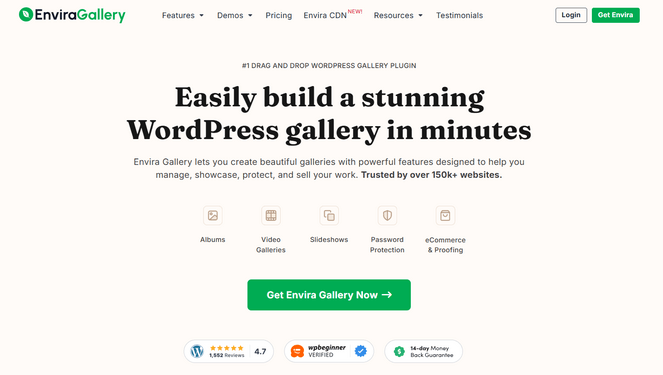
Envira Gallery: The Apex of User-Friendly Power
Envira Gallery stands out as a highly recommended solution for a broad spectrum of WordPress users, particularly those seeking a robust yet incredibly easy-to-use platform for creating visually stunning galleries. Its reputation as a top-tier plugin is built on a foundation of professional templates and an intuitive drag-and-drop builder, simplifying the gallery creation process for both novices and seasoned developers.
The plugin’s core strength lies in its ability to transform raw images into polished, responsive galleries within minutes. Its pre-designed templates offer a quick start, while the drag-and-drop interface provides granular control over image arrangement without requiring any coding expertise. This balance of simplicity and power ensures that users can achieve sophisticated layouts that seamlessly integrate with their blog’s aesthetic. Envira Gallery is engineered for performance, ensuring that visually rich content does not compromise website loading speeds. Its responsive design guarantees optimal viewing across all devices—desktops, tablets, and smartphones—a non-negotiable feature in today’s multi-device browsing environment. Additional functionalities, such as album creation for organizing multiple galleries, social sharing buttons to amplify content reach, and image watermarking for intellectual property protection, further cement its position as a comprehensive solution. The inclusion of video gallery support extends its utility beyond static images, catering to multimedia content creators. Its dedication to speed optimization means it won’t negatively impact site performance, a common concern with image-heavy content.
- Key Strengths: Intuitive drag-and-drop builder, professional templates, robust responsive design, performance optimization, integrated social sharing, watermarking, video gallery support, album creation.
- Pricing: Starts at $39.50/year for the Basic plan; a free version (Envira Gallery Lite) is available for foundational needs, offering a solid entry point.
NextGEN Gallery: The Professional Photographer’s Arsenal
For professional photographers and serious photography bloggers, NextGEN Gallery by Imagely is frequently cited as the industry standard. Its design and feature set are meticulously crafted to meet the unique demands of visual artists who not only want to display their work but also monetize it directly from their WordPress site.

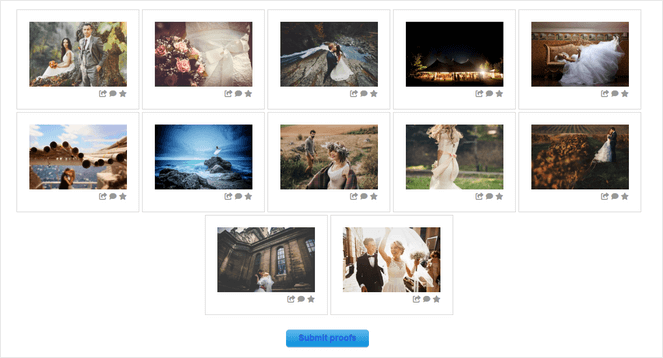
While offering foundational gallery features similar to other premium plugins, including a wide array of layouts and lightbox options, NextGEN’s distinguishing characteristic is its integrated e-commerce suite. This comprehensive system empowers photographers to sell digital downloads and physical prints through automated fulfillment with industry-leading professional print labs. The plugin supports various monetization tools such as auto tax calculations, integration with payment gateways like Stripe and PayPal, customizable pricelists, and coupon functionalities. This makes it a one-stop solution for managing a photography business.
Client proofing galleries represent another significant advantage for professionals, facilitating seamless communication and feedback loops with clients directly within the WordPress environment. This streamlines the review and selection process, enhancing client satisfaction. Furthermore, its robust image management capabilities, including bulk uploads via ZIP files or FTP and automatic image resizing, are invaluable for photographers dealing with large volumes of high-resolution images, ensuring efficient workflow and optimized site performance.
- Key Strengths: Advanced e-commerce capabilities (automated print fulfillment, digital downloads), client proofing, comprehensive image management (bulk uploads, resizing), diverse gallery layouts, robust security features for images.
- Pricing: Starts at $69.50/year for the Starter plan; a free version offers limited functionality, suitable for basic display needs.
Smash Balloon Instagram Feed Pro: Bridging Social Media and Blog Content
In an age where social media presence is intertwined with online branding, Smash Balloon’s Instagram Feed Pro offers a specialized solution for seamlessly integrating Instagram content into a WordPress blog. This plugin excels at creating dynamic, auto-updating Instagram galleries, ensuring that a blog’s visual content remains fresh and reflective of the user’s latest social media activity.

The plugin’s primary appeal lies in its effortless connectivity to Instagram accounts, allowing for the display of various feed types—including hashtag feeds, tagged posts, Reels, and Stories—without any coding requirements. Its extensive layout options (grid, carousel, masonry, highlight) provide ample customization to match the blog’s design aesthetic. The ease of setup and the ability to maintain a consistent visual flow between social media and a blog are significant advantages for content creators leveraging Instagram for brand building.
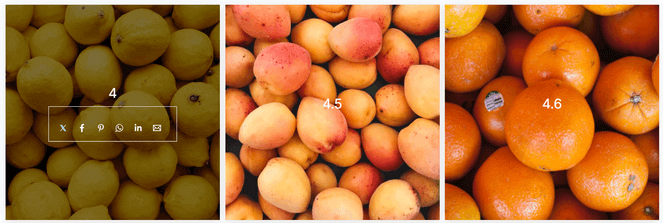
A significant benefit for businesses and influencers is the ability to make Instagram feeds "shoppable," linking images directly to product pages. This feature transforms social media content into a direct sales channel, enhancing conversion opportunities. Additionally, the plugin displays likes and comments, acting as a powerful form of social proof that can increase visitor trust and engagement. The inclusion of a "Follow on Instagram" button directly within the feed helps foster audience growth across platforms.
- Key Strengths: Automatic Instagram feed updates, diverse layout options, shoppable feeds, social proof display, cross-platform audience growth, no coding required for integration.
- Pricing: Starts at $49/year for the Basic plan; a free version is available for basic Instagram feed display.
Soliloquy: The Art of Dynamic Image Sliders
For those prioritizing interactive and dynamic visual presentations, Soliloquy emerges as the premier WordPress plugin for creating responsive image sliders. It distinguishes itself by offering a lightweight, fast, and highly customizable solution for showcasing content in an engaging, sequential format.
Soliloquy’s drag-and-drop builder, complemented by pre-built templates, makes slider creation accessible. Its standout feature, dynamic sliders, automates the process of pulling content from various sources, such as featured blog posts, testimonials, or Instagram feeds. This automation is a significant time-saver, ensuring that fresh content is always highlighted without manual updates, ideal for news sites or portfolios.
The plugin’s commitment to speed is a critical differentiator. Unlike many slider plugins that can be resource-intensive, Soliloquy is optimized to deliver stunning visuals while maintaining rapid website performance, a crucial factor for both user experience and SEO. Its responsive, mobile-friendly designs ensure flawless display across all devices, while SEO-friendly setup options allow for metadata integration with each slide, boosting search engine visibility. For e-commerce sites, WooCommerce integration facilitates the creation of product sliders, directly contributing to engagement and sales.
- Key Strengths: Exceptionally fast and lightweight, dynamic content sliders, intuitive drag-and-drop builder, fully responsive design, SEO-friendly, seamless WooCommerce integration, diverse slider templates.
- Pricing: Starts at $19.50/year for the Personal plan; a free version (Soliloquy Lite) is available from WordPress.org.
Modula: Unlocking Creative Grid Layouts
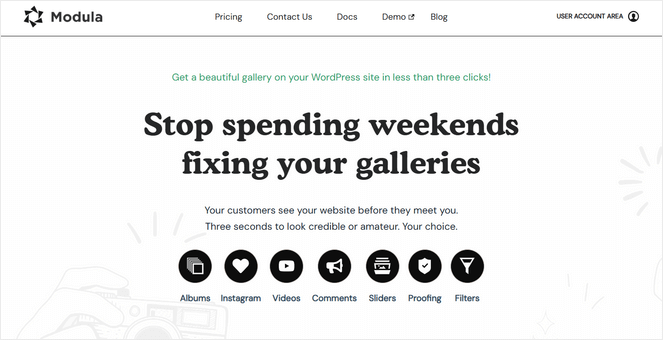
Modula caters to WordPress users who demand unparalleled creative control over their image galleries, specifically focusing on unique grid layouts. Its defining feature is the custom grid builder, which empowers users to precisely resize and arrange images through a simple drag-to-resize mechanism. This offers a level of design freedom that standard grid layouts often lack, allowing for truly bespoke visual presentations.

The plugin’s user-friendly drag-and-drop interface makes sophisticated design accessible even for beginners. Beyond custom grids, Modula enhances visual appeal with features like hover effects, loading animations, and lightbox options, adding a layer of polish and professionalism to galleries. The plugin supports video galleries with YouTube and Vimeo integration, catering to diverse media content. Additional features like image filtering by tags are beneficial for organizing large collections, and gallery commenting capabilities can foster increased user engagement, turning passive viewers into active participants.
While it may not possess the extensive e-commerce or advanced integration features of some competitors, Modula’s strength lies in its specialized focus on design flexibility and aesthetic customization, making it an excellent choice for visually-driven blogs, portfolios, and creative showcases where unique presentation is paramount.
- Key Strengths: Custom grid builder with drag-to-resize functionality, unparalleled creative control over layouts, impressive hover effects and loading animations, video gallery support, image filtering, responsive design.
- Pricing: Starts at £29/year for the Starter plan; a free version is also available.
FooGallery: Simplicity and Real-Time Customization
FooGallery presents itself as a straightforward and highly accessible option for WordPress users seeking to create simple yet attractive image galleries. Its design philosophy prioritizes ease of use, making it particularly appealing to beginners or those who prefer a less complex interface without sacrificing visual appeal.

A standout feature is its live preview editor, which provides instant visual feedback on changes as galleries are being constructed. This real-time customization significantly accelerates the design process and minimizes guesswork, ensuring the final output matches the user’s vision. FooGallery offers a variety of gallery layouts, including masonry, justified, carousel grids, and Polaroid styles, providing sufficient options to create diverse and engaging presentations.
The plugin includes basic customization tools such as hover effects, thumbnail filters, and loading icons, allowing for subtle stylistic enhancements. Crucially, FooGallery is optimized for speed, incorporating features like lazy loading to ensure that galleries load efficiently and do not impede overall website performance, a common concern with image-heavy content. Its lightweight architecture contributes to faster page load times, which is beneficial for both user experience and SEO.
- Key Strengths: Live preview editor for real-time customization, straightforward and beginner-friendly interface, diverse gallery layouts, speed optimization through lazy loading, basic but effective customization tools.
- Pricing: Starts at $33.99/year for the Pro Starter plan; a free version is available with core functionalities.
Photo Gallery by 10Web: Robust Features on a Budget
For bloggers and website owners operating under budget constraints, Photo Gallery by 10Web emerges as a remarkably powerful free gallery plugin. It distinguishes itself by offering a suite of features often found in premium alternatives, making it an attractive choice for those seeking high functionality without financial investment.

The free version of Photo Gallery by 10Web includes an impressive array of capabilities, such as nine distinct gallery and album views, fifteen lightbox effects, integrated watermarking for image protection, social sharing options, and Instagram integration. The inclusion of watermarking in a free plugin is particularly noteworthy, as this feature is frequently reserved for paid versions in competitor offerings, providing essential intellectual property safeguards at no cost.
While the user interface might be slightly less refined than some premium plugins, and advanced support might be limited, its core functionalities provide a robust foundation for creating visually appealing and well-protected image galleries. This makes it an excellent entry point for new bloggers or small businesses prioritizing cost-effectiveness, proving that high-quality visual presentation can be achieved without premium expenditure.
- Key Strengths: Comprehensive free feature set, multiple gallery and album views, extensive lightbox effects, integrated watermarking, social sharing, Instagram integration, video support.
- Pricing: Free. A premium version with additional features is available.
Strategic Selection: Matching Plugins to Specific Needs

The choice of the optimal WordPress gallery plugin ultimately hinges on the specific objectives and technical proficiency of the user. For general bloggers and small businesses, Envira Gallery offers an unparalleled blend of power and simplicity, making professional gallery creation accessible to all skill levels. Its balance of features, performance, and user-friendliness makes it the top recommendation for most content creators.
For professional photographers and artists, NextGEN Gallery is the definitive choice. Its robust e-commerce capabilities, client proofing, and advanced image management tools are tailored precisely for selling and managing photography work directly from a WordPress site. For social media-driven content, Smash Balloon Instagram Feed Pro is indispensable for those who wish to leverage their Instagram presence to enrich their blog and grow their audience dynamically. Soliloquy excels in creating fast, responsive sliders that can showcase a variety of content types, ideal for highlighting new posts or testimonials for interactive presentations. For design-centric creators, Modula provides the creative freedom necessary to craft unique, custom-grid layouts, appealing to those with a strong visual aesthetic. FooGallery offers a simple, efficient process with real-time previews, perfect for users who value straightforward functionality. Finally, for budget-conscious users, Photo Gallery by 10Web delivers a surprisingly rich feature set at no cost.
Optimizing Visual Content: Beyond the Plugin
Selecting the right gallery plugin is a crucial step, but its effectiveness is amplified when coupled with broader best practices for visual content optimization. Website performance, for example, is heavily influenced by image file sizes. Even the most optimized plugin can be hindered by excessively large images. Implementing image compression techniques and ensuring images are properly scaled before upload are fundamental to maintaining site speed.
Furthermore, SEO considerations extend to images. Alt text, descriptive file names, and image captions contribute significantly to search engine visibility. A well-chosen gallery plugin will facilitate these SEO best practices, but the content creator must actively implement them. The responsiveness of a website, including its galleries, directly impacts mobile user experience, which Google prioritizes in its ranking algorithms. All recommended plugins prioritize responsiveness, but it’s essential to verify their performance across various devices during implementation. Investing in a content delivery network (CDN) can also significantly improve the loading speed of image-heavy sites by distributing content geographically.
Conclusion
The effective presentation of visual content is no longer a luxury but a necessity for any WordPress blog aiming
Related posts: