The modern desktop computing environment has undergone a significant transformation, evolving from a simple workstation into a centralized hub for remote work, high-definition content consumption, and competitive gaming. Despite this shift toward integrated displays and wireless ecosystems, built-in monitor speakers and laptop audio drivers frequently fall short of delivering the acoustic fidelity required by contemporary users. To address this persistent gap, audio manufacturers and peripheral developers have flooded the market with specialized desktop speaker solutions, ranging from compact USB-powered soundbars to complex 2.1 systems featuring dedicated subwoofers and studio-grade monitors. Market analysts project steady growth in the computer peripherals sector, driven largely by hybrid work models and the expanding home entertainment market. However, navigating this saturated landscape presents a distinct challenge for consumers balancing physical desk space, acoustic performance, and budgetary constraints.

Recent exhaustive industry testing regimens—which typically evaluate dozens of competitive audio systems over multi-week testing cycles—demonstrate that while hundreds of computer speakers function adequately on a baseline level, very few achieve the ideal balance of tonal accuracy, build quality, and spatial awareness necessary for top-tier recommendations. These evaluations systematically grade equipment across rigorous parameters, including total harmonic distortion at high volume, frequency response curves, connectivity versatility, software ecosystem integration, and physical footprint dimensions. Consumer electronics researchers emphasize that selecting the optimal desktop audio setup requires careful consideration of spatial limitations, primary use cases—such as professional video conferencing, music production, or immersive gaming—and structural acoustic factors like desk vibration and ear-level alignment.
Market Landscape and Categorization of Desktop Audio Systems
The contemporary desktop speaker market is broadly segmented into three distinct categories: traditional bookshelf-style stereo monitors, 2.1 channel systems incorporating a dedicated subwoofer, and compact under-monitor soundbars. Each configuration caters to specific consumer priorities, offering unique advantages and compromises in acoustic physics and spatial efficiency.

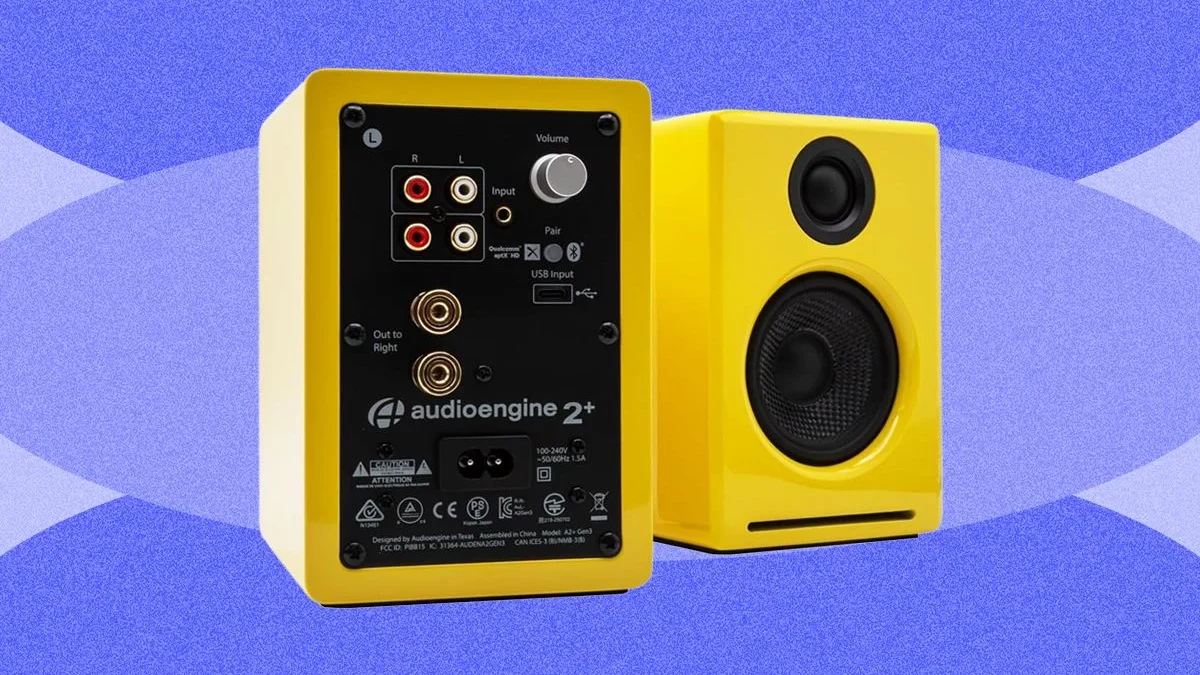
Stereo bookshelf speakers, often favored by music producers and audiophiles, deliver superior stereo separation and natural midrange clarity. Products like the Pioneer DJ DM-40D-BT ($239) and the Edifier M60 ($200) exemplify this segment. Designed originally for entry-level music creation or casual mixing, the Pioneer DM-40D-BT features a robust molded front baffle, a 4-inch fiberglass woofer, and class-D amplification with digital signal processing (DSP). While offering exceptional value and diverse input options including RCA, 3.5mm stereo mini, and Bluetooth 5.0, such studio-oriented monitors frequently demand a larger physical footprint than standard desktop setups afford. Conversely, the Edifier M60 bridges the gap between studio fidelity and compact desktop integration, producing a rich, clean output with USB-C, auxiliary, and Bluetooth 5.3 connectivity, though its lack of a physical subwoofer can occasionally result in muddy low-end frequencies under heavy cinematic loads.
For users seeking deeper low-frequency performance without transitioning to full-scale studio setups, 2.1 channel systems represent the industry standard for gaming and cinematic immersion. Systems such as the Razer Nommo V2 Pro ($438), SteelSeries Arena 7 ($380), and Logitech G560 Lightsync ($250) dominate this category. These configurations distribute acoustic duties by pairing satellite desktop tweeters with a powerful, often wireless or wired subwoofer designed to rest on the floor. While this architecture delivers physical, chest-thumping bass reproduction ideal for action-oriented video games and blockbuster films, it introduces architectural challenges, including cumbersome cabling, substantial desk and floor space requirements, and occasional over-dominance of low-end frequencies that can obscure vital midrange dialogue or acoustic nuances.

Soundbars and Space-Saving Audio Alternatives
As modern workstation aesthetics increasingly favor minimalist designs and ultra-wide or multi-monitor configurations, horizontal soundbars have emerged as a dominant alternative to traditional multi-piece speaker sets. Models such as the OXS Thunder Pro ($600) and the Creative Sound Blaster GS5 ($95) demonstrate the viability of packing multi-channel spatial audio into a low-profile chassis designed to slide seamlessly beneath a computer display.
The OXS Thunder Pro, featuring Dolby Atmos certification, specialized gaming audio modes, and comprehensive connectivity ports including HDMI eARC and dual USB interfaces, illustrates the high-end potential of the desktop soundbar format. By utilizing integrated passive radiators, such units achieve surprisingly expansive soundstages and crisp high frequencies despite the absence of an external subwoofer. However, audio engineers note that while soundbars optimize desk ergonomics and reduce cable clutter, they generally cannot match the authentic stereo separation and acoustic imaging achieved by physically separated left and right bookshelf monitors.

Evaluating Budget Constraints Versus Acoustic Compromise
Market segmentation is starkly defined at the entry-level and mid-tier price points, where manufacturers must make deliberate engineering compromises to hit aggressive consumer price targets. At the ultra-budget end of the spectrum, products like the Majority DX10 desktop speakers (£13) provide basic USB-powered amplification for space-constrained or cost-sensitive users, though they inherently sacrifice bass depth, dynamic range, and overall acoustic clarity.
Mid-range offerings, such as the Creative Pebble X Plus ($123) and the Logitech Z407 ($110), successfully democratize multi-piece audio by bundling compact satellite speakers with small subwoofers and versatile wireless remote controls. Industry reviews consistently highlight that while construction materials in this price tier often rely on lightweight plastics and simplified digital-to-analog converters (DACs), the resulting audio performance represents a monumental upgrade over standard built-in laptop or monitor speakers. Nevertheless, consumers must remain cognizant of common pitfalls in this bracket, such as aggressive auto-power-off energy-saving features, flaky proprietary mobile applications, and finicky touch-sensitive control interfaces that can hinder user experience.

Technical Specifications and Connectivity Evolution
The technological sophistication of desktop speakers has advanced past simple analog auxiliary connections. Modern peripheral design increasingly emphasizes digital integration through high-resolution USB audio interfaces, optical inputs, and advanced wireless protocols including Bluetooth 5.0 through 5.3.
Industry analysts point out that USB connectivity generally yields superior audio fidelity compared to traditional 3.5mm auxiliary jacks, as USB transmission routes the digital audio stream directly to the speaker’s internal DAC, bypassing lower-quality motherboard audio chipsets found in many standard personal computers. Furthermore, the integration of wireless control pucks, dedicated remote controls, and synchronized RGB lighting ecosystems—such as Razer Chroma and SteelSeries Prism—reflects the convergence of desktop audio engineering with broader gaming peripheral customization trends.

Strategic Buying Recommendations and Acoustic Optimization
Audio professionals and consumer technology experts advise prospective buyers to evaluate several critical criteria before purchasing a desktop speaker system:
- Spatial Assessment: Carefully measure available desk dimensions and consider vertical clearance constraints imposed by monitor arms, multi-display arrays, or adjustable standing desks.
- Acoustic Alignment: Implement angled speaker stands or utilize built-in elevation feet to direct high-frequency sound waves precisely toward the listener’s ears, thereby reducing desktop surface reflections and muddy resonance.
- Primary Application Matching: Select system architectures based on daily usage profiles. Users prioritizing voice clarity in professional video conferencing and music fidelity should lean toward stereo bookshelf monitors, whereas dedicated gaming and movie enthusiasts will benefit more from 2.1 subwoofer configurations or spatial-audio-certified soundbars.
- Connectivity Verification: Ensure the chosen speaker system features the necessary physical ports—such as optical, USB-C, or HDMI ARC—to interface seamlessly with all household computing and mobile devices.
Ultimately, while the market offers viable solutions across every financial bracket—from economical ultra-budget USB speakers to premium, multi-hundred-dollar acoustic monitors—investing in a well-matched desktop audio system fundamentally transforms the daily computing experience, bridging the gap between functional utility and high-fidelity entertainment.