
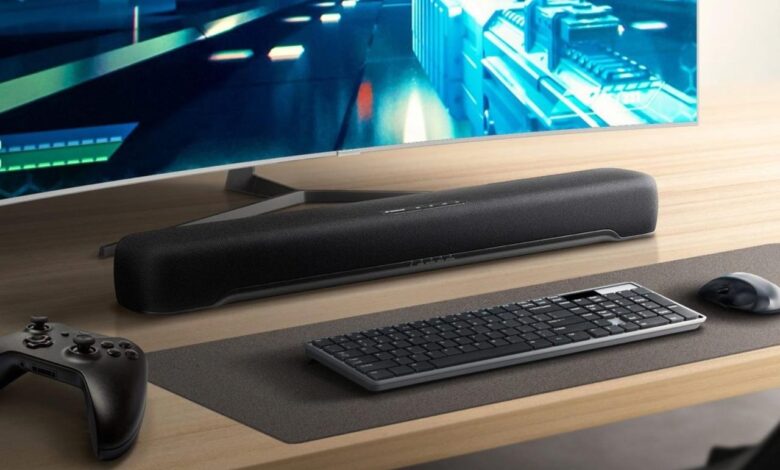
The Best Computer Soundbar for Your PC or Mac
Tired of tinny, underwhelming sound from your computer speakers? Upgrading to a dedicated soundbar is a game-changer, bringing your movies, music, and games to life with rich, immersive audio. But with so many options available, finding the best computer soundbar for your PC or Mac can feel overwhelming.
Fear not, tech enthusiasts! This guide will equip you with the knowledge and recommendations you need to choose the perfect soundbar for your desktop setup.
Whether you’re a casual listener, a movie buff, or a hardcore gamer, a good soundbar can elevate your computer experience. We’ll dive into the key features to consider, explore different sound technologies, and unveil top-rated soundbars that cater to various budgets and needs.
Get ready to immerse yourself in a world of crystal-clear audio and captivating soundstages.
Sound Quality Matters: The Case for a Dedicated Computer Soundbar
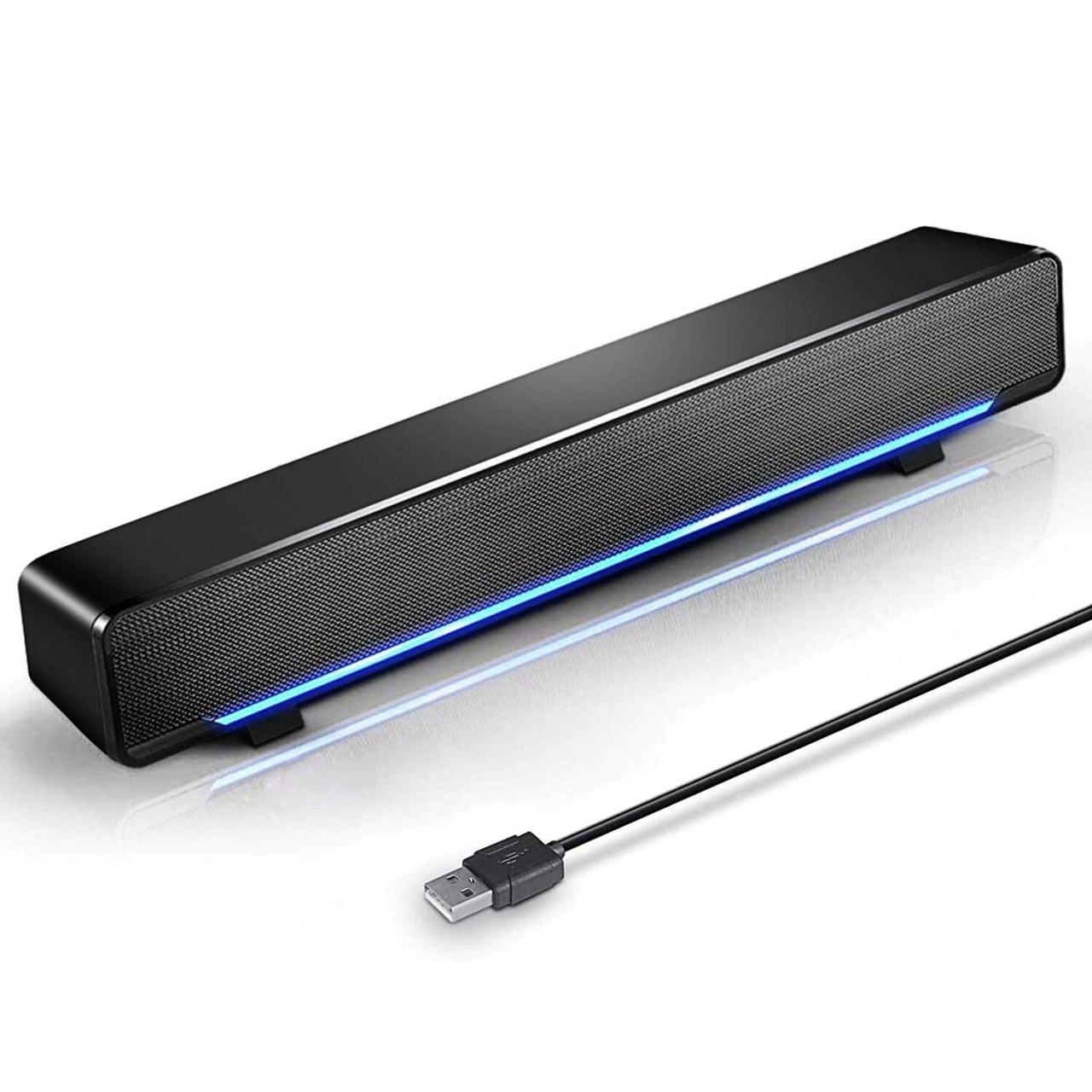
In today’s digital world, we spend countless hours in front of our computers, whether it’s for work, entertainment, or gaming. While visual quality is crucial, often overlooked is the importance of sound. A high-quality audio experience can dramatically enhance our enjoyment, immersion, and productivity.
This is where a dedicated computer soundbar comes in.
While built-in computer speakers are convenient, they often lack the power, clarity, and depth that can truly bring your audio to life. A soundbar, on the other hand, offers a significant upgrade, delivering rich, immersive sound that elevates your computer experience to a whole new level.
Key Features to Consider When Choosing a Computer Soundbar
Choosing the right soundbar for your needs involves considering several key features.
- Sound Quality: This is the most important factor. Look for a soundbar with clear, balanced audio, good bass response, and the ability to reproduce a wide range of frequencies.
- Connectivity: Consider the available connections, such as Bluetooth, USB, and optical input, to ensure compatibility with your computer and other devices.
- Size and Design: Choose a soundbar that fits comfortably on your desk and complements your computer setup. Some soundbars are designed to be compact and minimalist, while others offer more robust and feature-rich options.
- Features: Some soundbars offer additional features like built-in subwoofers, surround sound capabilities, and remote control functionality.
Factors to Consider
Choosing the right computer soundbar is a crucial decision that will significantly impact your listening experience. Several factors come into play, each influencing the overall quality and suitability of the soundbar for your needs.
Audio Quality
Audio quality is the most important aspect of any soundbar. It encompasses various elements that contribute to the overall listening experience. The key factors to consider are:
- Frequency Response:This refers to the range of sound frequencies that the soundbar can reproduce accurately. A wide frequency response ensures that you can hear all the nuances of music, movies, and games, from the deep bass to the high-pitched treble.
- Distortion:Sound distortion occurs when the soundbar struggles to reproduce sound accurately at high volumes. A low distortion level ensures clear and clean audio even at high volumes.
- Soundstage:This refers to the perceived width and depth of the sound. A good soundbar will create a wide and immersive soundstage, making you feel like you’re in the middle of the action.
Finding the best computer soundbar for your PC or Mac can be a challenge, especially if you’re looking for a balance of sound quality and affordability. It’s also important to consider the environmental impact of your purchase. A great way to find sustainable options is to check out brands that prioritize eco-friendly practices.
You can learn more about how to market your own sustainability efforts by reading 4 smart ways to market your sustainability efforts. By doing your research and choosing a soundbar that aligns with your values, you can enjoy great sound while making a positive impact on the planet.
- Clarity:A clear sound is essential for understanding dialogue in movies and games. A good soundbar will deliver crisp and intelligible vocals, allowing you to enjoy your content without straining your ears.
Connectivity
Connectivity options determine how you can connect your soundbar to your computer and other devices. It’s crucial to choose a soundbar with connectivity options that suit your setup and needs.
- Bluetooth:This is a wireless connection that is convenient for connecting your soundbar to your computer, smartphone, or tablet. However, Bluetooth can sometimes introduce latency, which can be noticeable in gaming or video playback.
- USB:A USB connection provides a direct digital connection between your soundbar and your computer.
This results in higher fidelity audio than Bluetooth and is ideal for audiophiles.
- Optical:This is a digital connection that provides high-quality audio without the latency issues of Bluetooth. Optical connections are often used for connecting soundbars to TVs and gaming consoles.
- 3.5mm Aux:This is a common analog connection that can be used to connect your soundbar to your computer or other devices. However, the audio quality of a 3.5mm connection is generally lower than digital connections.
Design
The design of your soundbar is important, as it will affect the overall aesthetic of your setup. Consider factors such as:
- Size and Shape:The size and shape of the soundbar should complement your desk and monitor.
- Materials:The materials used in the construction of the soundbar will affect its durability and aesthetics.
- Controls:The soundbar should have easy-to-use controls for volume, playback, and other functions.
Price
Price is always a factor to consider when buying any electronic device. Soundbars come in a wide range of prices, so it’s important to set a budget before you start shopping.
Finding the best computer soundbar for your PC or Mac can be a real game-changer, especially if you’re into movies, music, or even just gaming. But beyond the tech itself, we must recognise sciences unsung global pioneers to alter its future we must recognise sciences unsung global pioneers to alter its future , because their contributions often go unnoticed.
And just like those unsung heroes, a great soundbar can elevate your whole computing experience, so don’t underestimate its power.
- Value for Money:Look for a soundbar that offers the best value for your money. Consider the features, audio quality, and design in relation to the price.
- Features:More expensive soundbars often come with more features, such as surround sound, Dolby Atmos, and DTS:X.
Sound Technologies
Different sound technologies can significantly enhance the listening experience.
- Dolby Atmos:This technology creates an immersive surround sound experience by using overhead speakers to deliver sound from all directions.
- DTS:X:Similar to Dolby Atmos, DTS:X uses object-based audio to create a realistic and immersive surround sound experience.
- Surround Sound:Traditional surround sound systems use multiple speakers to create a more immersive listening experience than a stereo system.
Top Soundbar Recommendations
Now that you’ve decided to invest in a dedicated soundbar for your computer, it’s time to explore the best options available. We’ve carefully curated a selection of soundbars that offer excellent sound quality, versatility, and value for money. These recommendations are based on extensive research, user reviews, and expert opinions.
Soundbar Recommendations
To help you make an informed decision, we’ve compiled a table showcasing the key features, price range, and pros and cons of each soundbar.
| Soundbar Name | Price Range | Key Features | Pros | Cons |
|---|---|---|---|---|
| Creative Pebble V3 | $25
|
2.0 channel, USB powered, 4W RMS, Bluetooth 5.0 | Compact and affordable, good sound quality for the price, Bluetooth connectivity for wireless streaming | Limited bass response, lacks dedicated volume control |
| Logitech Z333 | $40
|
2.1 channel, 30W RMS, subwoofer, 3.5mm and RCA input | Powerful bass, good sound quality for movies and music, multiple input options | Bulky subwoofer, not ideal for small desks |
| Razer Leviathan Mini | $100
|
2.0 channel, 30W RMS, Dolby Digital, Bluetooth 5.0, USB-C connection | Compact and stylish, excellent sound quality for gaming and music, Dolby Digital for immersive audio | No subwoofer, can be expensive for a 2.0 channel system |
| JBL Bar 2.0 All-in-One | $150
Choosing the right computer soundbar can transform your desktop experience, offering immersive audio for movies, games, and music. But while we’re focused on improving our own digital spaces, it’s fascinating to see how real-world solutions are being developed to combat climate change. For example, farmers in England will bury burnt wood in fields to capture CO2 , a novel approach that could have a significant impact on carbon emissions. Just like a good soundbar enhances our enjoyment, these innovative solutions aim to enhance the health of our planet.
|
2.0 channel, 80W RMS, Bluetooth 5.0, HDMI ARC, wall-mountable | Powerful sound, clear dialogue, versatile connectivity options, wall-mountable for space-saving | No subwoofer, can be a bit pricey for a 2.0 channel system |
Each soundbar in this list has its own strengths and weaknesses. The Creative Pebble V3 is an excellent budget option, while the Logitech Z333 offers powerful bass for a more immersive experience.
The Razer Leviathan Mini is ideal for gamers and music enthusiasts seeking high-quality sound in a compact package. The JBL Bar 2.0 All-in-One provides a premium audio experience with versatile connectivity options. Ultimately, the best soundbar for you depends on your individual needs and preferences.
Consider your budget, the size of your desk, the type of content you consume, and the desired level of sound quality. Reading user reviews and comparing features can help you narrow down your choices and find the perfect soundbar for your computer setup.
Soundbar Setup and Usage

Setting up your new soundbar and enjoying its immersive audio is a breeze. The process is straightforward, and you’ll be up and running in no time. This section guides you through connecting your soundbar to your PC or Mac, optimizing sound settings for different content, and exploring software applications for enhancing your audio experience.
Connecting Your Soundbar
Connecting your soundbar to your computer is a simple process. The most common connection methods are:
- HDMI:This is the preferred method for high-quality audio and video transmission. Look for an HDMI ARC (Audio Return Channel) port on your soundbar and connect it to your computer’s HDMI output. This allows you to control the soundbar’s volume from your computer’s settings.
- Optical:This connection provides high-quality audio transmission but does not support video. Connect the optical cable from the soundbar’s optical input to the computer’s optical output.
- USB:Some soundbars offer USB connectivity, which can provide power and audio signals. This method is often used for smaller soundbars or those with limited connectivity options.
- 3.5mm Audio Jack:This is a common connection for older soundbars or computers without other options. Connect the 3.5mm audio cable from the soundbar’s audio input to the computer’s audio output.
Once connected, your computer should automatically recognize the soundbar as the default audio output device. If not, you may need to adjust your audio settings manually.
Optimizing Sound Settings
To get the best sound quality for different types of content, you’ll need to optimize the soundbar’s settings. Here’s a guide for common content types:
- Music:For a clear and detailed listening experience, choose a setting that emphasizes clarity and detail. This could be a “Music” mode or a setting that boosts the treble frequencies.
- Movies:For an immersive cinematic experience, choose a setting that enhances the sound effects and dialogue. This could be a “Movie” mode or a setting that boosts the bass frequencies.
- Gaming:For an engaging and immersive gaming experience, choose a setting that prioritizes sound effects and positional audio. This could be a “Game” mode or a setting that enhances the surround sound effect.
Soundbar Software Applications, The best computer soundbar for your pc or mac
Some soundbars come with dedicated software applications that allow you to customize their settings and features further. These applications often offer:
- Equalizer:Fine-tune the sound signature by adjusting the frequency levels for a personalized listening experience.
- Surround Sound Modes:Enhance the immersive experience by simulating surround sound using virtual surround sound technology.
- Bass Boost:Enhance the low-frequency response for a more impactful sound.
- Dialogue Enhancement:Improve the clarity of dialogue for a more enjoyable viewing experience.
These applications can be downloaded from the manufacturer’s website or through app stores.
Conclusion: The Best Computer Soundbar For Your Pc Or Mac
Upgrading your computer’s audio experience doesn’t have to be complicated. By understanding your needs and exploring the available options, you can find the perfect computer soundbar to elevate your listening pleasure. This guide has provided a comprehensive overview of the key factors to consider when choosing a soundbar, along with recommendations for top-performing models across different price points.
Key Takeaways and Recommendations
Choosing the best computer soundbar depends on your specific needs and preferences. Here are some key takeaways and recommendations:
- Sound Quality:Prioritize soundbars with clear, balanced audio that enhances your music, movies, and games. Consider features like dedicated tweeters, subwoofers, and surround sound capabilities for immersive audio experiences.
- Connectivity:Ensure the soundbar offers the necessary connections for your computer, including USB, Bluetooth, and optical inputs. Look for compatibility with your preferred audio formats, such as Dolby Atmos or DTS:X, for advanced audio processing.
- Size and Design:Choose a soundbar that fits comfortably on your desk or under your monitor, taking into account the size and design of your workspace. Consider aesthetics and features like adjustable angles for optimal sound direction.
- Budget:Set a realistic budget and explore soundbars within your price range. While higher-priced models often offer superior sound quality and features, budget-friendly options can still provide significant audio improvements.
Closing Notes
Investing in a computer soundbar is an investment in your audio enjoyment. By carefully considering your budget, desired sound quality, and connectivity needs, you can find the perfect soundbar to transform your desktop setup into a multimedia powerhouse. So, ditch the built-in speakers, embrace the immersive world of soundbars, and prepare to experience your favorite content in a whole new light – or should we say, sound?